7 min read
How to choose Synology or QNAP for a 20-person team
Compare Synology or QNAP for 20 employees by shared-work speed, backups, domain integration, Kazakhstan support, and total cost with drives.
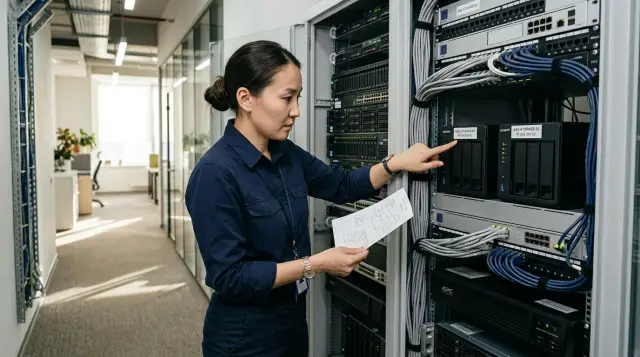
For a 20-person team, I usually choose Synology when the NAS must serve files, retain versions, and back up workstations without constant attention. I choose QNAP when the customer can name a reason in advance: they need more flexible network ports and expansion cards, containers, a choice of operating systems, or ZFS in QuTS hero. Buying QNAP for its longer specification table, or Synology for its reputation for a simple interface, makes equally little sense.
Headcount tells you almost nothing about load. Twenty accountants working with documents and twenty video editors working with source footage create very different systems. Before choosing an enclosure, measure the active data set, active file size, daily growth, required recovery time, and the network available at each workstation. Once you have those numbers, the argument about brands usually shrinks to two or three suitable configurations.
Concurrent work hits the network first
Both platforms can handle ordinary documents for 20 users when the NAS has appropriate drives, enough memory, and at least a 2.5-gigabit connection. The first limit is usually not the processor but a single gigabit port, whose usable throughput is roughly 110 MB/s across all active clients. Five people copying large files at the same time quickly divide that channel among themselves.
Two 2.5 GbE ports do not automatically turn one session into 5 GbE. Link aggregation distributes separate connections, while SMB Multichannel can use several network paths for one client only with compatible adapters and correct configuration at both ends. The QTS 5.2 manual explicitly provides SMB Multichannel and selection of two adapters at the same speed. Synology's SMB Service notes also describe the function for x86 DSM models. You therefore need to compare specific models and versions, not logos.
For a department working with office documents, PDFs, a moderately sized 1C database, and shared folders, a sensible starting point is two built-in 2.5 GbE ports, a managed switch, 8 GB of memory, and wired connections for the busiest workstations. For CAD, large layouts, virtual machines, or video, plan for 10 GbE between the NAS and the switch from the outset. Workstations need 10 GbE only where a single user genuinely reads or writes hundreds of megabytes per second.
Do not add up the speeds in advertisements. A vendor's sequential test uses large files, selected drives, and a defined network arrangement. A real folder containing 300,000 small files depends on latency, metadata work, antivirus scanning, encryption, and the number of simultaneous operations. SSD cache does not help every workload: repeated random reads can benefit, while a long one-time archive write may barely change. Memory used as file cache usually produces a more predictable result.
Treat the enclosure and drives as one system
I do not buy a two-bay NAS for a working department. A mirror provides only one fault-tolerant copy inside the same enclosure, gives you no comfortable growth path, and severely limits your choices while rebuilding the array. Four bays are the practical minimum, while five or six leave room for capacity, a hot spare, or later expansion without immediately replacing every drive.
Calculate usable capacity after RAID and free-space reserve. Four 12 TB drives in RAID 5 provide roughly 36 TB of decimal usable capacity before formatting. If you keep 20 percent free for snapshots, updates, and healthy array operation, you can plan on about 29 TB. RAID 6 across four drives leaves about 24 TB before the reserve, but it can survive two drive failures. With large drives and a department that cannot stop during a rebuild, that second option often makes sense.
Synology Hybrid RAID is convenient when drive capacities change in stages, but it does not cancel the arithmetic or the need for backup. QNAP offers conventional RAID levels and adds ZFS integrity checking and other file-system mechanisms on models that run QuTS hero. ZFS requires a considered memory allowance and disciplined configuration. Do not install QuTS hero merely because ZFS sounds serious.
Check the drive compatibility list particularly carefully before ordering. Synology officially tightened its policy for some Plus models released in 2025: full functionality and support depend on its own or certified drives. The policy has changed and varies by model and market, so the old advice to install any NAS drive is no longer good enough. QNAP also publishes a compatibility matrix, and the TS-464, for example, ships without hard drives. The price of an empty enclosure therefore tells you nothing about the finished system price.
NAS drives should use CMR unless the manufacturer confirms another suitable case. I specify the same model and firmware throughout an array, keep one spare drive on site, and include a UPS with USB or network management. The spare does not have to spin continuously as a hot spare: in a small office, a cold spare is often easier to verify and replace manually, and it does not accumulate the same operating hours.
Synology is easier to turn into a backup service
Synology provides a more unified set of tools for a small department that needs to protect computers, servers, and the NAS itself without a separate integration project. Active Backup for Business centralizes jobs for Windows, macOS, physical servers, SMB and rsync, VMware, and Hyper-V on supported models. Synology's technical specification lists reporting, job history, full and granular recovery, and global deduplication. This is more than an abstract interface advantage: one administrator notices a computer that has missed backups for a week sooner.
Hyper Backup solves a different problem by moving NAS data to an external drive, another NAS, a file server, or cloud storage. Snapshot Replication creates fast return points and replicas for supported volumes. You cannot collapse these mechanisms into one check box. A snapshot on the same array helps after accidental deletion, but it does not help after enclosure theft, fire, or complete file-system failure.
QNAP HBS 3 can back up and synchronize data to another NAS, an external device, and cloud destinations. It includes versioning, integrity checks, and QuDedup. QuDedup removes repeated blocks before transfer and saves bandwidth, but it changes the operating model: a version at the remote destination may be stored in the .qdff format, and extraction needs a restore job or the QuDedup Extract Tool. QNAP's official help separately warns that enabling version management can result in .qdff under a configuration an administrator did not expect. That is a legitimate technical tradeoff, but you should discover it during a test restore, not during an outage.
If you need to back up 20 workstations, compare the complete recovery route instead of application names. Check support for the required OS versions, how agents are deployed, destination encryption, failure reports, and whether a user can restore an individual file. With QNAP, the set may require HBS 3, NetBak PC Agent, and other applications depending on the job. On Synology, Active Backup more often brings this scenario into one console, so I give Synology the advantage here.
RAID does not replace a separate copy
A NAS must survive at least three different events: deletion by an employee, a failed drive, and loss of the entire device. RAID covers only part of the second event. Snapshots on the primary array handle the first one well. For the third, and for a ransomware attack, you need a separate backup that the NAS account cannot silently destroy.
A workable department scheme uses frequent snapshots of shared folders, a nightly version on another medium, and one more copy outside the office. An external USB drive is acceptable as one layer if staff rotate it on schedule and disconnect it after the job. A permanently connected disk inherits many of the NAS's risks. A remote NAS is easier to automate, but it needs separate credentials, restricted network access, and free-space monitoring.
Run a restore test every month, not just after purchase. Select a folder of documents, one computer, and a virtual machine if you have one. Restore them to an isolated location, open the files, record the time, and make sure the application can see its data. A green job status proves that writing finished; it does not prove that the department will resume work within the promised four hours.
Separate RPO from RTO. RPO answers how many recent changes the company can lose: with hourly snapshots, the answer may be up to an hour. RTO answers how long the outage may last. You can back up a large archive reliably every night and then need two days to restore it, which does not suit a department with a four-hour RTO. The NAS brand does not repair that mismatch.
Domain integration works on both platforms
Both Synology DSM and QNAP QTS can join Microsoft Active Directory and authenticate domain users without creating a second set of accounts. Both platforms also support LDAP in the relevant configurations. That is enough for a 20-person department if the administrator first puts groups and permissions in order.
I assign access to AD groups, not individuals. For example, FIN-RW, SALES-RW, and ALL-RO receive rights to shared folders, while personal exceptions are prohibited unless they have an expiry date. An employee's departure then requires disabling one domain account. Keep a local NAS administrator account for emergency access, protect it with a long unique password, and do not use it for everyday work.
Check DNS and time before joining the domain. The NAS must query the domain DNS servers, resolve controller records correctly, and synchronize its clock. A time error or public DNS configured on the NAS often looks like QNAP cannot see the domain or Synology rejects the password, even though the brand has nothing to do with it.
Do not make the NAS a domain controller merely to save a separate virtual machine. Both ecosystems offer directory services, but combining file storage, backups, and the only source of authentication in one enclosure is risky. If the NAS fails to boot after an update, the department loses both files and authentication. With an existing AD, use the NAS as a domain member.
A pilot gives an honest answer in two working days
A specification comparison ends where your network begins. Borrow the devices from a supplier for a test, or build a bench with the chosen model, identical drives, and the same switch that will go into production. Fill the test set with realistic copies of data that contain no personal information: large archives, a tree of small documents, and an application database after proper anonymization.
Measure the network with iperf3 before measuring file operations. One client starts the server and the NAS or a second computer connects to it:
iperf3 -s
iperf3 -c 192.0.2.10 -P 4 -t 60
The result contains one line per stream and a final SUM line with the transferred amount and Bitrate. If a 2.5-gigabit path produces a gigabit-class result, a NAS file test is pointless for now. Fix the port, cable, VLAN, driver, or speed negotiation first.
Next, run a concurrent work scenario rather than one attractive benchmark. Five computers copy sets of 20-50 GB, five more open and save small documents, and one performs a backup. Record average client speed, folder-opening latency, processor use, memory, disk queue, and temperature. Repeat the test with a snapshot and a backup job running in the background.
Write the acceptance criteria before the test:
- ten active clients do not experience File Explorer freezes beyond the agreed time;
- the nightly copy fits within the backup window;
- a user or administrator restores a deleted file by following the procedure;
- after one drive is disconnected, the array remains available and sends an alert;
- domain login, shared folders, and jobs persist after a restart.
This is one of the article's two practical devices, so do not turn the pilot into an endless laboratory project. Two matching days of load and a results log are more useful than a week of random clicking through the interface.
Verify Kazakhstan support before the invoice
A label saying three-year warranty does not tell you who accepts the device in Almaty, Astana, or another region, how long diagnosis takes, or whether a replacement is available. A manufacturer may provide an international warranty, but the actual route runs through the seller or distributor. Ask the supplier to state in writing the service intake address, initial response time, drive and enclosure replacement procedure, loaner availability, and limits of remote assistance.
Support must cover the complete configuration. If the seller supplies the enclosure while the drives, memory, and network card come from three different places, each participant can blame the neighboring component when the system becomes unstable. One contract for a compatible assembly costs more only on paper if department downtime costs more than the difference.
Check the support desk's time zone and language, the availability of on-site service, stock of spare drives in the selected capacity, and the procedure for handling a medium that contains business data. Do not send a failed drive away without a confidentiality rule and an approved destruction option. Government, healthcare, and financial customers should agree data and procurement requirements with their own security and legal teams.
GSE.kz can assemble and integrate a solution without locking the project to one vendor, and can provide round-the-clock technical support through a Kazakhstan-wide service network. The request should still name the NAS model, drive part numbers, software versions, response time, and replacement scenario, because the word support cannot be tested without those lines.
Total cost begins after the enclosure
Compare Synology and QNAP over the same period, usually three to five years, and at the same usable capacity. Include the enclosure, compatible drives, a spare drive, memory, network adapter, switch ports, UPS, external or remote target, cloud traffic, installation, migration, restore testing, and administrator labor. Record subscriptions and licenses separately only after checking the specific package and model.
The formula for a purchasing worksheet is simple:
TCO = NAS + array drives + spare drive + network + UPS
    + second storage + licenses + implementation + support labor
    + expected replacements during the term
Calculate two capacity cases. In the baseline, include current data, three years of growth, room for snapshots, and 20 percent free space. In the stress case, double the expected growth or add a large project. An expansion enclosure often costs a substantial part of a new NAS, and arrays spanning enclosures add failure points. Sometimes a six-bay model today costs less than a four-bay model plus expansion in two years.
Power consumption belongs in the cost, but it rarely changes a decision between similar desktop models. Administrator time costs much more. If Synology saves two hours each month in backup supervision, that can offset a difference in drive price. If QNAP accepts the required network card without forcing a move to a higher product family, the saving appears on the other side.
Do not put deduplication into the estimate as a guaranteed ratio. Its effect depends on the data, and proprietary backup formats can complicate independent recovery. Measure the department's set before entering a result. A bundled application also has a nonzero cost: updates, testing, and troubleshooting take time.
The choice depends on who takes the call
For a typical department with Microsoft AD, shared folders, 20 computers, and one system administrator, I would deploy a suitable Synology with four to six bays, 8 GB of memory, 2.5 GbE or 10 GbE according to the test, and a separate backup target. The reason is not that QNAP is slower. DSM and Active Backup usually reduce the number of places where a small team must check backup and recovery health.
QNAP wins when requirements include a particular expansion card, more network flexibility within the budget, QTS applications, or a deliberate move to QuTS hero. In that case, budget time for configuration, updates, restrictions on published services, and a mandatory extraction of a test version from HBS 3. Flexibility helps the team that is prepared to manage it.
Do not publish the NAS administration interface directly to the internet. Use a VPN or another controlled gateway for remote access, multifactor protection for eligible accounts, automatic alerts, and a defined update process. This applies to both brands: a poor network design quickly wipes out the benefit of a good enclosure.
The final decision should identify the model, drive list, RAID scheme, network design, snapshot schedule, two backup targets, RPO, RTO, and a signed support route. If the supplier cannot restore the selected folder and show the log during acceptance, the system has not been accepted. The logo on the front panel will not fix it.
Frequently asked questions
Which is better for a 20-person office, Synology or QNAP?
For a typical office with one administrator and a need to back up workstations, I usually choose Synology. QNAP makes more sense when you need particular network cards, hardware expansion, or QuTS hero, and the team can maintain it.
How many NAS bays do twenty employees need?
Four bays are the practical minimum, but five or six make capacity growth and RAID selection easier. A two-bay model reaches its capacity limit too quickly and gives you few options while replacing drives.
Is a gigabit network enough for a shared drive?
It is enough for occasional office documents, but a shared limit of roughly 110 MB/s is quickly divided among active users. For large files and concurrent copies, test 2.5 GbE immediately, and consider 10 GbE for CAD and video.
Does an office NAS need SSD cache?
Do not buy it automatically. Add memory first and measure latency with real files: SSD cache helps repeated random reads, but it may barely affect sequential archive writes.
Can Synology and QNAP join Active Directory?
Yes, both platforms can join a Microsoft AD domain and assign permissions to domain groups. Fix DNS and time synchronization first, then retain a separate local account for emergency access.
Do snapshots replace NAS backups?
No. A snapshot on the same array returns a deleted file quickly, but it does not help if the enclosure is lost or the storage fails completely. You need a copy outside the device and regular restore tests.
How does Active Backup for Business differ from HBS 3?
Active Backup for Business concentrates on centralized protection of computers, servers, and virtual machines in the Synology ecosystem. HBS 3 mainly moves and synchronizes QNAP data with external, remote, and cloud targets, while workstation protection can require different components.
How do I calculate usable RAID capacity?
For RAID 5, roughly subtract one drive's capacity; for RAID 6, subtract two, then reserve space for the file system, snapshots, and free headroom. Four 12 TB drives in RAID 5 provide about 36 TB before formatting and about 29 TB after a 20 percent reserve.
What should I ask a NAS supplier in Kazakhstan?
Ask for the service address, response time, enclosure and drive replacement rules, spare-parts availability, and the limits of remote help. Record separately how the service handles a failed medium that still contains business data.
Can I expose a NAS to the internet for remote work?
Do not expose the administration interface directly. Provide access through a controlled VPN or gateway, restrict accounts, enable available multifactor protection, and keep both platforms updated.
