8 min read
Server memory error diagnosis from BMC logs
Server memory error diagnosis using BMC, ECC, and system logs: identify a failing DIMM and separate it from power or firmware faults.
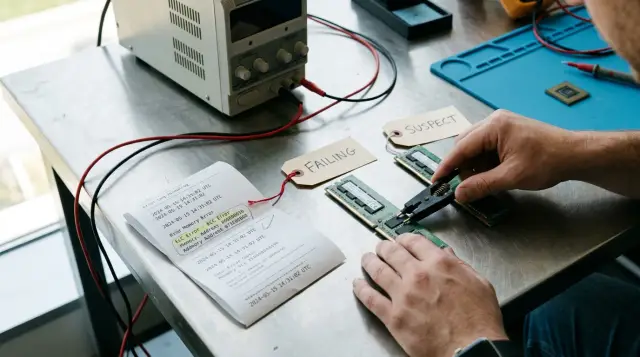
A server that reboots about once a week should not be repaired by replacing the first DIMM mentioned in a warning. You first need to prove the chain: the hardware event occurred before the reboot, the memory controller tied it to a channel or slot, and the error recurred during a controlled check. Skip any link in that chain and you can spend weeks moving healthy memory around while missing a power dip, overheating, or a firmware fault.
I start with the BMC log, compare it with the operating system log, and only then schedule downtime. This order preserves the original evidence, separates ECC correction from a fatal error, and keeps a production server from becoming a bench for random experiments. The interval diagnoses nothing on its own: a weekly pattern often reflects a backup, scan, batch job, or maintenance schedule, not an internal timer in a faulty module.
A weekly reboot does not yet point to a DIMM
A reboot is related to memory only when a memory hardware record or a reliable machine report appears before it with matching timing. An entry saying that the server shut down unexpectedly describes the consequence. It does not name the cause. A single Correctable ECC counter accumulated over months does not explain a particular reboot either.
First record four times: the last normal OS message, the first message after boot, the BMC event before power was lost, and the start of the recurring workload. Convert them to one time zone. BMC clocks often drift, reset after standby power is removed, or use UTC while the OS shows local time. An error of a few minutes can easily reverse cause and effect.
A useful working table is simple: time, source, severity, component, physical locator, counter, and system action. In the rows around the incident, look for a sequence rather than the single word "memory." For example, a rising stream of CEs on one channel, followed by a UE, Machine Check, and a new power-on record is far stronger evidence than an old DIMM warning from another socket.
Check ordinary causes of a planned restart as well. The OS scheduler, virtualization orchestrator, update agent, application watchdog, and an administrator using the BMC leave different traces. A reboot command, watchdog timeout, loss of input power, and hardware reset are not the same event. If the BMC says "power cycle requested by user," the memory investigation ends before you open the chassis.
The weekly rhythm helps identify the triggering workload. Match the incident against a full backup, antivirus sweep, report generation, array check, and cache cleanup. Such a job can raise temperatures, fill pages of memory that had not been used before, or load both power supplies at once. It reproduces the failure condition, but it still does not name the broken part.
Separate an OS reboot from a complete power loss. During a normal restart, the BMC keeps running, its management session uptime does not reset, and the power event sequence includes an orderly shutdown and startup. After a hard reset or voltage drop, you may see a gap, an unexpected start, or loss of communication with the BMC itself. This distinction immediately shortens the suspect list.
Check whether the OS hid the first record. Linux can rate-limit identical messages, while Windows sometimes publishes a preserved WHEA record only after the next boot. The publication time then differs from the hardware event time. Correlate the boot ID, the stored timestamp inside the record, and the BMC event order instead of sorting one window by display time.
Capture the logs before clearing or updating anything
Take the first snapshot before you reset counters, update the BIOS, or move modules, or you will destroy the link between the event and the original configuration. Save the BMC event log, sensor data, memory inventory, BMC and BIOS versions, and the OS system log. Add the date, server serial number, and reason for collection to the snapshot.
On Linux with a local IPMI interface, a basic command set can look like this:
mkdir -p incident-memory
ipmitool sel info > incident-memory/sel-info.txt
ipmitool sel elist > incident-memory/sel-extended.txt
ipmitool sdr elist > incident-memory/sensors.txt
ipmitool fru print > incident-memory/fru.txt
journalctl -k -b -1 > incident-memory/kernel-previous-boot.txt
journalctl -k -S "14 days ago" | grep -Ei "edac|ecc|mce|hardware error|memory" > incident-memory/kernel-memory.txt
dmidecode -t memory > incident-memory/dmi-memory.txt
Do not put a BMC password on the command line: it will enter the shell history and can sometimes appear in the process list. For remote IPMI, use an interactive password prompt or a protected credential file under your site's rules. If the manufacturer provides its own utility for exporting a service bundle, save the complete archive too, but do not use it instead of a readable log.
ipmitool sel elist usually returns a record ID, date, time, sensor name, event type, and state. The actual wording depends on the BMC. The shape you want resembles this, although it does not have to match word for word:
01a4 | 07/21/2026 | 02:14:08 | Memory #0x8a | Correctable ECC | Asserted
01a5 | 07/21/2026 | 02:14:11 | Memory #0x8a | Uncorrectable ECC | Asserted
01a6 | 07/21/2026 | 02:14:12 | System Event | Undetermined system hardware failure | Asserted
IPMItool describes the BMC as a service processor that works independently of the CPU and OS, monitors sensors, and records events. Its log therefore often survives a kernel hang. Independence does not make the BMC infallible: firmware can decode the wrong slot, its clock can drift, and a small SEL can overwrite older records. Export it immediately after the incident.
On platforms with Redfish, check the Memory and MemoryMetrics resources as well as LogEntry. The DMTF standard separates CorrectableECCErrorCount and UncorrectableECCErrorCount for the current period and the device lifetime, while the Memory resource can expose DeviceLocator. That distinction is useful: the counter shows the trend, and the locator ties it to hardware. Do not interpret an OEM field without its message registry.
On Windows, collect the Microsoft-Windows-WHEA-Logger provider events from the system log and save each record's XML rather than a screenshot. Microsoft documentation says WHEA builds hardware records in a CPER-based format and can include a separate platform memory error section. The readable description helps, but the record fields matter more than the generic event text.
If the OS runs as a hypervisor, collect data from the host rather than only from a guest. A guest may see a virtual CPU failure or sudden power-off without receiving a physical address, channel, or WHEA/EDAC event. The cluster log is useful for migration and fencing times, but the BMC, firmware, and host kernel locate physical memory.
Check the SEL capacity and fill percentage immediately. A ring log can remove the early CE warning while leaving the later restart. If a noisy sensor fills it quickly, export the log automatically and fix that noise separately. Do not disable sensor logging just to make the log easier to read unless the manufacturer confirms that the event is irrelevant to diagnostics.
A hash, or at least an immutable copy of the original files, prevents confusion after several test passes. Directory names should contain the server and time, not "new" and "final." State in the report which counters were reset and when; otherwise, a zero CurrentPeriod value after repair can look like proof even though someone cleared it five minutes earlier.
CE, UE, and fatal errors call for different decisions
A Correctable Error means the ECC mechanism detected and repaired an error before the consumer received the data. An Uncorrected Error means the data could not be repaired; it may be deferred, contained, or fatal depending on where the damaged data resides and what the platform supports. You cannot reduce these categories to "CE is safe, UE always shuts the server down."
The Linux EDAC subsystem documentation explicitly distinguishes corrected, uncorrected, deferred, and fatal events. It also warns that a stream of CEs may indicate degradation but does not guarantee a future UE. The practical conclusion is stricter than the casual advice that "ECC fixed it": one correction with no recurrence calls for observation, while sustained growth at one locator calls for planned isolation before an outage.
Evaluate five signals together:
- the severity and the action taken by the platform;
- recurrence on one socket, channel, rank, or DIMM;
- the rate of increase after the current-period counter is reset;
- alignment with temperature and workload;
- progression from CE to UE, rank disablement, sparing, or a reboot.
There is no universal acceptable CE count. The threshold depends on the processor, memory mode, firmware, DIMM type, and the server manufacturer's policy. A borrowed number from a forum is dangerous: one BMC counts individual corrected words, another folds a burst into one event, and a third logs only after crossing an internal threshold. Use the replacement rule in your exact model's service documentation and compare the growth rate under equal conditions.
Do not confuse an event with a diagnosis of one stick. On modern server platforms, the memory controller sits in the processor, and the signal path runs through the socket, board traces, connector, and DIMM. A "memory channel A" report proves the fault area. It still leaves the module, slot, controller channel, and a socket contact on the suspect list.
Lockstep and memory mirroring widen the fault area further. The Linux RAS guide notes that lockstep groups modules for wider correction, but the controller may implicate a pair because it cannot distinguish one DIMM after an error. If the BMC names two modules at once in this mode, that can be a localization limit rather than the simultaneous death of two sticks.
Threshold exceeded and disabled events do not mean the same thing as one correction. The first says the platform's internal policy accumulated enough errors to issue a warning; the second may mean that a rank or channel was removed after training or a runtime fault. Record memory state after boot: reduced available capacity is sometimes the recovery action that already occurred.
Treat the error address carefully too. Repetition at one physical address or a narrow range strengthens the case for a permanent cell defect, while random addresses on one channel can point to a shared electrical path. The OS, interleaving, and controller address translation complicate the reverse mapping. Without a decoder for that exact CPU, do not turn a page address into a homemade DIMM number.
A kernel panic, bug check, or Machine Check does not always mean memory. Intel describes MCA as a reporting mechanism for bus, cache, ECC, parity, and other hardware errors. Read the machine-check section and bank. The WHEA_UNCORRECTABLE_ERROR heading on a blue screen identifies the stop class, not the part to replace.
Map the controller code to a physical slot
Replace a module only after translating the event's logical address into the label printed on the system board. CPU1_CH2_DIMM0, A2, P1-DIMMB1, and "channel 1, slot 0" are not interchangeable. Each manufacturer defines its own scheme, and OS numbering may start at zero.
Build the map before downtime. It needs the board slot name, BMC locator, SMBIOS Locator and Bank Locator, DIMM serial number, part number, capacity, speed, and processor socket. Compare these with the manual for the exact model and board revision. A photograph of the populated slots before work often beats an engineer's memory after modules have moved.
dmidecode displays what firmware wrote into SMBIOS, not an electrical measurement. If its output says Locator: DIMM_A2, that is a useful clue but not independent confirmation. Redfish DeviceLocator also comes from firmware. Two interfaces can repeat the same bad BIOS table.
The ECC syndrome helps the controller identify damaged bits, but it rarely lets an administrator name a chip on the module without documentation. Do not decode an arbitrary syndrome 0x... with a table from another CPU generation. The channel, slot, rank, and bank fields are useful only in the context of the processor manual and the board manufacturer's implementation.
If the logs name different DIMMs on one channel, suspicion shifts to their shared path: the slot, memory channel, CPU socket, processor seating, or board. If the error follows a module serial number into an allowed symmetric slot, suspicion shifts to the DIMM. Isolation must prove this distinction.
Before opening the chassis, check the population rules. The server may require matching capacity and organization in a channel pair, a specific slot order, or identical DIMMs for lockstep. A random swap can create a new configuration error and hide the original one.
Inventory before repair solves another common problem: two modules that look identical can have different part numbers, rank counts, or supported speeds. Firmware may lower the speed of the entire group or reject part of the configuration, and an engineer may attribute the behavioral change to the "suspect" DIMM. Record the effective speed, not only the number on the label.
If no locator is available, do not guess from the line order in dmidecode. Obtain the service dump and check whether the manufacturer offers decoding for the MCA or OEM code. Without reliable mapping, the isolation scope expands to a pair or channel, and the maintenance window becomes longer. That is more honest than replacing the module with the most convenient number.
Isolate one variable per pass
Reliable isolation changes one variable, preserves a supported configuration, and lets the system complete the same workload cycle. If you move four DIMMs, update the BIOS, and replace a power supply at the same time, the server may stabilize, but the cause will remain unknown. You will start over at the next failure.
Before shutdown, move the workload away, verify redundancy, and obtain a maintenance window. Shut down the OS normally, remove power according to the service procedure, wait for discharge, and use electrostatic protection. A normal DIMM is not hot-swappable unless the manual explicitly describes that ability for the specific platform.
Use this diagnostic order:
- Record the original slots and serial numbers, then reseat the suspect DIMM in the same slot. Inspect contacts, latches, air guides, and contamination.
- Run the manufacturer's built-in offline diagnostics without changing firmware. Save the full result, including the test identifier and physical locator.
- If the error returns, swap the suspect module and a known-good compatible module between two allowed equivalent slots. Do not break the channel population scheme.
- Repeat the same workload and compare the new events. If the fault follows the module, replace the DIMM; if it stays with the slot, investigate the board, socket, and controller; if it disappears, continue observing because a contact problem may have cleared temporarily.
- On a two-socket server, do not move a DIMM between sockets without checking compatibility and topology. Such a move changes the module, channel, and memory controller at once.
Export the log after each pass and mark the test start. Clear the SEL only after preserving the original file and only when the log is full or old entries prevent comparison. Recording the ID of the last old entry and filtering the new ones is better than erasing evidence.
A known-good module must match the supported type, rank organization, capacity, and platform requirements. "It fits the connector" does not mean compatible. Do not mix RDIMMs and LRDIMMs, assume an arbitrary speed will boot, or use a module of unknown origin as the control.
If the server supports memory sparing, rank sparing, or removal of a damaged page, record the action that activated. Capacity or performance may change afterward, and the symptom may disappear until the next threshold. A successful boot after automatic memory removal does not prove healthy hardware.
One negative result is useful: the error neither follows the DIMM nor stays in one slot, but appears only with the full configuration. Check the per-channel loading rules, the maximum speed for the installed module count, and whether the sets match. A reduced configuration may work because the controller has less electrical load or uses different training, not because you removed the broken DIMM.
Do not clean contacts with random chemicals or an eraser. Follow the manufacturer's procedure, use approved materials, and do not touch the contact edge. Photograph corrosion, heat damage, or physical marks; such a module does not need another production test.
A load test must reproduce the condition, not just heat memory
A test helps when it reproduces the path to failure without creating needless risk for production data. A full offline memory test checks the address space well, but it does not repeat the weekly mix of CPU, disks, network, backup, and temperature. A short test after a swap can miss an intermittent fault.
Start with the server's built-in diagnostics because it understands the topology and can leave a service code. Then, during an approved window, run a long memory test with multiple passes. Choose the tool and duration from the platform manual. Do not declare a DIMM healthy after one pass just because the screen is green.
To reproduce the weekly incident, rerun the normal job on a copy of the data or a standby node when possible. Watch CE and UE counts, inlet temperature, CPU and DIMM temperatures, power draw, power-supply state, and correction rate at the same time. The event order matters more than maximum heat on its own.
The check must answer a question written in advance. For example: "Will new CEs appear at locator A2 during a complete backup job after serial number X moves to B2?" This criterion prevents "seems stable" from replacing a conclusion.
Do not run an aggressive test on a node that has already reported a UE and holds the only current copy of data. Evacuate services first and verify backup recovery. Extra load on a degrading memory channel can turn a diagnostic window into an outage.
Compare equal intervals. A lifetime counter cannot evaluate the latest pass if it cannot be reset. DMTF Redfish separates CurrentPeriod and LifeTime in MemoryMetrics for this reason; use the current period or the difference between two snapshots. Zero new errors during a short idle period says nothing about the old workload.
Track which component writes each counter. The BMC, EDAC, and WHEA can receive one hardware event through different paths, so adding all three figures exaggerates the count. Group records by time, locator, syndrome, and severity. The goal is to reconstruct one sequence, not to produce the largest error number.
If the test reports an error without a locator, preserve its address, pass, data pattern, and failure time. Repetition on one pattern can help the service team, but it does not replace hardware localization. A screenshot of the last line is poor evidence when the diagnostic tool can export a complete report with topology.
Power problems reveal themselves in the full event picture
Power is the more likely cause when the server loses power without an earlier ECC record tied to one locator, both supplies or several rails report deviations, and the failure matches a system-wide peak load. Memory may still appear last in the log because the controller received a damaged transaction during the voltage dip.
Look for AC lost, power unit failure, voltage out of range, power good lost, a sudden BMC reset, input switching, and lost redundancy. The wording depends on the platform. Correlate these records with the UPS, PDU, and neighboring equipment logs, not only this server's OS.
Inspect the physical chain: inputs A and B, whether their sources are truly separate, cable latches, the health of both supplies, and whether their supported wattage and firmware match. Redundancy shown by the BMC does not help if both cables lead to one overloaded PDU. After service, confirm that the server sees the intended redundancy mode.
BMC voltage readings help with trends but do not measure power quality. The controller polls sensors at a finite rate and may miss a brief dip. If the UPS log shows a transfer to battery or overload in the same second while the SEL records only an unexpected shutdown, investigate power first.
The total workload matters too. A backup can load the CPU, memory, and disks together, raising consumption. If CEs scatter across several channels on both sockets near power events, replacing one DIMM is a weak hypothesis. If errors persistently follow one serial number while the rails remain stable, power moves down the list.
Do not test a supply by moving it between production servers without checking power and compatibility. It is safer to use a supported spare supply, a separate verified input, and a controlled workload. Record every change as strictly as a DIMM swap.
Inspect the log for several hours before the shutdown, not only at the moment it occurred. Repeated changes of a power supply between present, degraded, and OK can precede the failure. Such flapping may not appear in a narrow restart filter even though it clearly shows an unstable connection or input.
If the server runs near its power limit, compare the actual configuration with the manufacturer's calculation after recent changes. A new accelerator, a disk shelf powered by the chassis, or higher-power CPUs alter the margin. You cannot simply add the ratings on two power supplies when the system uses redundancy: the remaining unit must carry the full load if one fails.
Firmware, the socket, and the board can blame good memory
Suspect firmware when errors begin after an update, locators disagree between interfaces, release notes describe RAS or memory-training fixes, or identical hardware configurations produce the same code across several servers. This is not permission to flash a failing server immediately. Preserve versions and logs first, then check the compatibility matrix and manufacturer procedure.
The BIOS trains memory at startup, the BMC decodes and stores events, and microcode and system firmware participate in machine-error handling. An inconsistent version set can produce a wrong locator, recurring training failures, or the wrong recovery policy. Update components in the manufacturer's order, with a rollback path and a separate test after each logical stage.
Resetting BIOS settings sometimes changes memory mode and speed, so it is not a neutral diagnostic step. Export the configuration before a reset and record memory mode, speed, interleaving, sparing, mirroring, and power settings. Compare them explicitly afterward.
Inspect CPU contact and socket condition when the fault remains on a channel after replacing the DIMM or when several slots on one channel disappear during training. A bent contact, uneven heatsink pressure, or a damaged trace can look like bad memory. This work requires a service procedure: removing a CPU without the right tool can add a new defect.
The memory controller inside the CPU remains a suspect too. The evidence is not the word "CPU" in one event, but persistent attachment to a channel on one socket after modules and slots have been checked. Swapping a CPU for an experiment is expensive and changes the thermal interface, mounting pressure, and firmware identification, so leave it until after documented isolation.
Check temperature separately. A blocked air guide, missing blank, failed fan, or hot inlet air can cause errors during the weekly peak. Temperature correlation does not prove a DIMM defect, but it provides a reproducible condition and a clear cooling-system fix.
Separate training failures after a cold start from errors under load. Training faults occur while the BIOS configures channels before the OS starts, so the kernel log may be clean even though available capacity has already fallen. Runtime faults appear during reads and writes. Compatibility, seating, socket condition, BIOS version, and startup temperature matter especially for training.
Do not update firmware under the rule "install the latest." You need a version that supports the board revision, processors, and memory type, and its notes should explain a relevant fix or manufacturer recommendation. Preserve the package and checksum from a trusted supply channel under your organization's process; an arbitrary file turns troubleshooting into a board-failure risk.
Close the incident with evidence, not silence
You can close the incident after preserving the original evidence, naming the failed component or condition, making one justified change, and completing a comparable workload period without new events. "It did not reboot for a week" is weak evidence if the weekly job did not run this time.
For a DIMM replacement, record the old and new serial numbers, slot, firmware version, active memory mode, and offline test result. After boot, verify total memory, channel symmetry, operating speed, redundancy state, and the absence of training errors. Then capture a new counter baseline.
Do not delete old logs after repair. Keep the timeline, slot map, replacement decision, and validation results together. This makes a recurrence on the same channel a month later visible and separates a second DIMM failure from a board problem that the first replacement merely masked.
Within GSE infrastructure, S200 servers and 24/7 technical support provide one service path for checking hardware configuration and handling a case, but an engineer still needs the original SEL, firmware versions, and exact locator. Without that evidence, any manufacturer will begin by collecting it again and the outage will last longer.
Configure alerts for new UEs, a CE threshold crossing, loss of a power supply, critical temperature, and a full BMC log. Do not turn every correction into a nighttime emergency: group by server and locator, measure growth, and raise priority when the rate accelerates or severity changes.
The observation period must include at least the modes present during the incident: a cold start, normal production load, and the weekly job. If the repair changed the schedule or data volume, record that limitation. No event under a lighter load remains an interim result.
For a fleet of identical servers, a control baseline helps. Compare versions, memory configuration, and CE rate on nodes of the same generation without mixing counters from different models. One node that differs sharply under equal load deserves priority; the same new code across a group after an update redirects attention to firmware or a shared condition.
A strong final report expresses causality in one testable sentence: "CEs and UEs followed DIMM serial number X from A2 to B2 under the same workload; after replacement, current-period counters stayed at zero through two complete job cycles." If you cannot write that sentence, the investigation has not yet separated the cause from a coincidence.
Frequently asked questions
Can one corrected ECC error reboot a server?
A single CE normally does not require a reboot because the controller has already repaired the data. It can be part of a larger sequence, so correlate its time with a UE, Machine Check, watchdog, and power loss.
What Correctable ECC level should be considered critical?
There is no universal number because platforms count and group errors differently. Use the threshold for your server model and, before that threshold, assess growth at one locator and progression to more severe events.
Can I immediately replace the DIMM named by the BMC?
You can if service policy requires immediate replacement, but you should still confirm the diagnosis with a slot map and logs. A BMC sometimes localizes only a channel or module pair, especially in lockstep and mirroring modes.
What is the difference between CE and UE in a memory log?
With a CE, the ECC mechanism repaired the data before use. With a UE, repair failed; the platform may contain the fault, defer handling, or stop the system when it cannot continue safely.
Why does a memory test pass before the server reboots again?
A short test may not reproduce the temperature, power draw, and memory allocation of the weekly job. Repeat a comparable workload while monitoring memory, power, and cooling together.
Should I clear the SEL before a repeat test?
Export it first and record the ID of the last original entry. Clear it only when it is full or when the platform provides no reliable way to separate new events.
How can I tell whether the slot is faulty rather than the DIMM?
Swap the suspect DIMM and a compatible known-good one between allowed equivalent slots, changing one variable. A fault that remains with the channel or slot points to the shared path, board, socket, or controller.
Can a power supply cause ECC errors?
A voltage dip or power loss can create hardware errors near shutdown, but one ECC entry does not prove that cause. Look for a shared pattern in the SEL, UPS and PDU logs, voltage sensors, and events from both supplies.
Should I update the BIOS before moving memory?
Not before preserving the original logs, versions, and configuration. An update is justified by a known fix for your model and should follow the manufacturer's procedure with separate validation afterward.
When can the server return to production?
After restoring a supported memory configuration, passing hardware diagnostics, and fully repeating the workload that previously triggered the fault. Record new counter baselines and keep alerts for UEs, CE growth, power, and temperature.
