8 min read
Choosing RAID 6 or 10 for a database defines the risk window
Compare RAID 6 and 10 for databases by write speed, degraded behavior, rebuild time, and the risk of a second failure on HDDs and SSDs.
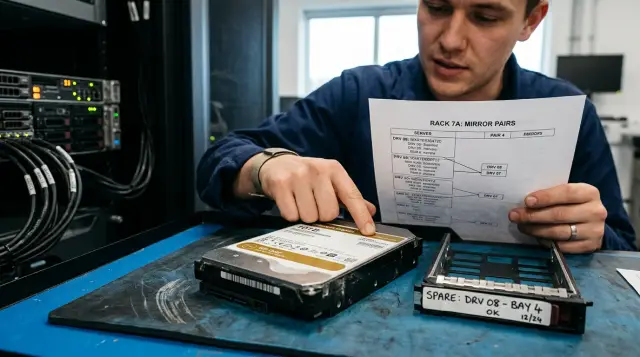
You cannot choose a RAID level for a database from the number of tolerated failures alone. RAID 6 survives the failure of any two drives in a group, while RAID 10 keeps data after multiple failures only when at least one healthy member remains in every mirror pair. A mirror usually writes faster, behaves more simply under random load, and rebuilds a lost copy without calculating dual parity.
Rebuild time changes the risk, but it does not make the decision by itself. A production database has four connected measures: confirmed-write latency in normal operation, latency in degraded mode, the duration of increased exposure, and the consequences of one more failure. If you compare arrays with different usable capacities or measure only sequential throughput, the conclusion will look neat and be useless.
Rebuild time sets the risk window, not the winner
Rebuild matters because the array runs with less fault-tolerance reserve throughout the process and shares its drives with user I/O. A short rebuild does not automatically make RAID 10 safer than RAID 6, and dual parity does not make a long rebuild acceptable. Ask separately which failure can destroy the array during this window and what latency the database will see.
In RAID 10, the controller rebuilds a new pair member by reading the surviving copy. The read volume is usually close to the used or full capacity of one drive, depending on the controller implementation and array format. Other pairs are not needed to reconstruct the data in this pair, although they still share the channel, cache, and bus. A mirror therefore often rebuilds faster and puts less load on the other drives.
In RAID 6, the controller must read stripes from the remaining members, verify or calculate P and Q, and write the reconstructed blocks. A modern controller does this in parallel, so you cannot simply multiply drive size by member count. The operation still touches the whole group, competes with the database for queues, and must use the remaining redundancy when it encounters a damaged block.
IBM's RAID 6 description says this plainly: after the first failure, the array has protection similar to a healthy RAID 5, while a third failure makes it inaccessible. That wording is more useful than the sales phrase "tolerates two drives" because it shows how the state changes. IBM describes the RAID 10 condition differently: access continues while one drive in every mirror pair remains alive; losing both members of one pair stops the array.
Do not confuse service recovery time with array rebuild time. The database may keep serving requests during rebuild yet exceed its allowed latency. Conversely, the array may become healthy quickly while the database spends much longer replaying its transaction log after an abrupt shutdown. The decision needs the service RTO, an allowed p95 or p99 latency, and the actual rebuild duration.
Small random writes leave RAID 6 owing work
RAID 10 usually provides more predictable latency for a database with frequent synchronous writes. Each changed block is written to both mirror copies. For a partial-stripe write, RAID 6 must keep the data and two parity blocks consistent, which requires reading old data and parity or doing equivalent work in controller cache.
The textbook rule assigns two physical writes to a small RAID 10 write. For RAID 6, the classic read-modify-write cycle includes six operations: reads of old data and two parity values, followed by writes of new data and two new parity values. Do not turn those counts into a performance promise. A controller with protected write-back cache coalesces requests into full stripes, SSDs handle operations in parallel, and the database groups its own commits.
The difference appears when cache stops hiding the physics: a sustained WAL or redo stream, a checkpoint, a bulk index update, a full controller cache, or write-back disabled by a failed battery or capacitor. Average throughput may still look respectable while tail latency already breaches the SLA. Compare transactions per second together with p95 and p99 commit latency, queue depth, and cache state.
A full-stripe write reduces the parity penalty. If the system gathers all data blocks in a stripe, it need not read old data because the controller calculates P and Q from the new contents. That helps large sequential loads, backups, and some checkpoint workloads. A typical OLTP stream consists of small requests to different pages and rarely arranges itself into ideal stripes.
A large cache does not remove the requirement for reliable write acknowledgement. If the controller tells the database that fsync succeeded before data reaches durable storage, without a battery, capacitor, or another verified power safeguard, a fast test measures the risk of lost transactions. Check the whole path: database settings, filesystem, driver, controller, and drive. One component that ignores flush or force unit access breaks the guarantees of all the others.
Reads are more even. Both levels spread sequential and random reads over several drives, and RAID 10 can choose the less busy mirror. RAID 6 reads healthy data without calculating parity while all members remain present. RAID 10's database advantage is therefore usually stronger for writes and mixed OLTP than for read-only work.
Treat degraded mode as a separate workload profile
After a drive fails, the database gets a different storage system even though the volume name stays the same. In RAID 10, reads for the lost member go to its mirror, which also handles normal requests and the rebuild stream. In RAID 6, reading a missing block requires reconstruction from data and parity on the remaining members. This adds internal operations and stretches queues.
The nastiest mistake is testing only a healthy array. A team sees an acceptable 5 ms on an ordinary day, sets a high rebuild priority, and gets tens or hundreds of milliseconds in the tail after a failure. Setting the priority too low creates the opposite problem: users barely notice the incident, but the exposure window remains open for several days. Recovery speed always trades current performance for later risk.
IBM published distributed RAID tests in which rebuild increased read latency, while accelerated recovery after additional failures sharply increased write latency. You cannot carry those particular charts over to another controller as a forecast. They prove a principle that you must test on your own system: the rebuild scheduling algorithm changes workload behavior, and average drive speed does not describe the result.
A database needs a separate emergency budget. Normal p99 transaction commit might be 20 ms, for example, while the business accepts 60 ms during maintenance after a failure. The test must then show whether the array can rebuild quickly enough to stay within both the 60 ms limit and the repair window. Without those numbers, RAID 6 versus RAID 10 remains a matter of taste.
The workload may also change during a failure. A replica may start catching up with the log, a backup continues sequential reading, monitoring launches an extended check, and an operator decides to verify checksums. Each action is reasonable by itself, but together they take resources from rebuild. The runbook should say in advance which background jobs to pause and who may change recovery priority.
Do not test a failure by pulling a random drive from the only production instance. Use a test system with the same controller, firmware, drive type, group width, and cache settings. A performance trace before failure, during degradation, and during the return to normal tells you much more than a RAID-level comparison table.
RAID 10's second failure depends on its address
The statement "RAID 10 tolerates two failures" is incomplete. In a four-drive array, a second failure of the remaining member in the damaged pair destroys the array, while failure of a drive in the other pair leaves it available. A wider group can lose several drives at once as long as no pair disappears completely.
The address of the second failure does not matter to RAID 6: any two failed members are allowed. After two failures, no reserve remains, and the next read error or a third failure can make data unavailable. This certainty is particularly useful when drives share enclosures, cables, or manufacturing batches and the independence of their failures is doubtful.
You cannot honestly derive the probability from one AFR number in a data sheet. Failures correlate through common age, temperature, vibration, firmware version, enclosure, cable, expander, and operator actions. Replacing one drive sometimes puts its peers through their most intensive reading in months. A model of independent identical drives is convenient for comparison, but it understates common causes.
Mirror placement changes the RAID 10 result. If both pair members sit behind one cable, port, or enclosure, failure of that component removes both copies at once. IBM's RAID 10 documentation describes the controller's attempt to place pair members on different connections for this reason. Record the actual slot-to-pair mapping during design instead of trusting label order on the front panel.
A hot spare shortens the pause before rebuild begins, but it does not add an independent data copy before recovery finishes. A global spare may be busy with another array, too small, the wrong type, or waiting for manual approval because of controller policy. Verifying automatic rebuild start belongs in acceptance testing.
An unrecoverable read error, or URE, is not the same as total drive failure. RAID 6 retains second parity after one failure and can reconstruct one bad block on another member. RAID 10 can repair a bad block if the mirror holds a healthy copy; a problem in the only remaining copy of the required block is dangerous. A simple calculation from the advertised URE rate ignores background checks, controller sector repair, and the amount actually read, so it cannot be the only argument.
Measure your own recovery window instead of guessing
The lower bound is simple: divide the amount that must be written to the replacement by sustained rebuild speed. For a 12 TB drive and a real 120 MB/s rate, the ideal lower bound is about 27.8 hours in decimal units. At 45 MB/s under load, it rises to about 74 hours. That is arithmetic, not a forecast: pauses, read errors, internal copying, and priority changes will extend it.
On Linux MD, you can read the current state and actual speed without assumptions:
cat /sys/block/md0/md/sync_action
cat /sys/block/md0/md/sync_completed
cat /sys/block/md0/md/sync_speed
cat /proc/mdstat
The Linux kernel documentation defines sync_completed as the fraction of completed sectors and sync_speed as the average over the previous 30 seconds in KB/s. The sync_speed_min and sync_speed_max values set limits for one array. This is a useful measurement interface, not a universal control: hardware RAID uses its own commands and scheduling policy.
Run the measurement on a filled array with a reproducible database load. An empty volume, a sequential data generator, and disabled checkpoints give an optimistic result. Capture at least remaining volume, current speed, p95 and p99 transaction latency, host IOPS, each drive's queue, media errors, and temperature. One-minute intervals usually reveal how the controller changes pace without producing an enormous telemetry stream.
The calculation does not need a complicated model. Let C be the bytes to rebuild, Rbusy the tenth percentile of rebuild speed under production load, and Tdetect the detection and physical replacement time when a hot spare does not start automatically. The planned window is Tdetect + C / Rbusy, followed by array verification time. The tenth percentile is more useful than the mean because it includes slow periods.
Test two modes. The first preserves the database's emergency SLA and reveals the longest possible rebuild. The second finishes rebuild within a fixed window and reveals the database's worst latency. If neither mode satisfies both limits, changing RAID level may help, but adding drives, splitting a wide group, moving the log to a separate protected volume, or adopting distributed spare space may be the better answer.
Save the raw metric series and configuration after the test, not a screenshot. Record controller model, firmware version, stripe size, cache policy, drive count, fill level, and load generator. Otherwise nobody will understand six months later why the new array rebuilds twice as slowly as the old one.
A large drive increases reading, and SSD does not remove risk
One member's capacity affects rebuild more than its advertised peak speed. A large HDD may read quickly in sequence on its outer tracks, but the database adds random head movement and speed falls across the platter. An array built from 18 or 22 TB drives can remain degraded beyond a working day even when all hardware is functioning properly.
RAID 6 width provides usable capacity, but it expands the failure domain and the number of members involved in reconstruction. Eight 12 TB drives provide 72 TB of raw usable capacity in RAID 6 before formatting overhead, while RAID 10 provides 48 TB. That is not a fair database performance comparison: the first layout has six data drives and dual parity, while the second has four mirror pairs and a different capacity.
A fair comparison starts with the same required usable capacity, the same free-space reserve, and the same drive class. Then count spindles or NAND channels, slot cost, spare drives, and controller bandwidth separately. RAID 6 sometimes saves enough budget to buy more drives and reach acceptable write performance. Sometimes the latency limit rules parity out immediately even though its cost per terabyte is lower.
SSDs remove mechanical delay and often speed rebuild, but large QLC or TLC devices may hit their sustained write limit after the internal cache is exhausted. Garbage collection, thermal throttling, spare-block reserve, and remaining write endurance all affect recovery. The burst speed in a short data-sheet test says little about a multi-terabyte continuous rebuild.
SSDs still have common failure causes: identical firmware, the same production batch, similar bytes written, and a shared power event. The phrase "SSDs have no moving parts" does not justify a wide untested group. Firmware updates and batch replacement can also require removing drives one by one, making rebuild speed an operational limit.
Read the advertised unrecoverable read-error figure literally and together with the drive documentation. It gives a stated upper event frequency per number of bits read, not the probability that one particular array will die. Seagate, for example, publishes different limits for different drive classes; using a consumer model's figure for an enterprise SAS calculation is wrong. It is even worse to assume one URE must destroy RAID 6: after the first failure, second parity can reconstruct that block. Use the specification to select a compatible class, and use actual media errors, patrol reads, and successful scrubs to operate it.
Background patrol read, consistency check, or scrub reduces the chance of finding an old error only during an emergency. These jobs read the whole array and compete with the database, so they need a schedule and a limit. I prefer a completed monthly scrub with an observable result to a check postponed forever, but choose the interval from controller documentation, volume, and allowed load.
A database needs proven fsync and a controlled latency tail
The RAID level cannot repair a wrong database reliability design. Transaction logs, data pages, temporary files, archived logs, and backups have different I/O patterns and different failure consequences. Putting them on one logical volume is convenient, but checkpoint, backup, and rebuild then fight for one queue.
For OLTP, the decision often leans toward RAID 10 because of synchronous log writes and random page updates. For an analytical database with large sequential reads, infrequent batch loads, and a strict capacity budget, RAID 6 may be sensible. The database product name decides nothing by itself: PostgreSQL, Microsoft SQL Server, and Oracle can run very different workloads.
Define RPO and RTO first. RAID preserves availability through some hardware failures, but it cannot restore a dropped table, undo an accidental DROP, repair logical corruption, or replace an independent backup. A replica can repeat an operator's mistake immediately. You need tested backup and restore, plus log archiving or another continuous-recovery method for a small RPO.
Then verify write semantics. A test that disables fsync, synchronous_commit, or an equivalent measures a mode in which the database accepts losing acknowledged transactions. It is useful only when that is the actual production policy. For an ordinary critical database, keep guarantees enabled and make sure the controller does not hide volatile drive caches.
Average latency hides short stalls that exhaust the connection pool and trigger cascading timeouts. Keep the latency distribution, waiting-query count, checkpoint duration, and replica lag. During rebuild, one percent of slow commits may matter more than a ten-percent fall in average TPS.
Separating volumes helps only when it separates physical resources or provides guaranteed quality-of-service control. Two logical volumes on one RAID group do not create more drives. A separate mirror for the log and RAID 6 for cold data sometimes gives a better balance, but it adds configuration points, spare capacity, and recovery procedures. Test the complete design.
Controller behavior and placement change what the RAID name means
Two arrays labeled RAID 6 can behave differently because of stripe width, chunk size, protected cache, the full-stripe-write algorithm, rebuild priority, and distributed spare space. The level name tells you the redundancy principle, but it guarantees neither latency nor recovery time.
The Linux kernel documentation warns about a dirty degraded RAID 5 or RAID 6 array: after an incomplete parity write, parity cannot be trusted, while missing blocks cannot be reconstructed reliably. MD therefore normally refuses to start such an array without an explicit force. That is not a reason to reject software RAID. It is a reminder that the write hole, parity journal, write-intent bitmap, and cache flush ordering concern integrity rather than tuning.
For Linux MD, a RAID 4/5/6 journal can close the write hole, while write-back mode also coalesces writes. A hardware controller solves a similar problem with its own protected cache and metadata. Do not enable write-back for a benchmark and forget to inspect the battery or CacheVault state: many controllers fall back to write-through when cache protection fails, and RAID 6 latency then changes sharply.
Test a power failure separately from a drive failure. On a test system, start writes, remove power using the method specified by the manufacturer, then verify array assembly, the database log, and transactions acknowledged before shutdown. Never run this test on production, and do not substitute a normal OS restart because a clean shutdown flushes cache and conceals the fault. If the controller switches from write-back to write-through after cache protection degrades, monitoring should report it before users notice the latency rise.
Database and filesystem checksums complement RAID because the controller does not know which version of a block is logically correct. A mirror without an end-to-end checksum may hold two different copies and have no basis for choosing the good one. Dual parity can also reconstruct a mathematically consistent block without understanding database-page structure. Enable supported page checksums, review scrub reports, and retain the last successful check result. A checksum error calls for tracing the source rather than automatically blaming a drive: memory, a cable, firmware, or the DMA path may be responsible.
Match stripe size to the main I/O pattern, but there is no magic value for every database. A stripe that is too wide reduces the chance of full-stripe writes under small random traffic, while one that is too narrow adds overhead to large operations. Test several supported sizes with a copy of the production profile while keeping partition and filesystem alignment identical.
Put disk order and failure domains in a diagram. For RAID 10, show pairs; for both levels, show enclosure, expander, HBA port, cable, and power supply. An array that survives two independent drive failures may not survive a shared enclosure failure. Dual controllers do not help if both paths lead to the same misconfigured cache.
GSE designs and integrates data-center infrastructure around S200 servers with a vendor-neutral approach, so RAID level can be selected together with the controller, drives, and the particular database requirements. In operation, recording a tested configuration and replacement procedure matters more than buying a server from a single line that says "supports RAID 6."
Start with the constraint that cannot be broken
If a database is sensitive to synchronous-write latency, has a mixed random profile, and fits the budget at 50 percent usable capacity, RAID 10 usually remains the first candidate. It is simpler to explain, write load is more predictable, and rebuilding one copy does not require reading every stripe across the group. The conditional second-failure behavior still demands correct pair placement and a quick rebuild.
If capacity and slot cost are constrained, reads and batch writes dominate, and any second failure must be tolerated regardless of its address, RAID 6 has a strong case. It is particularly suitable for large data sets where mirrors at half usable capacity make the project impossible. The cost is parity work, heavier degraded reads, and the need to prove an acceptable latency tail during rebuild.
Reduce the choice to testable constraints. A low synchronous-write p99 usually points to RAID 10, but the test must include a full cache and active rebuild. A requirement to tolerate any pair of failed drives points to RAID 6, and behavior after each failure must be verified. A usable-capacity-per-slot limit also supports RAID 6 if sustained writes and reconstruction pass their limits. A short copy window, simple placement, and predictable writes support RAID 10 only after pair and automatic-spare tests. A large sequential read-mostly set often fits RAID 6 if degraded reading does not break queries.
Those constraints do not replace measurement. Eight HDDs in RAID 10 can lose to a more expensive RAID 6 controller with powerful protected cache on a batch-writing workload. A cheap controller can also make the attractive capacity of RAID 6 unusable for WAL. Compare fully specified configurations, not abstract levels.
Changing the architecture is a third option. Local mirrors on each node with synchronous replication between nodes have a different failure profile from one large RAID 6. Distributed storage, erasure coding, and cloud disks move rebuild to another layer without removing it. You must then measure replica recovery, the network limit, and quorum behavior.
I do not choose RAID from one rebuild-time line in a specification. I first eliminate the option that breaks latency or capacity, then test the remaining option through a real failure. If both pass, RAID 6's deterministic protection against any two failures can matter more than a few hours; if RAID 6 breaks the write SLA, that protection will not save an operating service from constant timeouts.
The decision is complete after a failure drill
A design is ready for acceptance when the team has reproduced a failure and returned the array to normal without improvising. Paper compatibility between drives and controller does not show whether the spare starts, an alert arrives, the database stays within its emergency SLA, or how many hours remain before full protection returns.
Run one controlled cycle before production:
- Record pairs or RAID 6 width, firmware versions, cache policy, spare, and failure domains.
- Run a copy of the production workload with fsync guarantees enabled and save baseline latency.
- Take the selected drive offline through the supported procedure, then confirm the alert and automatic rebuild start.
- Measure rebuild speed, database p95 and p99, queues, and temperature until recovery completes.
- Verify array integrity and restore a test database from an independent backup.
For RAID 10, repeat the lab exercise with a failure in another pair, then separately prove that the system blocks a dangerous operation on the remaining member of the damaged pair. Testing a second RAID 6 failure requires a fully isolated lab and a current backup: the goal is to observe degraded behavior, not to demonstrate courage on production.
An alert should contain the physical slot, serial number, logical array, spare state, and estimated completion. A "virtual drive degraded" message without an enclosure reference forces a technician to guess, and a replacement error can turn a survivable failure into array loss. The procedure should require a second person or the controller's identification feature to verify the slot.
Keep the spare where it can actually be installed within Tdetect. For a remote site, a promise of 24-hour delivery may add a day to the rebuild even when copying itself takes eight hours. An automatic hot spare removes this delay, but stock must be replenished after it is consumed.
The runbook must distinguish rebuild, consistency check, and database recovery. Rebuild restores redundancy after drive replacement. A consistency check compares mirrors or parity and looks for disagreement. Restore creates a working database from backup and logs. Success in one process proves nothing about the other two, so each needs an owner, a test interval, and a completion criterion.
After an incident, do not expand the array or update firmware while it remains degraded. Any reshape operation changes more blocks and complicates rollback. Restore redundancy first, preserve controller and database logs, run verification, and change configuration in a separate window. If the controller needs an update to recognize a replacement drive, that path should have been proven when accepting the spare part.
A test result applies only to the tested configuration. Replacing an HDD with a larger model, updating firmware, changing stripe size, widening the group, or adopting a new database profile requires at least a shorter repeat test. Recovery time decides more than a choice between two abbreviations: it tells you how much verified reserve the service retains after a real failure.
Frequently asked questions
Which is faster for a database, RAID 6 or RAID 10?
RAID 10 is usually faster and more predictable for small random and synchronous writes because it does not calculate dual parity. The difference may be small for sequential reads, so test your own workload and latency tail.
Does RAID 10 always rebuild faster than RAID 6?
A mirror usually copies data more simply and involves fewer members, but "always" does not belong here. The controller, interface, database load, disk fill level, and rebuild policy all limit speed.
Which RAID is safer during a second drive failure?
RAID 6 survives any two drive failures in its group. RAID 10 survives the second failure only when it does not remove the remaining member of an already damaged mirror pair.
Can PostgreSQL run on RAID 6?
Yes, if measured WAL, checkpoint, and normal transaction latency meet the SLA, including in degraded mode. The database name does not prohibit RAID 6, but intensive OLTP often performs better on RAID 10.
How long does RAID rebuild on a 12 TB drive?
Divide the rebuild volume by sustained rebuild speed under production load. At 120 MB/s the lower bound is about 27.8 hours, while at 45 MB/s it approaches 74 hours before pauses and errors.
Do RAID 6 and RAID 10 need a hot spare?
A hot spare helps both levels by reducing the delay before recovery begins. It is not another independent data copy and cannot help when it is too small, busy with another array, or fails to start automatically.
Does RAID replace database backups?
No. RAID preserves availability through some hardware failures but repeats deletion, logical corruption, and mistaken changes; keep backups in another failure domain and test restoration regularly.
Does RAID 6 make sense on SSDs?
Yes, when usable capacity and tolerance of any two failures matter and writes meet the SLA. Test sustained SSD speed after internal cache exhaustion, write endurance, temperature, and multi-terabyte rebuild time.
For database RAID testing, does IOPS or latency matter more?
For a transactional database, latency, especially p95 and p99 confirmed-write latency, usually says more than average IOPS. Keep both measures with queue depth and rebuild speed or the cause of failure will remain hidden.
Can rebuild priority be changed while the database is running?
Yes, when the controller supports it, but changes should stay within tested limits. Too much priority breaks database latency, while too little leaves the array exposed longer than allowed.
