8 min read
A noisy server in the office can be made quieter
A noisy server in the office can be tamed with cooling settings, an acoustic cabinet, or a new chassis, but sometimes it needs its own room.
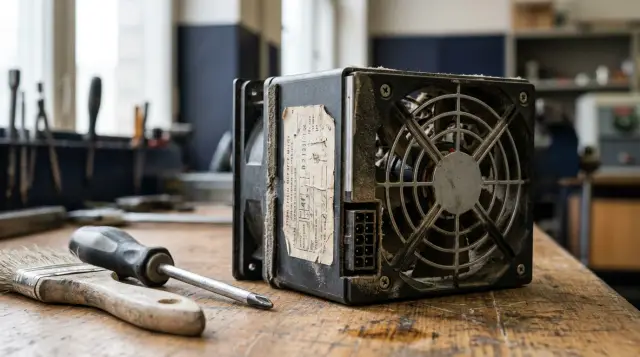
A server in a working room does not have to roar all day. Constant noise can often be reduced substantially by restoring correct inputs to the control system, selecting a supported thermal profile, removing hot-air recirculation, and only then deciding whether the server needs a cabinet or another chassis. Restricting the fans first usually hides the cause and consumes the available thermal margin.
There is an uncomfortable limit. When equipment produces enough heat to require dedicated exhaust, when several servers share the room, or when employees hear a high-frequency whine for eight hours, disguising the problem inside the office stops being an engineering solution. A separate room is then necessary for cooling, access, power, and people's ability to work, not merely for a tidy appearance.
Measure the noise and locate its source first
The investigation starts with two sets of measurements: sound at the workstation and operating data from the server. Saying that a server is very loud does not show whether a change helped, while one fan's speed percentage does not explain what a person hears.
Record the sound at one fixed point at the employee's head height, then one meter in front of the server and one meter behind it. Note the background with the server off, the level at idle, and the level under a normal workload. A phone app is adequate for comparative testing if you keep the phone, location, orientation, and measurement time consistent. A formal workplace assessment requires a calibrated sound level meter or a specialist because phone microphones are not calibrated consistently.
Do not confuse hearing safety with comfort in an office. OSHA uses 85 dBA as an action level for an eight-hour exposure under its hearing conservation program. That is neither an office recommendation nor a local Kazakhstan limit. A much quieter but continuous tonal sound can still disrupt conversation, concentration, and video calls. The employer should ask an occupational-safety specialist to check the applicable sanitary requirements.
Listen to the character of the sound. A steady rush of air points to high speed or excessive resistance in the airflow path. A thin whine often comes from small 1U fans, power supplies, or inductors. A rumble or periodic beat can come from a bearing, a cable touching a blade, a chassis panel, or a drive. If the noise rises sharply and falls every few minutes, look for a fluctuating sensor, a brief workload, or a poorly chosen control curve.
Check separately whether the sound changes when you open the front panel, remove a decorative rack door, or press lightly on a side panel. This test should last only a few seconds and should be done only when the manufacturer allows the outer panel to open without disrupting cooling. If a rattle disappears, repair the mounting. If fan speeds drop sharply after the cabinet door opens, the intake is restricted, and leaving the door open is not a permanent fix.
A minimal measurement log fits on one page:
| Mode | Noise at the desk | Inlet air | Hottest sensor | Fan speed |
|---|---|---|---|---|
| Background, server off | record | record | - | - |
| Idle for 15 minutes | record | record | record | record |
| Normal workload | record | record | record | record |
| Control workload | record | record | record | record |
This sheet quickly separates an acoustic problem from a thermal one. If temperatures barely move while the fans stay at maximum, repair the control path first. If inlet temperature and fan speed rise together, the server lacks cool air.
High fan speed often signals a fault, not heat
A server enters a loud mode when it no longer trusts its cooling system. A missing sensor, absent blank, failed fan, or unknown expansion card can make the BMC choose a safe speed even when the processors are cool.
Open the BMC interface and inspect four groups of data: temperatures, every fan's speed, the hardware event log, and the detected hardware inventory. Then compare the BIOS, BMC, storage-controller, and power-supply firmware versions with a compatible set from the manufacturer. Updating everything in the middle of a workday without a rollback plan is unwise, but leaving a known fan-control defect in place makes no sense either.
The HPE iLO guide describes the logic directly: the controller raises speed as temperature increases, and after one fan fails it may accelerate the others and record an event in the IML. A separate HPE notice explains a less obvious case: some servers raise fan speed when a drive is absent because the system treats missing sensor data as a potentially dangerous condition. Dell's PowerEdge manual provides supported controls named Thermal Profile, Fan Speed Offset, and Minimum Fan Speed, although the available range depends on model and configuration. These documents lead to one practical conclusion: learn why the controller wants more air before overriding its decision.
If the BMC supports IPMI, save a snapshot with the commands below. Sensor names and local-interface access vary, so this is a diagnostic template rather than a universal setting:
ipmitool sensor list
ipmitool sdr type Fan
ipmitool sel elist
Typical output contains a sensor name, current value, unit, and state:
FAN1             | 7200.000 | RPM        | ok
Inlet Temp       | 24.000   | degrees C  | ok
CPU1 Temp        | 47.000   | degrees C  | ok
Look for na, Disabled, a critical state, one fan running at a different speed, and events that coincide with the noise spike. Also inspect airflow blanks, the processor shroud, closed drive trays, fan direction, and cables. A server chassis is designed as one continuous duct. A small gap in front of a hot card can alter airflow distribution more than the CPU's overall temperature suggests.
Remove dust after a proper shutdown and according to the manufacturer's instructions. Do not hold a blade with a dirty screwdriver or spin it to abnormal speed with compressed air. If a module rumbles or has play, replace it with a compatible module instead of lubricating it in the hope of getting another year.
A supported thermal profile beats a manual PWM limit
Safe fan tuning uses a profile provided by the manufacturer and retains every protection threshold. A third-party script that writes a low PWM value every minute may quiet the server, but it does not know the thermal requirements of a particular card, drive, or power supply.
In the BIOS or BMC, look for modes with names such as Balanced, Minimum Power, Acoustic, or Performance per Watt. The name alone proves nothing, so read the description for the exact model. Maximum Performance often raises speed in advance to reduce the delay during a load spike. Fan Speed Offset usually adds speed to the base curve rather than reducing it. Custom Minimum Fan Speed sets a lower boundary and may also exist only to increase cooling.
Change one parameter at a time. Save the original screen or export the configuration, restart the server if the manual requires it, and repeat the same workload profile. Dell states separately that a restart is recommended after changing a thermal profile so that thermal and power settings take effect. Do not copy a racadm command or an undocumented iLO command from a forum into another model: a shared family name does not imply an identical sensor map.
Post-change testing must run long enough to heat more than the CPU cores. Watch inlet air, memory, the PCIe zone, the storage controller, drives, network cards, and both power supplies. A short CPU test can produce an attractive temperature while the drives inside an acoustic cabinet are still warming.
A good result is uneventful: temperatures reach a plateau, the BMC records no warnings, performance stays steady, and fan speeds do not surge in waves. Roll the change back if temperature keeps climbing, any component approaches the manufacturer's limit, throttling appears, or a redundant fan constantly compensates for insufficient airflow.
Manually reducing PWM is defensible only in a laboratory system where an engineer knows the sensor map, has measured airflow, and accepts the risk. It is a poor bargain for a server holding production data: a few decibels today buy unknown behavior after a BMC update, a replacement card, or a hot day.
Less heat means less noise, but performance has a price
Fans remove heat, so reducing actual power consumption often works better than adding acoustic material. Start with the workload and power profile instead of restricting frequency at random.
Check whether backups, antivirus scans, indexing, RAID rebuilds, database cleanup, or model training run during working hours. Match fan-speed spikes against CPU, GPU, disk, and network graphs. If the server is loud only during a scheduled task, moving that task outside occupied hours can solve the office problem without changing cooling.
A Balanced or Performance per Watt profile lets processors enter deeper idle states and reduce frequency when the performance is unnecessary. A CPU or GPU power cap also lowers peak heat, but it must be tested against actual application latency. Doubling the duration of a batch job to lower its peak slightly can produce nearly the same energy and a longer period of noise.
Do not use frequent server-drive spin-down as a universal quieting method. A mechanical drive produces a noticeable tone and vibration, but repeated start cycles may conflict with RAID, SMART polling, backup schedules, and application expectations. If measurements show that the disk shelf dominates, evaluate compatible SSDs, external storage, or a different server during a planned refresh. Confirm the source first, since replacing drives will not remove power-supply whine.
Remove unused but hot cards only after checking the supported configuration. Some servers increase fan speed when an expected card, drive, or sensor disappears. The BMC may apply conservative airflow to a third-party PCIe card because it lacks the card's telemetry. Compatible firmware or an approved configuration solves that situation, not the card seller's claim that the board runs cool.
Measure input power through a managed PDU, UPS, or suitable standalone power meter. Almost all electrical power consumed inside the office eventually becomes heat. You will also need this figure when choosing an acoustic cabinet: the power-supply rating is its maximum capacity, not the actual thermal load.
An acoustic cabinet must remove all the heat
A proper acoustic cabinet can substantially attenuate direct noise, but it remains a ventilation system. A box lined with foam and pierced by one cable gap suppresses sound only until the server heats up and accelerates its fans.
A purpose-built cabinet has sealed panels, acoustic material outside the direct airflow path, baffled intake and exhaust ducts, a fan module, cable entries, and a stated thermal-load limit. A baffle removes a direct path for sound, but every turn and filter adds resistance. The cabinet therefore needs its own large, quiet fans and duct area sized for the equipment inside.
The specification should state both the claimed attenuation in dB and the allowed thermal power under defined conditions. In a reference sheet for one acoustic-cabinet family, Schneider Electric separately lists broadband attenuation of 18.5 dB and a 1.2 kW limit for each exhaust module. That is a useful example of how to read a specification: a noise number without a heat number proves nothing. Do not apply those figures to another cabinet.
For an initial estimate, treat the equipment's actual electrical power as heat. Required airflow can be estimated as follows:
расход, м³/ч ≈ 3 × мощность, Вт / допустимый нагрев воздуха, °C
The coefficient is rounded and assumes ordinary air properties. An 800 W server with an allowable air-temperature rise of 10 °C needs about 240 m³/h of actual airflow through the cabinet. A fan's catalog airflow without resistance is higher than its installed airflow, so selecting exactly the calculated number is unsafe. Filters, grilles, bends, and dust-loaded fabric all reduce flow.
Cool air should reach the server's front panel, while hot air should leave from the rear and exit the cabinet without returning to the inlet. Place one independent sensor at the intake of the top server and another in the hot zone. Connect an alert outside the BMC. If a cabinet fan stops, the server's own fans can conceal the problem for a while by recirculating steadily warmer air.
Test the response to a partial failure. Never disconnect a working server fan for an experiment, but the instructions may allow you to stop one exhaust module in an empty or test cabinet and confirm that the external sensor raises an alert. An operating cabinet needs a defined response to three events: a clogged filter, a failed exhaust module, and loss of room cooling. If the response depends on an operator eventually hearing the server fans accelerate, monitoring is incomplete.
Before buying, check server depth including cables, bend radius for fiber and power leads, access to drive trays, weight, grounding, outlet load, and room to open the panels. Staff will soon leave open a cabinet that must be rolled out and dismantled to replace a drive. An open door eliminates the cabinet's acoustic function.
Do not place an improvised cabinet beside a radiator, in a sunny recess, or under a desk where legs and boxes block the intake. Do not discharge hot air directly beneath a workstation. A cabinet can remove the server's whine while a cheap exhaust module adds a low hum. Listen to and measure the complete assembly.
A new chassis helps only as an engineered platform
A larger chassis is generally easier to cool quietly: 2U, 4U, and tower servers can hold larger fans that move the required air at lower speed. Simply moving a server board from a 1U chassis into a random case, however, breaks the validated cooling design.
In an integrated platform, shrouds direct air through CPU heatsinks, memory modules, VRMs, controllers, network cards, and drives. The BMC knows the tachometer signals of the standard fans and can verify redundancy. Another chassis has different connectors, static pressure, power-supply placement, and front-panel resistance. The CPU may stay cool while the memory zone or a downstream card receives too little air.
A chassis change makes sense in two cases. The first is when the manufacturer offers a compatible chassis or conversion kit and documents the cooling. The second is when the organization is refreshing the server anyway and can choose a model with published acoustic data, an appropriate form factor, and spare capacity. A tower or less dense 2U system is often a better office choice than a new 1U system with the same hot components.
Compare sound under the same operating mode and configuration. A specification for sound power is not the same as sound pressure at a workstation. Drive count, CPU type, GPU, redundant power supplies, air temperature, and the selected profile all affect the result. Request data for a similar configuration, and include an acoustic check in purchasing acceptance criteria.
Replacing server fans with ordinary quiet models rarely works. A fan may provide respectable free-air volume but lose flow against dense heatsinks and drive cages. The BMC may judge its RPM too low, accelerate the other fans, or report a failure. Improvised adapters and resistors also complicate maintenance because the next engineer will not know why the module behaves abnormally.
During a planned replacement, GSE can select a server platform and integration approach for the actual workload, location, and support requirements. Ask the project to record the thermal configuration, fan mode, and acoustic acceptance conditions instead of relying on a general promise of quiet operation.
Layout and room treatment remove reflections, not the source
Even without a server room, a few practical changes can help: increase the distance from people, interrupt reflected sound paths, and isolate chassis vibration. These measures do not replace cooling, but they can make the remaining noise less intrusive.
Do not place the server in a corner between two bare walls or aim the rear panel toward glass or a metal cabinet. Hard surfaces reflect high frequencies into the room. Moving the system against a wall without a permanent workstation behind it and turning the exhaust away from people can matter more than changing a profile. Maintain the manufacturer's required clearance at the air inlet and outlet.
Acoustic panels on a wall or ceiling reduce reflected sound and reverberation. They do little against direct noise while an open line remains between server and employee. A lightweight office partition also helps only when its height, mass, and location are appropriate, and it must never become an obstruction in front of the fans.
Low-frequency hum often travels through the floor, a desk, or furniture. Put the rack on a level base, tighten panels and rails, and replace damaged feet. Select vibration isolators for the mass and frequency, not by how soft they feel. An overly soft pad lets the rack sway, interferes with grounding, or makes it unstable. A mounting specialist should review any support under a tall cabinet.
Distance helps most when sound spreads freely. In ideal open space, doubling the distance reduces the level by about 6 dBA, as OSHA's noise-control guidance notes. Reflections reduce that benefit in a small office. Even so, moving a desk from one meter away to three is usually more sensible than wearing headphones beside a server all day.
Headphones and background-noise generators mask the symptom. They do not reduce exposure for anyone else, fix a damaged fan, or solve meeting-room communication. They can be temporary personal measures while the source is repaired, but they are not a design solution for a permanent workstation.
A separate room becomes the only honest solution
The server should be separated from people when its noise and heat already require infrastructure comparable to a small server room. Keeping that system in an office to save a few square meters shifts the cost to cooling, downtime, and working conditions.
The boundary has concrete signs:
- actual heat load requires continuous exhaust or dedicated cooling even in winter;
- one acoustic cabinet no longer holds the equipment with reserve, or a second cabinet is arriving;
- fans run at high speed for long periods in a supported configuration with normal inlet air;
- the UPS, batteries, network equipment, and cables obstruct safe access and cleaning;
- noise still disrupts speech or concentration after faults and acoustic issues have been corrected.
A separate room is not a storage closet with its door shut. It needs calculated heat removal, controlled intake, prevention of recirculation, temperature and leak monitoring, suitable power, grounding, fire provisions, access control, and service clearance. Designers and the applicable Kazakhstan requirements determine the details. A household air conditioner without redundancy or a failure alert only postpones the incident.
The room brings another benefit: servers can be selected for density, performance, and serviceability without forcing every purchase through an office listening test. That matters for GPUs, several disk shelves, and redundant nodes whose heat load changes in large steps.
Compare full costs. Add cabinet fans, filters, sensors, service, occupied floor area, and the heat that still remains in the office to the cabinet's price. Add ventilation, electrical work, and monitoring to the cost of a separate room, but remember that one infrastructure can support later nodes. If the organization already expects load growth, repeated modifications to an office cabinet are rarely cheap.
Do not wait for a new server to take the free space beside the old one. If the next purchasing cycle includes a second rack, a larger UPS, or an air conditioner for the office, the separate-zone project is already late. An acoustic cabinet is a sound final solution for a limited, measured load. It is a poor first section of a future data center.
An acceptance test turns quiet into a verifiable result
Completed work has a baseline measurement, a repeatable workload, and rollback criteria. A quiet Monday after a setting change says nothing about Friday's backup or summer heat without them.
Run one controlled cycle:
- Return the server to a documented supported configuration, close the panels, and record firmware versions.
- Measure background, idle, and normal load at the same points used for the baseline.
- Run the agreed control workload and watch every thermal zone, BMC events, throttling, and inlet-air temperature.
- Wait for temperatures to plateau, then record sound, power, and fan speed.
- Repeat the test with the acoustic cabinet door closed and, if the cabinet is part of the solution, under its specified dirty-filter condition.
Define failure conditions in advance: a BMC alert, lost sensor, continuously rising temperature, throttling, any component outside its manufacturer's limits, failed cabinet exhaust, or sound above the agreed level at the workstation. A hand on the case is not a temperature measurement.
Keep the decision order strict. Repair hardware faults and restore the correct airflow path first. Then select a supported thermal profile and remove unnecessary load. Improve placement after that. Buy an acoustic cabinet according to thermal capacity and measured attenuation, and treat a different chassis as a platform replacement rather than a box for old parts.
If the calculation still requires loud exhaust, temperatures lack margin, or people continue to hear the server throughout the workday, more tuning no longer saves money. It postpones the separate room and adds another failure point. In that situation, a door between the server and the workstations is more useful than another fan curve.
Frequently asked questions
Can server fan speeds be reduced in software?
Yes, if the BMC or BIOS provides a documented acoustic, minimum-power, or custom thermal profile. Do not force a raw PWM value with a third-party script unless you monitor the sensors and test under load, because an update or service failure can erase the setting.
What server temperature is normal in an office?
There is no single normal temperature for every component. Compare inlet air and the readings for the CPU, memory, drives, network cards, and power supplies with the manual for your exact model, and treat BMC alerts as limits that should not be approached continuously.
Will an ordinary furniture cabinet stop server noise?
A closed furniture cabinet usually turns an acoustic problem into a thermal one. A server needs calculated intake airflow, forced exhaust, separate paths for cool and hot air, temperature monitoring, and service access.
Can I line a server with acoustic foam?
Do not attach foam to the server chassis, since it can block openings, hold dust, and fail fire-safety requirements. Acoustic material belongs on the inner surfaces of a purpose-built cabinet, outside the airflow path and only as part of a tested design.
Why is a server loud even when it is idle?
Common causes include a missing fan or blank, an unsupported PCIe card, a lost sensor, old BMC firmware, a clogged filter, or a maximum-cooling profile. Read the event log and sensor values first, because high speed often indicates a protective response.
Will replacing the fans make a server quieter?
Replacing a worn fan with a correct working module will remove bearing rumble or an emergency fan mode. Installing arbitrary quiet fans is risky: the BMC may not see the expected RPM, and actual airflow or static pressure may be too low.
Which is quieter, a 1U or 2U server?
At similar power, a 2U server is usually easier to cool quietly because it can hold larger fans and heatsinks. That is not a guarantee: GPUs, hot drives, a dense configuration, or a maximum-performance profile can make either format loud.
How can I tell whether an acoustic cabinet provides enough cooling?
Measure the temperature at the server inlet and in the cabinet's hot zone during sustained typical and maximum loads. Temperatures should level off with margin below the manufacturer's limits, and the cabinet exhaust fans should not run at their limit continuously.
Do I need a professional instrument to measure the noise?
A phone is suitable for an initial comparison if the location and conditions stay unchanged. A calibrated sound level meter or an occupational-safety specialist is needed for workplace assessment, a dispute with a landlord, or formal acceptance.
When must a server move to a separate room?
It needs a separate room when heat output requires continuous exhaust or cooling, the server count grows, reasonable measures still leave disruptive noise, or access and power already require separate control. Do not wait for complaints: once a cabinet becomes a miniature server room, designing a real one is cheaper and safer.
