8 min read
Physical server backup starts with RTO
A practical guide to physical server backup: choose a Veeam Agent mode, calculate RTO and storage, restore to new hardware, and test copies.
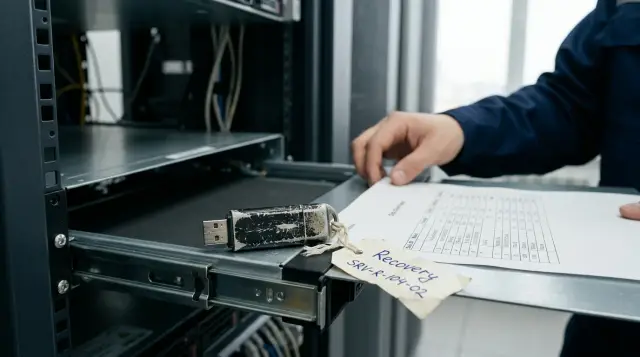
A physical server needs more than a copy of its data. It needs a chosen and tested route back into service. If the team waits until a failure to decide whether to find compatible hardware, start a temporary virtual machine, or locate the RAID controller drivers, the backup design has already failed.
The choice between "Veeam Agent or a full image" is misleading. Entire computer mode in Veeam Agent creates an image at the volume level. The useful questions are different: which volumes and application state must enter the backup, where the server must start after a disaster, and how long the organization can wait.
Veeam Agent and a full image are not alternatives
A full image describes scope and the copy level, while Agent describes the mechanism running inside the protected operating system. In Veeam Agent for Microsoft Windows, Entire computer is a volume-level backup mode. The agent reads volume blocks from a VSS snapshot, compresses the data, and writes it to the target storage. The first session creates a full VBK file. Later sessions normally add incremental VIB files containing new or changed blocks.
Veeam documentation separates three modes. Entire computer captures the computer image with all supported volumes and system partitions. Volume level backup lets you select the required volumes explicitly. File level backup saves selected folders and can restore files, but it cannot support bare metal recovery. When a Windows system volume is included in a volume-level job, the agent automatically adds the System Reserved or EFI partition unless an administrator deliberately excludes it.
That distinction changes the outcome of a failure. A copy of one database folder might preserve files, but it will not restore the bootloader, registry, installed services, local policies, certificates, and application configuration as a working system. An image of all required volumes can restore an individual file, a complete volume, or the machine. For a standalone physical server, that is usually the sensible foundation. A file job is a narrow tool, not a replacement for a system backup.
There is another, less obvious reason not to choose file level just to save space. The Veeam guide warns that file-level backup is usually slower than volume-level backup and produces more network traffic. During an incremental session, a large changed file may be sent in full, while a volume backup transfers changed blocks. A file server with millions of small objects must be tested with its own dataset, but file-level mode should never be assumed to be smaller.
First decide where the server must come back to life
The correct mode follows the recovery destination, not an administrator's habit. For each physical machine, write down a primary and a fallback scenario: return to the original server, restore to replacement hardware, or start temporarily in a virtual environment. The same volume-level backup can support all three, but each route needs different infrastructure and time.
Bare metal recovery returns the system to empty or existing physical hardware. Windows needs bootable Veeam Recovery Media, access to the backup chain, and disks large enough for the restored data. This route fits applications that need a physical adapter, a hardware key, directly connected equipment, or performance a temporary hypervisor cannot provide. It also preserves a familiar operating model, but the team must wait for hardware preparation and the transfer of every required block.
Instant Recovery through Veeam Backup & Replication starts the backup of a physical Windows or Linux machine as a VM on VMware vSphere or Hyper-V. The system reads virtual disks directly from compressed backup files and writes changes separately. The server can start before the image is fully moved to production storage, but the documentation explicitly describes limited I/O performance for the temporary VM. It is an emergency bridge, not a permanent placement.
Restoring individual files or application items resolves a local user error faster than either route. That ability does not prove that the whole server can be recovered. The policy must name the required result: "the file is available", "the operating system has booted", or "the business service accepts real requests". Teams often hide these three different states behind the single word "restored".
Dependency order also belongs in the recovery scenario. An application server may boot before its database, DNS, user directory, or network storage and then show a set of secondary errors. The plan must state which services need to be available before the machine starts, which checks can run independently, and who authorizes connection to the production network. Otherwise, the team will spend the first minutes repeatedly rebooting a healthy image.
A domain controller, a cluster node, a server with a hardware-bound license, or a system using external storage needs more than a generic answer. Check the supported restore method for the specific application and the machine's role in the distributed system. An image returns disks, but it does not cancel quorum rules, replication behavior, unique identifiers, or licensing requirements.
Different hardware tests the boot chain, not the badge on the case
Recovery to another server works when the recovery environment can see the network and target disks, the layout is compatible, and the restored OS receives drivers for its boot devices. The manufacturer's name on the front panel matters very little. Firmware mode, the storage controller, disk size and geometry, the network adapter, and a missing driver usually cause the trouble.
Veeam Recovery Media for Windows is based on Windows RE. When it is created, it can include installed drivers for storage, network, and USB controllers, along with network settings. Additional INF drivers can be included beforehand or loaded during recovery. Media created on the original server several years ago may not know the controller in a new machine, so keep a tested driver package for replacement hardware beside it.
Automatic disk mapping is convenient only when the configurations are similar. In manual mode, the wizard lets you assign volumes to different disks and resize them. A target disk may have a smaller advertised capacity than the original if the used data and service partitions fit after the volume is shrunk, but the process needs a test. "The new SSD is larger than the used data" does not prove that automatic layout mapping will succeed.
A silent switch between BIOS/MBR and UEFI/GPT is especially risky. Recovery Media can restore the partitions, but the firmware must boot the resulting layout. Before buying a standby server, record the current boot mode, partition table type, purpose of each disk, and controller settings. After recovery, check the boot order before trying to repair Windows.
The driver that allowed the recovery environment to see the array must also reach the restored OS. The bare metal recovery wizard can inject loaded drivers into Windows. If an administrator disables that option or supplies the wrong package, the data copy can complete successfully and the system can still fail on its first start. This is a good example of a backup that is technically intact but operationally useless.
Network and application conflicts remain after the first boot. Never connect the original server and its restored twin to the same production network at the same time with an identical IP address, name, and application identifiers. Start a test machine in an isolated segment. For an emergency switch to production, shut down or isolate the original instance, then check DNS, routes, time, licenses, and connections to dependent systems.
RTO includes work that teams rarely measure
Time to recovery cannot be derived from the speed of the last backup job. RTO includes detecting the failure, declaring a disaster, obtaining access and passwords, preparing compute resources, reading the backup, booting the OS, checking the application, and approving the return of traffic. A plan that measures only bandwidth between the repository and server will look good and be wrong.
This simple formula gives a useful lower bound for bare metal recovery:
T_restore = T_detect + T_prepare + Data_to_restore / Effective_throughput + T_boot + T_app_check
Data_to_restore is the volume of blocks that must actually be restored, not the sum of disk capacities. Effective_throughput must come from a trial full restore through the same repository, network, encryption, and controller that would be used in a disaster. The sequential read speed on a drive's product card does not belong in this calculation. Include manual volume mapping time if the standby hardware differs.
Suppose 2.4 TB is used on the protected volumes and a test sustains 180 MB/s during recovery. The copy alone would take about 3 hours and 43 minutes under ideal conditions. This is an example calculation, not a Veeam performance promise. Competing repository load, network behavior, deduplication, encryption, and small blocks all change the result. If the agreed RTO is two hours, buying a faster disk may not save the design because the selected recovery route itself does not fit the window.
Instant Recovery reduces time to first boot because it does not wait for complete image extraction. The repository then becomes part of the running service and receives random I/O load. Before promising a short RTO, start a backup from the intended storage class, perform a typical application operation, and then migrate the VM to production storage. Background migration time remains part of the plan even while users are working.
Agree on two timestamps. The first marks minimum availability, when a limited group can work on the temporary VM. The second marks full recovery, when data has moved to production storage, backup protection is active again, monitoring is enabled, and the temporary session is closed. A runbook that records only the first timestamp can leave emergency mode in place indefinitely and the next copy unprotected.
RPO must be calculated separately. A daily job that finished at 02:00 can lose almost a working day of changes after a failure at 17:00. Incremental frequency, database log processing, and application replication determine that loss. Starting an old backup quickly can meet RTO and fail RPO.
Data change, not RAID capacity, determines storage size
Repository capacity should be calculated from used blocks, compression ratio, daily change, retention period, and the full-backup scheme. Adding the advertised capacities of all server drives gives only a rough ceiling. An empty 8 TB volume does not produce 8 TB of useful backup data, while a 1 TB database with intensive rewrites can create large incrementals.
Use this model for an initial estimate without a calculator product:
Repository = Full_used × K_full + Daily_change × K_increment × Restore_points + Extra_fulls + Safety_space
Take Full_used after exclusions for temporary files and unsupported areas. Measure Daily_change across several ordinary and peak days. Derive the coefficients from real sessions. Extra_fulls accounts for active or synthetic full backups, GFS points, and temporary room for maintenance operations. Safety_space leaves working room in the repository, but do not assign an arbitrary percentage. It depends on the chain scheme and storage behavior.
The chain matters. Veeam stores the first full VBK and the later VIB files. A restore point needs the full file and its linked incrementals. Manually deleting one VIB breaks the chain. The retention policy should remove points through the product, and free-space monitoring must warn the team before a job stops in the middle of a new restore point.
Deduplication and compression do not offer a fixed discount. Compressed archives, video, encrypted databases, and files encrypted by clients shrink very little. Databases with repeating blocks can behave differently. For budgeting, run a full backup and several cycles that include month-end processing, an application update, or another peak operation, then extrapolate from the observed change.
Do not confuse logical capacity with emergency throughput. A repository can hold a year of restore points and still serve an image too slowly for the required RTO. If the plan includes Instant Recovery, test latency under application load while regular backup jobs also run. It can make sense to keep fewer fast restore points on the primary repository and a longer history on another tier, but the arrangement must preserve the required RPO and copy independence.
A copy on the protected server's local array offers little help after a controller failure, fire, theft, or an administrator error affecting the whole array. The primary chain, an additional copy, and management credentials should live in separate failure domains. For critical data, provide a copy that the server's normal account cannot modify and an independent recovery path when the primary site is unavailable. The extra capacity buys independence from one disaster, not just a longer retention period.
Bandwidth to a second site must be sized from changed data and the available transfer window. If a daily incremental cannot arrive before the next job, the remote point always trails the stated RPO. Initial seeding can happen locally and be moved securely, but after launch the team must measure the age of the last usable point at the destination, not only the success of the source job.
Application consistency matters more than a complete set of blocks
A complete disk image does not guarantee that a database or directory will open correctly. On Windows, Veeam Agent requests a Microsoft VSS snapshot, while application-aware processing coordinates VSS-aware applications and log handling. The Veeam guide specifically names Microsoft SQL Server, Exchange, SharePoint, and Oracle among the applications that need this processing.
Backups can have three different states. A crash-consistent image resembles disks after sudden power loss: the file system and application must perform their own log recovery. A VSS-consistent snapshot captures a consistent view of the volumes. An application-consistent copy also accounts for application state and the selected log policy. Calling all three "a consistent image" is dangerous because recovery time and the chance of a successful start differ.
If an application does not support VSS, such as MySQL in the example in Veeam documentation, the agent cannot magically make it transactionally consistent. Use an application-supported snapshot method, pre-freeze and post-thaw scripts, or a separate database backup. A script must fail the job if preparation fails. Logging a warning and continuing to treat the image as usable only hides risk.
Data spread across volumes requires full coverage. For Exchange, the documentation requires every disk holding databases and logs to be included in the volume-level job when the job should truncate logs. Apply the same review to any database: data files, logs, system databases, encryption configuration, and keys must not accidentally remain outside the job scope.
Backup encryption protects the file but makes recovery dependent on a password or key. Keeping the key only on the failed server is pointless. Recovery Media can contain a decryption key, but that makes the media itself sensitive. The organization must decide where the password, key, repository credentials, and access instructions are stored independently, then test that route without help from the person who created the job.
Recovery media and the server record must change together
Recovery Media created once during deployment grows stale after replacement of a network adapter, storage controller, or repository access design. Its purpose is not just to display a boot menu. During a disaster, it must see the disks, obtain network connectivity, resolve the repository name, open the required chain, and accept the decryption key.
Before and after changes, save a compact machine record. The following PowerShell fragment gathers details that help with disk mapping and recovery-environment checks. It does not change anything:
Get-Disk | Select Number,FriendlyName,SerialNumber,PartitionStyle,Size,HealthStatus
Get-Partition | Select DiskNumber,PartitionNumber,DriveLetter,Type,Size
Get-NetAdapter | Select Name,InterfaceDescription,MacAddress,Status,LinkSpeed
reagentc /info
vssadmin list writers
For Get-Disk, expect a table with disk number, model, serial number, GPT or MBR style, size, and health state. reagentc /info shows Windows RE status and the recovery image path. vssadmin list writers lists VSS writers and their states. Before protecting server applications, those states should remain stable without persistent errors. Store the output outside the protected server and update it after hardware or layout changes.
A practical Recovery Media check has five actions:
- Boot the original or standby server from the media in the UEFI or BIOS mode specified by the plan.
- Confirm that all target disks and network interfaces appear. Load the prepared INF driver if needed.
- Connect to the repository through the normal emergency route and open the encrypted chain without relying on credentials memorized by one employee.
- Reach the disk-mapping screen, record the selected layout, and stop before overwriting data if this is only a media check.
- During a separate exercise window, complete the restore, boot the system on an isolated network, and record the actual duration of each stage.
An ISO on the same repository is useful for a virtual start, but it does not replace physical USB media when the emergency server cannot retrieve an ISO over the network without working infrastructure. Conversely, one flash drive in the server room can disappear or become unreadable. Keep controlled copies of media and driver packages in locations accessible through the approved emergency scenario.
File checks and recovery checks answer different questions
A successful backup job proves that the job wrote a restore point without a recorded error. Health check reads the latest restore point and verifies metadata CRC values and block hashes, which may span several files in the chain. That is stronger than looking at a green status, but it does not prove that the OS will boot or the application will serve a request.
SureBackup publishes supported Veeam Agent backups in an isolated virtual environment and tests recoverability. The documentation allows restore points from Windows and Linux computers to be verified, but lists limitations for file-level backups, failover clusters, some layouts of system and boot partitions, certain disks, and storage locations. Match those limitations to each server before enabling a job. Do not treat the feature as universal.
An automated test should verify more than a heartbeat or ping response. For a database, run a safe read-only query against a known dataset. For a web service, check a local endpoint and its dependency. For a file server, read a control file with an expected hash. Test secrets and networks must remain separate from production so that the started copy cannot send email, make payments, or join replication.
A full physical restore is still required. A virtual check does not test booting from the specific Recovery Media, the RAID controller driver, emergency-link throughput, or manual disk mapping. Frequency depends on acceptable risk and change rate. Test a critical machine after significant changes and on a regular calendar. A rarely changed archive system may be tested less often. The calendar must assign an owner, a window, a success criterion, and a repair deadline.
The exercise record must contain facts: the selected restore point, start and end of each stage, actual volume, average speed, errors, workarounds, application test result, and the name of the person who approved the service. "Recovery succeeded" does not help recalculate RTO and does not show whether another administrator can repeat the work at night.
Make the decision per server, not per product
For most standalone physical Windows servers, the baseline policy will be Entire computer or volume-level backup with all boot and application volumes, application-aware processing, and ready Recovery Media. If a very short RTO is required, add tested Instant Recovery on an available hypervisor. Keep file backup for narrow datasets where a full system return is deliberately unnecessary.
There is no universal choice. A server with a hardware measurement adapter is best returned to a prequalified physical chassis. A conventional application server can often survive a disaster faster as a temporary VM. A large database may need an OS image plus its own backup and point-in-time recovery scheme because image frequency cannot meet the required RPO.
Record the answer in one line for every machine: "primary route, fallback route, RTO, RPO, storage location, Recovery Media, test owner". Then prove it in a complete exercise. If the actual duration misses RTO, change the architecture: add compute standby, make the repository faster, reduce recovery scope, or choose a virtual emergency start. Editing the number in a runbook does not make data read faster.
In GSE projects, this plan can be connected to server-platform selection, system integration, and support without locking the customer to one component manufacturer. Responsibility for the recovery success criterion stays with the service owner, because only that owner knows which request must succeed and which data must be present.
The "Agent or image" debate can end after the first exercise. If the team booted the copy on the intended standby platform, measured the time, and checked the application, it has a working recovery method. If no exercise happened, the mode name in the console guarantees nothing.
Frequently asked questions
Does Veeam Agent create a full server image in Entire computer mode?
Yes. It creates a volume-level backup of all supported volumes, including Windows system partitions. It can restore the entire machine, one volume, or individual files, but application consistency still needs to be configured and tested.
Can a physical server be restored to different hardware?
Yes, if Recovery Media can see the storage controller, network, and target disks, and the layout matches the boot mode. Prepare drivers for the new hardware and test the first start on an isolated network.
Can an image be restored to a smaller disk?
Sometimes, if the used data and required partitions fit on the target disk. The wizard can shrink and manually map volumes, but this scenario must be tested before a disaster, especially with a complex layout.
Can a BIOS server backup be moved to a UEFI server?
Simply changing firmware mode does not guarantee a boot because BIOS/MBR and UEFI/GPT use different layouts. Keep a compatible mode on the standby server or separately test the conversion and boot repair.
Does every server need its own Veeam Recovery Media?
Media created on the protected Windows machine includes its drivers and network settings, so a machine-specific copy reduces risk. Universal media can work if it includes drivers for every target controller and the team tests it on every hardware group.
Can a physical server backup start as a virtual machine?
Veeam Backup & Replication supports Instant Recovery of Agent backups to VMware vSphere and Hyper-V when the platform requirements are met. The temporary VM runs from the repository with limited I/O performance, so it should then be moved to production storage.
How do I estimate storage for physical server backups?
Add the compressed used-block volume of the full backup, observed daily change, required restore points, and any extra full backups. Leave working room for chain maintenance and confirm the estimate through several real cycles that include a peak day.
Is Health check enough to verify backups?
No. Health check confirms metadata and block integrity, but it does not prove that the OS boots, drivers are available, or the application works. Add SureBackup where supported and schedule periodic full restores.
How often should a physical server restore be tested?
Test after significant changes to hardware, layout, the application, or repository access, and also follow a risk-based calendar. Choose an interval that does not allow more untested change to accumulate than the organization is willing to accept.
Is file-level backup suitable for a physical system server?
Only when selected folders are all you deliberately need and a bootable system restore is unnecessary. For a normal server, volume-level backup is more practical because it supports bare metal recovery and often handles large datasets more efficiently.
