8 min read
How office and production network segmentation works
Office and production network segmentation explained through an industrial DMZ, approved data flows, contractor access, and infection response.
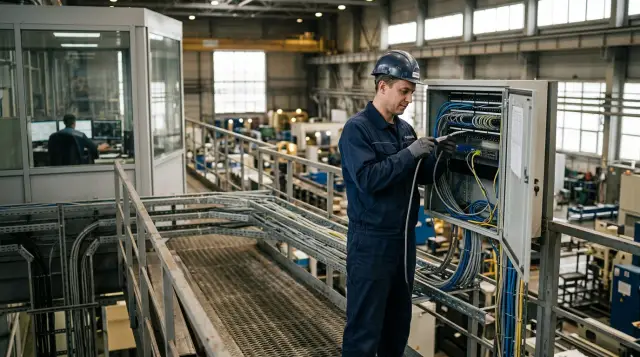
Office and production network separation works only when neither side trusts the other directly. A single firewall with an "allow corporate subnet" rule does not create a boundary. It merely hides a flat network behind a neat diagram. You need separate zones, an industrial DMZ, an explicit flow inventory, and a procedure that lets you disconnect an infected office without stopping the physical process.
I start these projects with consequences, not VLANs or switch models. What happens if an accountant's laptop reaches an engineering workstation? Could a compromised shared account change a controller setpoint? The answers define the architecture. Transfer speed and administrative convenience come after human safety, equipment protection, and continuous production.
Divide the network by consequences, not departments
The right boundary separates systems whose failure or compromise causes different consequences. NIST SP 800-82 Rev. 3 defines operational technology as programmable systems that interact with the physical environment or manage devices that do. This definition is a useful test. If a node can stop a line, change pressure, temperature, dosing, actuator movement, or a reading on which an operator relies, it belongs in the production environment regardless of which department owns the server.
Start with an inventory of assets and flows. Record each node's owner, purpose, operating system or firmware, physical location, tolerated downtime, redundancy method, protocols, and communication peers. Mark systems that teams often mistake for "ordinary servers": SCADA, HMIs, engineering workstations, recipe servers, process historians, OPC gateways, quality management systems, OT directory services, remote maintenance tools, and update staging stations.
Next, group the assets into zones. IEC 62443 uses zones and the conduits between them. A zone contains assets with common security requirements, while a conduit connects zones and receives requirements of its own. A typical plant needs an office zone, an industrial DMZ, a supervisory zone, several process-area zones, an engineering maintenance zone, a separate safety-system environment, and a network-management zone. Risk and process boundaries determine the number, not the number of workshops.
Do not put every PLC in one VLAN merely because the devices share a type. A bottling line and a boiler room may use identical controllers, yet a boiler failure has different consequences. Conversely, keeping the HMI and PLC of one machine together can make sense when their traffic is latency sensitive, with the boundary placed in front of the supervisory layer.
Document two modes for every zone: normal operation and safe autonomous operation. The production area must know which functions remain available when it loses the office and industrial DMZ, and how long it can operate without external DNS, NTP, licensing, updates, or report export. This record exposes hidden dependencies that a network diagram will miss.
An industrial DMZ removes the direct route
The office and production environments need an industrial DMZ between them, with a controlled boundary on each side. Office workstations must not initiate connections to HMIs, PLCs, SCADA, or engineering workstations. Production nodes must not freely initiate sessions into the office or the internet either. Shared services terminate one session in the DMZ and start another under a separate rule.
A typical arrangement looks like this:
Интернет
   |
[офис и корпоративные сервисы]
   |
[межсетевой экран IT]
   |
[промышленная DMZ: jump-сервер, прокси обновлений,
 реплика архива, шлюз файлового обмена, сбор журналов]
   |
[межсетевой экран OT]
   |
[SCADA и инженерная зона]
   |
[технологические участки: HMI, PLC, приводы, датчики]
Two firewalls help only when their rule administration is separate and no bypass cable exists. If both devices use one shared account set, one management console, and the same mistaken policy, the design protects less than it promises. Where consequences are severe, use separate administrative environments and verify that a DMZ failure does not automatically open traffic.
A VLAN does not count as this boundary by itself. It separates a broadcast domain, but a router or Layer 3 switch can reconnect the segments with one broad rule. Interzone exchange must cross a device that enforces policy, writes logs, and can quickly close one conduit. Physical separation is justified for independent safety systems, especially hazardous processes, and legacy devices that cannot be protected adequately through logical controls.
The DMZ must not become a second office. It has no email, general web browsing, office software, or permanent user profiles. Every service placed there answers one clear question: how to transfer reports, updates, files, or a maintenance session without an end-to-end connection. If the team cannot state the answer, the service does not belong there.
A unidirectional gateway is not necessary everywhere. It works well for telemetry and historian replication out of OT when no reverse commands are needed and loss of the return channel is acceptable. It does not solve remote configuration, bidirectional synchronization, or production-order acknowledgement. Buying a data diode and then building a bypass VPN beside it for maintenance cancels the protection.
Give every flow an owner and an expiry
Allow specific flows between specific systems, not whole networks. Every rule needs a source, destination, direction, protocol and port, business reason, owner, review date, and test method. The phrase "OT to IT, required ports" is useless because nobody can test it and a temporary exception can live inside it for years.
A working exchange matrix can begin like this:
ID,Источник,Назначение,Сервис,Направление,Основание,Владелец,Пересмотр
F-01,OT historian,DMZ replica,TCP 5450,OT -> DMZ,Реплика архива,АСУ ТП,90 дней
F-02,DMZ replica,BI gateway,TCP 443,DMZ -> IT,Сменные отчеты,Аналитика,90 дней
F-03,OT NTP clients,OT NTP server,UDP 123,внутри OT,Единое время,OT-инфраструктура,180 дней
F-04,Vendor jump host,Engineering WS-2,RDP gateway,DMZ -> OT,Заявка CHG-241,Начальник участка,8 часов
This is a form example, not a ready-made port list. Check every port against the product's actual configuration and a traffic capture. If an application needs a dynamic port range, restrict the host pairs, use an application gateway or proxy, and document the exception. Allowing the range between entire subnets often defeats the purpose of segmentation.
Move production data through replication or an intermediary service. For example, the OT historian sends data to its DMZ replica, and office analytics reads the replica. The office does not query the original historian and cannot see SCADA. Production orders pass through a separate gateway that validates their format, not through a shared folder available to every domain user.
DNS, NTP, antivirus signatures, licensing, and backup require the same discipline. Deploy local services in OT or proxies in the DMZ so controllers and engineering workstations do not reach corporate DNS or the internet. Test behavior when an external service is unavailable. Some old applications wait through long timeouts and slow the HMI even though process traffic technically continues.
The default rule at every boundary should deny communication and record enough detail for investigation. Logging every denial without filtering quickly creates noise, so distinguish expected failures from unusual attempts. Pay close attention to new sources, requests for engineering protocols from the DMZ, and connections absent from the approved matrix.
Contractors enter through a managed gateway
A contractor must not receive permanent production network access as a standing privilege. CISA's remote-access guidance for industrial control systems recommends an intermediate jump server in a dedicated DMZ, restricting sessions to authorized specialists, monitoring session traffic, and logging successful and failed authentication. A VPN alone does not provide these controls. It protects the channel but does not restrict what an already connected device can do.
A safe session begins with a request that identifies the equipment, reason, technician, work window, and responsible plant employee. Enable access only for that window. The contractor uses multifactor authentication, lands on a dedicated jump server, and opens only an approved tool to one target host. The local owner confirms the start and finish, while the system stores command logs or a screen recording where policy permits it.
The account must identify one person. A shared "vendor" account destroys attribution, and its shared password usually remains with former contractor staff. Assign rights for a specific role and specific equipment. Disable the account or route after the work window even if another visit is expected next week.
The contractor's endpoint belongs in the threat model too. Permit access from a managed device that meets the agreed policy, or provide a controlled virtual workspace. Disable split tunneling during the session, or the laptop can bridge a home or contractor network to the plant channel. Files pass through a quarantine service in the DMZ, type and malware checks, and then a separate approval before entering OT.
Emergency access must not mean a hidden permanent route. Create a separate break-glass process with two approvers, a short lifetime, stronger logging, and a mandatory review after use. Test it during an exercise. An untested emergency account tends to fail precisely when the line has stopped.
Engineering workstations are not office PCs
An engineering workstation belongs in OT, uses a separate account, and maintains a limited set of equipment. Nobody reads email, opens documents from a messenger, or searches the internet for drivers on it. The workstation holds controller projects, configuration programs, and trusted keys, so compromising it gives an attacker more than access to an operator screen.
Separate daily office work from engineering actions physically or through a controlled virtual environment. Do not join the engineering workstation to the corporate domain merely for convenient policy deployment if compromise of the corporate domain controller would create an administrative path into OT. OT can use a separate directory, managed local accounts, or another isolated mechanism that keeps working when the office environment is disconnected.
Removable media passes through a dedicated transfer station. The station scans the medium, extracts the archive, verifies the vendor's hash and digital signature, records the file owner, and only then releases the file onto an approved clean medium. One "service" USB drive moving between contractor laptops and HMIs crosses the segmentation without sending a single network packet.
Updates also move in stages: internet or corporate repository, quarantine in the DMZ, compatibility testing on a lab system, local OT repository, and an approved maintenance window. Do not run automatic installation on HMIs and engineering workstations according to the office schedule. Fixing a vulnerability does not justify an untested restart in the middle of a physical process.
A PLC project backup is useful only when stored with the development-environment version, libraries, licenses, and restoration instructions. Keep one copy outside a permanently reachable network path and test restoration in a lab. A project file without the required program version may be useless during an emergency.
Management and identities need boundaries too
Do not mix the management plane with user and process traffic. Put consoles for firewalls, hypervisors, switches, backup systems, and security tools in a separate administrative zone. Administrators enter it through a protected workstation, not from the laptop on which they read email.
IT and OT can share processes without sharing an unconditional root of trust. If one corporate administrator account reads email, manages backups, and signs in to SCADA, office phishing becomes a production incident. Separate identities, different secrets, multifactor authentication for remote and privileged access, and a vault for service accounts restrict that route.
Service accounts often outlive every project. Give each one an owner, prohibit interactive login, restrict source hosts, and rotate its secret with a method the application supports. Test the dependency before making a change. An old SCADA component may store the password in a service or script and stop without a clear error.
Backup does not require broad bidirectional administrative access from one server to every system. Where possible, use a local agent or intermediary repository, separate credentials, and an immutable or disconnected copy. Backup consoles have become convenient targets precisely because teams often grant them administrative rights everywhere.
Separate monitoring from management in the same way. A security operations center can receive OT events through a collector in the DMZ, but that does not authorize analysts to run active scans or remote commands in the process zone. The observation channel and administration channel need different rules, owners, and emergency switches.
Observation must not interfere with the process
Start with passive traffic and log observation in the production network. A mirror port or network TAP provides visibility into protocols and relationships without sending requests to old PLCs. Coordinate active scans, vulnerability checks, and agents with process engineers and the vendor, then test them in a lab. A device that tolerates ping may still freeze under a series of unusual requests.
Collect events from both DMZ boundaries, jump servers, authentication services, engineering workstations, antivirus tools, historian servers, and management systems. Synchronize time inside OT against its own trusted source, or the contractor's actions will not line up with firewall events. Send a copy of logs outward in a way that prevents an office compromise from erasing the original.
The baseline must describe meaning, not only addresses and volume. For an HMI and PLC pair, relevant details include protocol functions, command frequency, write behavior, and usual engineering hours. A new program-write request from an operator station is more dangerous than a short telemetry spike even when it uses less bandwidth.
Review alerts with operators. The security team sees a network deviation, while the process engineer knows whether it came from a line changeover. Define a communication channel in advance that remains available when office email and messaging are disconnected. An on-call number, a paper contact list, and independent radio can be more useful than another dashboard.
Do not send automatic blocking commands into OT under a generic office rule. Automatically disconnecting a node can create a physically unsafe state. Define acceptable responses for each asset type first: block the external session, move the area to local control, stop one service, or perform a controlled shutdown of the process.
An infected office must not stop production
When the office segment is infected, the team must close interzone channels immediately, preserve safe OT operation, and inspect the DMZ without rebooting controllers at random. NIST SP 800-61 Rev. 3 integrates incident response into ongoing risk management. In practical terms, decide how to isolate systems, tolerate downtime, and preserve evidence before an incident occurs.
A first-actions card can read as follows:
- The incident lead declares isolation mode and contacts the production owner over an independent channel.
- The network administrator applies a tested ruleset that closes IT -> DMZ, disables external remote access, and retains only approved life-sustaining OT flows.
- The OT team confirms local control of each area, HMI and PLC state, and availability of local DNS, NTP, historian, and backups.
- The analyst checks both boundaries, jump servers, and exchange gateways for unusual logins, new files, tasks, services, and outbound connections.
- System owners change or revoke credentials that may have been used in both office and OT, starting with privileged and contractor accounts.
Do not switch off the whole DMZ if it carries a critical license or production-order exchange. During design, classify flows as essential, delay tolerant, or disposable. Create a separate rule group for each class. An emergency change then selects a prepared mode instead of forcing an administrator to edit dozens of lines under pressure.
Treat OT as potentially affected whenever any trust route existed, including a shared account, shared domain, management server, backup system, removable medium, or contractor session. No antivirus alert on an HMI does not prove it is clean. Correlate logs, verify project and configuration integrity, compare active connections with the flow matrix, and inspect engineering workstations.
Restore connectivity in stages. First restore clean identity and management services, then necessary proxies and replicas in the DMZ, and finally open one verified flow and watch it. Office analytics, report printing, and convenience dashboards can return later. Production must not wait for every corporate service to recover.
After the incident, update the trust design as well as signatures. If malware reached the DMZ through a shared folder, ban end-to-end file access and introduce a quarantine gateway. If a contractor account stayed enabled permanently, move it to request-based access. Restoring the original vulnerable design postpones the next incident but does not prevent it.
Migrate without one enormous night cutover
You can introduce segmentation in stages while production keeps running. Replacing addressing, switches, domains, and firewalls in one maintenance window creates too many variables. Observe real flows first, then place boundaries in logging mode, approve the rules, and enable denial only after that.
Begin with passive inventory and a dependency map. Compare network observations with design documents and process-engineer interviews because none of these sources will be complete. Record unknown nodes, broadcast protocols, hard-coded addresses, duplicate IPs, and equipment without VLAN support. These findings determine the order of work.
The next stage adds the industrial DMZ and one controlled channel, such as historian replication. Do not move every service at once. Test operation when the office is disconnected, one firewall fails, a certificate expires, and a collector disk fills. After a successful test, migrate file exchange, updates, and remote maintenance.
Start internal OT segmentation in areas where process boundaries are already clear. Enable monitoring and permissive rules before blocking, then review the observed exceptions. The blocking window needs a technical rollback plan and a production criterion for stopping the work. "We will roll back if needed" is not a plan without a time, owner, and saved configuration.
Legacy devices do not have to support modern security controls. Place them behind an industrial firewall, limit access to trusted HMIs, disable unnecessary services, and monitor the protocol passively. Replacement remains necessary if the device cannot be backed up, restored, or operated safely, but segmentation reduces risk until planned modernization.
Build the budget around functions: boundaries, the DMZ, remote access, event collection, redundancy, a test environment, and support. The price of two firewalls without engineering work says nothing about the outcome. GSE provides system integration and builds infrastructure solutions around equipment from different manufacturers, which fits plants where OT rarely comes from one vendor.
Prove the boundary through testing
The design is finished after negative scenarios have been tested, not after installation. From an ordinary office workstation, try to open an HMI, a PLC engineering port, the firewall management console, and a shared folder in the DMZ. Every attempt should fail predictably and appear in the right log. Then verify that approved production flows continue when the office route is disconnected.
Run a separate contractor-access exercise. Create a request, enable access for a limited window, connect from an approved device, transfer a test file through quarantine, and end the session. A second login after closure must fail. The on-duty team should be able to find the log and quickly state who connected, when, and to which host.
Another exercise begins with the message "the office is encrypted." The team applies the emergency ruleset, contacts the plant floor without corporate email, confirms autonomous operation, and inspects the DMZ. Measure concrete time to close the channels, the number of manual actions, missed dependencies, and the ability to restore one flow without opening the whole boundary.
Review the matrix after a line change, SCADA update, new maintenance contract, or discovery of unknown traffic. Remove expired rules. The rule owner must confirm the business need rather than merely saying the connection "seems to be used."
Keep the current diagram, matrix, emergency rulesets, contacts, and backup configurations somewhere reachable without the office network. CISA specifically recommends current network diagrams and offline copies of documentation for incident response. A dated paper diagram with a named owner is more useful than a perfect file encrypted along with the domain.
Good segmentation becomes visible on a bad day: the office can be isolated, production continues safely, contractor channels close through one tested procedure, and the team can see every remaining connection. If that outcome depends on one network engineer's heroics, the boundaries still exist only on the diagram.
Frequently asked questions
Can VLANs alone separate the office and production networks?
No. A VLAN separates broadcast domains but does not guarantee control over routing between them. Zones need a firewall or another policy-enforcement device with explicit rules and logging.
Do IT and OT need two firewalls between them?
Two controlled boundaries around an industrial DMZ provide useful separation and let the team close each direction independently. But two identically managed firewalls with shared accounts do not provide full independence. Choose the architecture according to failure consequences and availability needs.
Which servers belong in an industrial DMZ?
Only exchange intermediaries belong there: a jump server, historian replica, update proxy, file gateway, log collector, or remote-access server. Email, general web browsing, and ordinary user workstations do not.
Can the office read data from SCADA?
The office should read a replica or prepared dataset in the DMZ instead of connecting to the original SCADA system. That prevents an analyst query, account mistake, or infected BI server from creating a direct route to process control.
How should a contractor receive remote access to a PLC?
Open request-based access through a VPN and dedicated jump server in the DMZ, then restrict the session to one engineering workstation or host. Use a personal account, MFA, a short window, local approval, and activity logs. A direct VPN into the process subnet is unsuitable.
Should OT join the corporate domain?
Not necessarily, and doing so can be dangerous. If the corporate domain becomes the shared root of trust, compromising it opens a path into production. A separate OT directory or isolated local-account management often provides more predictable autonomy.
How should updates enter an isolated network?
Pass them through quarantine in the DMZ, verify the signature and hash, test compatibility in a lab, and publish them to a local OT repository. An automatic office update schedule must not restart production workstations without an approved window.
What should the team disconnect first when the office is infected?
First close the predefined IT -> DMZ flows and external remote access, then confirm that OT can operate autonomously. Do not switch off controllers or the whole DMZ at random because some services may be required for a safe process.
Is active PLC scanning safe?
It is risky without lab testing. Start with passive observation through a mirror port or TAP, coordinate active checks with process engineers and the vendor, and then limit the request set and rate.
How can we tell whether segmentation really works?
Test prohibited connections from an office workstation, disconnect the office route, and run exercises for contractor access and an IT infection. Denials should be predictable and visible in logs, while production functions continue in the agreed autonomous mode.
