8 min read
Moving a file server without stopping work
Move a file server without stopping work through inventory, staged data and ACL sync, a short cutover, validation, and a tested rollback.
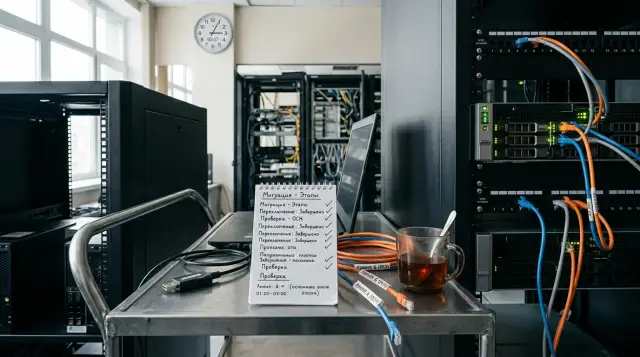
Moving a file server without stopping work takes a series of synchronization passes and a short, controlled cutover, not one huge copy job. Most of the data moves in advance while employees keep working. During an agreed window, the team blocks new writes, copies the final delta, changes the entry point, and tests access from real workstations.
I would not promise literally zero interruption. Open SMB sessions will break when a name, address, or DFS target changes, and an unsaved document may need to be reopened. The right objective is different: users do not wait for hours of copying, the shared-folder path stays the same, and the brief interruption is predictable and reversible.
Zero downtime means a short, controlled cutover
A migration without downtime means the source keeps serving users during the preliminary transfer, while the write freeze lasts only for the final delta and entry-point change. If someone promises to move an active file server without breaking any sessions, ask how they will handle a file that an application holds open for writing at the exact cutover moment. That promise usually hides either a risk of two diverging copies or a client-side interruption nobody has noticed.
First define what counts as the service. To a user, it is not drive D: or a file-server virtual machine. It is the familiar UNC path, the directories they can reach, the same permissions, understandable error messages, the usual file-opening speed, and the ability to recover a deleted document. To an application, the service may be a hard-coded path, a node name in a configuration file, a service account, and specific SMB locking behavior.
Write the acceptance criteria before copying. For example: every published share opens through its old path; test users from four groups receive their former access; an account that should be denied still gets a denial; the count of unresolved copy errors is zero; the new target has completed a backup; and the old server accepts no user writes after cutover. Give every criterion an owner and a test method.
Agree separately on the allowed interruption. Five minutes and forty minutes demand different designs. With a short window, you cannot rely on DNS with an unknown cache lifetime, create dozens of shares by hand, or discover at the last moment who may disable the old network interface. A rehearsal must show command duration as well as the time needed for approvals, service restarts, Active Directory replication, and client referral updates.
Finally, name the person who may stop the cutover. If the final delta grows instead of shrinking, the ACL check shows discrepancies, or the new server cannot handle normal load, the shift engineer must be able to say, "We are not switching." A migration delayed by a week is inconvenient. A migration after which two departments edit different versions of the same contract costs more.
Record the real service surface first
The inventory must cover the data, publication methods, and consumers, or a perfectly copied volume will still be a broken service. Start with SMB shares, local paths, offline caching settings, quotas, shadow copies, antivirus exclusions, backup jobs, and every name clients use to find the server. Check DFS Namespaces, CNAME records, direct UNC paths, mapped drives deployed by Group Policy, and paths stored inside applications.
On Windows Server, capture two independent lists: the share configuration and file ACLs. Moving one does not restore the other. A basic share export looks like this:
Get-SmbShare |
  Where-Object Special -eq $false |
  Select-Object Name,Path,Description,FolderEnumerationMode,CachingMode |
  Export-Csv C:\Migration\shares.csv -NoTypeInformation -Encoding UTF8

Get-SmbShareAccess -Name "Departments" |
  Export-Csv C:\Migration\departments-share-acl.csv -NoTypeInformation -Encoding UTF8
Save the output with the date, source name, and script version. Exporting only the LanmanServer\Shares registry branch can help recover Windows configuration in an emergency, but it does not replace a readable inventory and a parameter review. The registry also cannot tell you which applications use a path or who owns the validation.
Look beyond total data size. File count, tree depth, the proportion of files below one megabyte, the longest paths, and the change rate affect a migration more than an attractive terabyte figure. Millions of small files load the metadata path and make every repeated scan slow even when the delta is small. One large archive copies differently, but with the wrong mode it may restart from the beginning after an interruption.
Build a consumer matrix instead of one broad entry called "users." For each share, record the department, data owner, read and modify groups, applications, working hours, maximum allowed interruption, and a named tester. Add devices that reach the server without a person: scanners, multifunction printers, video systems, exchange jobs, and old scripts. Those consumers will not read a maintenance notice and often store the server name in a local setting.
Check share names and hidden administrative dependencies. A share ending in $ does not appear during ordinary network browsing, yet an application may use it constantly. A path may run through DFS and also appear directly in a batch file. Where possible, collect SMB access logs and match clients to the inventory, but do not treat an absent log entry as proof that a share is unused. A quarterly process may fall outside the observation period. The data owner decides whether it can be excluded.
Find open files and persistent writers. Get-SmbOpenFile shows current opens on Windows, but a one-minute snapshot will miss a nightly import, a Friday export, or month-end processing. Observe at least one complete business cycle and speak with system owners. Give directories that receive continuous scans, telemetry, or exports their own stop procedure.
Pay special attention to database files, mail stores, and virtual-disk containers. A normal file copy of an active set does not guarantee application consistency. Those data need the application's supported mechanism, a snapshot with confirmed consistency, or a separate migration. The fact that a database file sits on a share does not turn it into an ordinary document.
Test the new storage before the first copy
The target must be ready as an operational system before the first production file arrives. Check usable capacity with growth, snapshots, recovery reserve, and service data included. If the volume is ninety percent full immediately after migration, you have deferred an incident rather than saved money.
Compare file-system and protocol capabilities. NTFS ACLs do not map mechanically to POSIX modes; alternate data streams, sparse files, EFS, attributes, short names, and case sensitivity may behave differently on another platform. When source and target differ, create a test set containing every feature you use and verify reading, modification, renaming, and deletion over the same protocol clients use.
Make sure the target can resolve the same identities. In a domain environment, permissions normally store a SID, not a friendly group name. An ACL copy will preserve an unknown SID as faithfully as a working one, but that does not grant access. Check trusts, account migrations, SID resolution, service accounts, and groups with nested membership. Do not replace unknown SIDs with a broad group merely to save time.
Run a load test on a nonproduction set with a similar structure. Measure sequential throughput, tree-scan time, small-file creation and deletion, latency when opening a directory with many objects, and behavior with antivirus enabled. Excessive parallelism can saturate the network, disk queue, or source CPU and disrupt the workday before the maintenance window even starts.
Calculate the preliminary copy's network effect. A daily average hides peaks: the intersite link may be free at night while a backup fills it during those same hours. Bandwidth limiting can shorten the overall project because synchronization runs continuously without fighting business traffic. If the route crosses a firewall or WAN optimizer, test timeouts for long SMB sessions, traffic inspection, and failure logs along the entire path.
Do not assume target-side deduplication or compression will reduce transfer time. The copy tool normally reads logical files from the source and sends them across the network; space savings appear after the write. Background optimization tasks may compete with copying for CPU and disk. Give them an explicit schedule during initial passes, then test the normal schedule before cutover.
Test operations around the new system: monitoring for free space and disk errors, time synchronization, event logs, backup, a sample restore, updates, antivirus, and access for the on-call team. A new server that answers SMB requests is not operationally ready yet. It is ready when the team can see a failure and recover the required file.
If the migration coincides with a server-platform replacement, identify the owners of hardware, storage, and networking in advance. GSE.kz designs and manufactures servers in Kazakhstan, provides system integration, and offers 24/7 technical support through a nationwide service network. That combination helps when the window cannot be spent debating where one supplier's responsibility ends and another's begins.
The first synchronization moves the bulk
The first pass should copy data and metadata without deleting anything on the target unless the team has made a separate decision to do so. On Windows, I usually begin with Robocopy, set explicit retry parameters, and write a complete log:
robocopy "\\old-fs\Departments" "D:\Shares\Departments" /E /COPYALL /DCOPY:DAT /ZB /R:3 /W:5 /MT:16 /XJ /TEE /LOG:"C:\Migration\departments-pass1.log"
/COPYALL means data, attributes, timestamps, ACLs, owner, and auditing information. /DCOPY:DAT preserves directory data, attributes, and timestamps. /ZB begins in restartable mode and falls back to backup mode on an access denial. The account needs the corresponding privileges. /XJ excludes junction points and protects the run from unexpectedly walking into another tree.
Explicit /R:3 /W:5 values are mandatory in a controlled run. Microsoft's Robocopy documentation gives defaults of one million retries and a thirty-second wait. One locked target with those settings can turn a short operation into pointless waiting. The /MT:16 thread count is a starting point, not a universal recipe. Choose it from test results and reduce it if production suffers.
Do not add /MIR to the first command out of habit. That option equals /E plus /PURGE, so it deletes target objects that do not exist on the source and may overwrite security settings on the target root. Mirroring is appropriate only after paths and a list-only /L log have been reviewed and the team understands exactly what will be deleted. The target may already contain snapshot service directories or files created by another process.
Robocopy's exit code also needs interpretation, not a "zero or nonzero" test. Codes from 0 through 7 may indicate a successful copy with differences, extra files, or mismatches; a value of 8 or higher means at least one copy failure occurred. Save the code, final log table, and list of FAILED entries. Then investigate every failure: a long path, a file that disappeared during the pass, inadequate permission, a damaged object, and a lock demand different responses.
After the first pass, do not compare only total size. The totals can match when one missing file and one extra file have the same length. Compare directory and file counts, the error list, hashes for a selected sample, and complete hashes for small high-value sets. Hashing tens of terabytes before every pass is usually too expensive; a risk-based sample and copy logs provide more useful evidence in the available time.
Store logs on a separate service path outside the copied tree. Otherwise, every new log joins the next delta, and mirroring may accidentally remove evidence from an earlier pass. Put the share name, pass number, and start time in each filename. A short companion summary should record the command line, exit code, duration, copied-object count, and the decision made about errors.
If the log contains files that vanished, do not rerun forever in pursuit of a "clean" result. During live synchronization, a user can create a temporary file and delete it before the tool reads it. That race is expected. Distinguish it from a stable failure on the same object. A recurring path needs investigation; random temporary files should disappear after the write freeze and final pass.
Access permissions have two separate layers
A user receives access through the combination of SMB share permissions and file-system ACLs, so moving only one layer changes the outcome. Share permissions apply at the SMB entry point. File and directory ACLs continue to restrict actions within the tree. Effective access follows the most restrictive combination, including explicit denies, inheritance, and group membership.
A practical migration preserves file ACLs with the copy tool and creates shares from a reviewed export. Do not grant Full Control to everyone on the file system and hope share permissions will fix it. Local access, backup, administrative scripts, and a future protocol change can bypass that single boundary.
Capture reference ACLs before migration:
$paths = @(
  "D:\Shares\Departments",
  "D:\Shares\Departments\Finance",
  "D:\Shares\Departments\HR"
)
$paths | ForEach-Object {
  $acl = Get-Acl $_
  [pscustomobject]@{
    Path  = $_
    Owner = $acl.Owner
    Sddl  = $acl.Sddl
  }
} | Export-Csv C:\Migration\acl-source.csv -NoTypeInformation -Encoding UTF8
SDDL works well for machine comparison, but one text mismatch does not by itself prove an access change: rule order and normalization may differ. Compare the owner, inheritance protection, and rule set, then run behavioral tests under real test accounts. You need both positive and negative checks. If an accountant can see the finance folder, that is half a test; an employee in another department must receive the expected denial.
Check Access-Based Enumeration separately if it hid inaccessible directories. Without it, users may see other departments' folder names even though they cannot open them. Test Offline Files if clients cache shares, and test access auditing if investigations or control requirements rely on it. /COPYALL transfers auditing information in the ACL, but auditing will not work without the right system policy on the new side.
Local groups on the old server require a decision before cutover. A local group's SID belongs to a specific computer, and a group with the same name on a new machine is not the same identity. Replace those assignments with domain groups according to an agreed matrix where possible. If that is impossible, platform-supported network-identity transfer and explicit local SID checks belong in the project rather than in a late-night improvisation.
Repeated passes turn terabytes into a delta
Several synchronization passes before the window reduce the final volume to files changed after the preceding run. Start a second pass during normal business hours with the same parameters and a new log, then measure its duration and the rate of new changes. Repeat closer to cutover. A steadily shrinking delta confirms that the selected window is realistic.
The delta may not shrink. Common causes include an application constantly rewriting large containers, a scanner feeding a document stream, backup software changing metadata, antivirus delaying reads, or users unpacking archives in bulk. Do not treat this by blindly raising the thread count. Find the writer and agree to stop it, or move that set into a separate plan.
Before enabling deletion, run a dry pass:
robocopy "\\old-fs\Departments" "D:\Shares\Departments" /MIR /COPYALL /DCOPY:DAT /ZB /R:3 /W:5 /XJ /L /FP /LOG:"C:\Migration\departments-mirror-dryrun.log"
The /L option only lists planned actions. Review every *EXTRA File and *EXTRA Dir line, because a real /MIR run will remove those objects from the target. If only the migration team can reach the target before cutover and nobody should create data there, extras usually reveal a wrong path, test residue, or unexpected behavior from another process. Remove the cause instead of simply allowing deletion.
Open documents need separate handling. Robocopy may read a file opened with read sharing, but it cannot produce a magically consistent version of every active file. A user may save a document immediately after the tool reads it. That is why the final pass runs after new writes are blocked. Employee notice, application shutdown, and SMB session closure are parts of the technical plan.
A VSS snapshot can provide a consistent read point in a supported scenario, but it does not eliminate the final delta or guarantee consistency for every application. Confirm that the application vendor supports the method. When moving between operating systems, choose a tool that preserves the required semantics. For example, on Unix-like systems, rsync archive mode alone does not cover ACLs, extended attributes, and hard links in every required combination; select options and identity mapping explicitly.
A write freeze makes the final delta trustworthy
The final window begins with confirmed cessation of writes, not with a copy command. Stop jobs and services from a prepared list, put applications in maintenance mode, and technically block user writes on the source. An email asking people not to save files is not a control.
The blocking method depends on the environment. The team can temporarily remove modify access at the share, stop the Server service, cut network access to the source after sessions close, or stop particular writer applications. The chosen method must leave administrators a channel for the final read and should not alter file ACLs unnecessarily. Changing thousands of ACLs just before copying creates a huge metadata delta and complicates rollback.
First obtain the open-file list and ask owners to close their files. End the remaining sessions at the agreed moment. A forced close can discard unsaved changes, so this is a declared boundary of the window, not quiet housekeeping. Record the time, number of closed sessions, and exceptions.
After blocking, run the final mirror with the tested parameters. The log should show the expected small volume, no unexplained deletions, and zero unresolved failures. Immediately run another /L control pass. If it still proposes copying changed files, somebody is writing, clocks or metadata behave differently, or the comparison options do not fit. Do not cut over while the delta is moving.
At this point, the engineer makes the go or no-go decision against written conditions. Fatigue must not turn warnings into "probably fine." An exceeded window, new ACL errors, unavailable Active Directory, failed space check, or continuing writes are reasons to stop. The team restores normal service on the source, preserves logs, and books another window after fixing the cause.
Switch the stable name, not client settings
The best cutover preserves the path employees and applications already use. If clients open \\company.local\Files\Departments through DFS Namespace, replace the folder target and manage referrals. If they connect directly to \\old-fs\Departments, you need a network-identity transfer, a controlled DNS change, or client configuration changes. The last option leaves a long tail of forgotten scripts and mapped drives.
DFS Namespace separates a logical path from a particular server, but referral caching still matters. Microsoft documentation gives a typical TTL of 1,800 seconds for a folder referral and 300 seconds for a root referral. You can lower it temporarily in advance, allow the old TTL to expire, perform the cutover, and later restore the normal value. Lowering TTL one minute before the window does not evict old referrals that clients already cached.
Moving the old Windows Server name and IP to the new server reduces client changes. Storage Migration Service in Windows Server supports this cutover phase: the target takes the source's network identity, while the source receives a different name and address and keeps its data. Microsoft warns that users and applications may notice an interruption because of restarts and Active Directory and DNS replication time. That is an honest description and belongs in the window's expectations.
A name change affects more than SMB. Check certificates, SPNs, Kerberos, monitoring entries, firewall rules, backups, the antivirus console, and licenses tied to a node. Microsoft separately notes that renaming a server does not automatically reissue its certificate. A certificate containing an old or temporary name can break a protected service after an otherwise successful file transfer.
A DNS alias looks simple, but test it with Kerberos and SMB hardening in the actual configuration. Do not globally disable name checks or authentication protections as a quick fix. Register the required names correctly, verify SPNs, and test access from an ordinary client rather than only from the local console under a domain administrator account.
For infrastructure refresh projects, GSE.kz can connect the server platform, storage, and system integration in one plan. That matters more to a migration than a list of logos: the cutover owner needs to see network, compute, backup, and support dependencies as one operational system.
The cutover plan must fit on one page
The run sheet must be short, sequential, and usable by someone who did not write the project. The larger design document remains a reference, while the cutover needs one sheet with time, command, expected result, owner, and abort point.
A tested order looks like this:
- Confirm target readiness, backups, owner communications, and change authorization.
- Stop writer applications, close sessions, and technically block new writes.
- Run the final delta, interpret the exit code, and complete an
/Lcontrol pass. - Switch DFS, the name, or the address, then test DNS, Kerberos, and SMB from a client machine.
- Admit a small test group and perform read, create, modify, rename, and delete operations on a test file.
After a successful check, open access to everyone, but do not call the work finished. Watch SMB logs, access denials, disk latency, queue length, networking, and user reports immediately. The first tickets often reveal a forgotten path or a group missing from the test matrix.
The test group must work from ordinary computers over the ordinary network. A check at the new server's console under an administrator account bypasses DNS, client cache, firewalls, Kerberos, and much of the real restriction set. Choose users with different rights and locations, and record each result as a fact: path, account, operation, expected response, and actual response.
State the expected output shape in the sheet. For Robocopy, it is the final table with Dirs, Files, Bytes, Copied, Skipped, Mismatch, FAILED, and Extras columns plus the process exit code. "The command finished" is useless. "FAILED is 0, every Extra is approved, the code is below 8, and the control /L shows no delta" is testable.
Prepare every manual action in advance. Commands should contain real paths and log names, but the document must not store secrets. Test the account's permissions before the window. If cutover requires somebody from another team, that person joins the rehearsal and confirms attendance rather than receiving a first message late at night.
Rehearse on an isolated copy of the configuration or at least run a tabletop review with safe checks executed. Time the final scan even with a zero delta: Robocopy still has to enumerate and compare millions of files. Scan time rather than new-data volume often determines the window length.
Rollback ends with the first write to the new target
The cleanest rollback is available after cutover but before user writes are allowed on the new server. At that moment, the source remains the last authoritative copy, so the team restores the name, address, or DFS referral, starts the old services, and tests access. No data needs to be merged backward.
Once users modify files on the new target, a simple return loses those changes. Now you need a reverse delta, and if both servers accepted writes, conflict resolution as well. A synchronization tool does not know which of two contract versions is correct. The old server must therefore reject user writes after cutover, and rollback criteria must account for the moment the new target opens.
Write three groups of conditions. Before cutover, any unresolved copy error means no-go. After cutover but before opening access, a failed name, authentication, or control operation means immediate return. After opening access, the incident lead makes the decision: fixing one setting on the new side may be faster than rolling back and transferring a reverse delta.
Do not format or repurpose the source the next day. In its Storage Migration Service guidance, Microsoft recommends keeping the old server available for data retrieval for a period, then turning it off but retaining it before final decommissioning. The exact period should follow backup policy, retention requirements, and project risk. The sequence matters: confirm operation and backups on the new target, isolate the old server, and only then dispose of it.
Run another control after the next full business cycle. Check overnight jobs, backup and restore, quota reports, shadow copies, scanning, indexing, and every integration in the inventory. Compare file counts and rights on critical directories, investigate denials, and update operating documents. Only after that review does the migration leave heightened monitoring and enter normal support.
Preserve command logs, configuration exports, the go/no-go decision, the actual timeline, and observed deviations. They are not for a decorative report. They help with the next migration and with investigating a disputed file a month later. A good migration ends when the new side has restored a file from backup, handled an ordinary load peak, and no longer depends on the night shift's memory.
Frequently asked questions
Can a file server be moved with absolutely no interruption?
You can avoid a long outage, but active SMB sessions will normally break when the target changes. Plan a brief window only for the write freeze, final delta, and cutover, and copy the bulk in advance.
How do I move NTFS permissions with the files?
Use a tool that explicitly copies ACLs, owner, and audit data, such as Robocopy with `/COPYALL`, under an account with sufficient rights. After copying, compare SDDL on reference directories and test access with ordinary accounts.
Is copying ACLs enough to preserve access?
No. SMB share permissions and file-system ACLs are separate layers, and you need both. Also check domain and local SIDs, inheritance, Access-Based Enumeration, and the system audit policy.
Why is it risky to run Robocopy with /MIR immediately?
`/MIR` deletes target objects that do not exist on the source. Complete a normal copy first, then use `/L` before mirroring and review every object marked as extra.
What should I do with files that users keep open?
Identify persistent opens and agree on closures with the owners, then end sessions and technically block writes during the final window. A forced close can lose unsaved changes, so do it only at the announced time.
How can I estimate the final synchronization time?
Run several repeat passes and measure both the delta and full-scan duration. In a tree with millions of small files, metadata comparison can take longer than copying the changed data.
Is it better to change DNS or preserve the old server name?
A stable logical path through DFS usually gives the most controlled result. Transferring the old network identity also reduces client changes, while a simple DNS switch must account for caching, Kerberos, SPNs, and direct paths in applications.
When should the cutover be cancelled?
Cancel before cutover when errors remain unresolved, the delta keeps moving, or permission checks fail. After cutover but before writes open, return immediately if naming, authentication, or control file operations fail.
Can both servers remain writable?
No, unless you have purpose-built bidirectional replication with conflict rules. Two writable copies diverge quickly, and ordinary copying cannot decide which version of a changed file to keep.
When can the old server be shut down and removed?
Shut it down after a complete business cycle, successful backup, and a test restore of the new target, but retain a recovery path under your policy. Repurpose the source only after the rollback period is formally closed.
