8 min read
Initial iLO and iDRAC setup after racking a server
A practical iLO and iDRAC setup checklist covering the management network, accounts, alerts, logs, firmware, and remote-access acceptance tests.
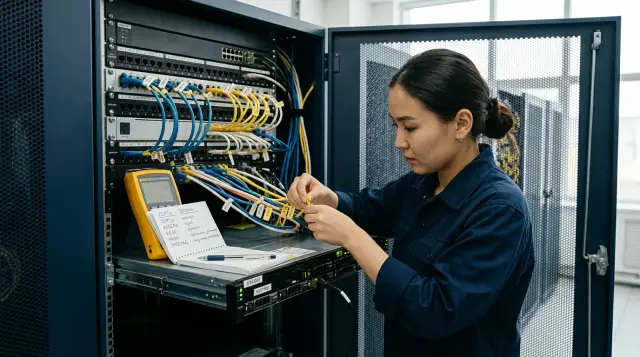
Do not hand a server over to operations while its management controller uses an accidental address, accepts a factory account, or stays silent when a power supply fails. An installed operating system and green status lights do not prove that iLO or iDRAC is ready. Only a tested path from the on-call engineer's workstation to the console, power controls, logs, and alerts proves readiness.
I treat the management controller as a separate administrative computer inside the chassis. It runs when the main OS has not booted, and it can change power state and attach virtual media, so a configuration error there is more dangerous than an ordinary error on an application interface. Finish the initial setup before handing the server to the service owner, while reboots are acceptable and someone with physical rack access is still nearby.
The management network must be a separate zone
Connect iLO or iDRAC to a dedicated management port and place it on an administrative network that user and server segments cannot reach. A dedicated physical port is preferable to sharing a production network adapter: a failure, reconfiguration, or overload on the production interface will not cut off emergency access. Shared mode may be acceptable at a small site, but it is a deliberate compromise that belongs in the server record.
A static address is usually easier to support than a permanent DHCP lease. If the organization assigns addresses through DHCP reservations, bind the reservation to the controller's MAC address, not the label on the primary adapter. After restarting the controller, verify the address, mask, gateway, VLAN, and both DNS servers. A VLAN error is especially deceptive: the interface may answer an engineer in the server room through a temporary port while remaining unreachable over the normal route.
Dell's initial iDRAC9 setup guidance allows an administrator to set a static address or DHCP through System Setup, Lifecycle Controller, or the front panel. The same guidance identifies DNS registration as a prerequisite for Active Directory and LDAP services. That does not justify uncontrolled dynamic registration. Create an approved A record and, if organizational process requires it, a PTR record, then resolve the name from the network used by administrators and monitoring.
Firewall rules should allow only required sources and services. The web interface and Redfish normally need HTTPS, monitoring may need SNMPv3 or Redfish event delivery, and a central log service needs syslog. Do not open the entire administrative VLAN merely because it is internal. A jump host, the administrators' VPN, and monitoring servers make a clear source list; the user subnet does not belong on it.
Decide explicitly what to do with IPv6. A controller can acquire a link-local or automatic global address while the support team inventories only IPv4. Filtering, inventory, and scanning then show different pictures. If IPv6 is in use, assign its address, DNS, route, and the same source restrictions. If the organization does not operate IPv6 in the management zone, disable it deliberately on the BMC and port instead of leaving it unmonitored.
Test redundancy across the complete path as well. Two power supplies and two switches do not help if a single gateway, VPN concentrator, or jump host cuts off management. Draw the actual packet path from the on-call engineer to the BMC and mark every single point of failure. Removing every one immediately may not be sensible, but the service owner must know which failure requires a site visit and who may enter the room.
Record the physical mapping before leaving the room: rack name, rack unit, serial number, service identifier, controller MAC address, its IP address, and the connected switch port. The network team must be able to locate the cable from the record, and the on-call engineer must be able to distinguish this server from its neighbor without guessing.
Configure name, time, and certificate before the directory
Set a unique controller name, the correct DNS suffix, the time zone, and at least two reachable NTP sources before connecting directory authentication and alerts. Time affects certificate checks, audit records, and reconstruction of a failure sequence. If the BMC is seven minutes slow, events from the hypervisor, switch, and storage array can no longer be placed confidently on one timeline.
The iDRAC9 guide separately warns that different RTC and iDRAC time-zone settings can cause unexpected behavior, and it recommends NTP for accurate timestamps. HPE also exposes a dedicated iLO date and time service with configurable NTP servers. Do not stop at a green status after applying the settings: compare the current BMC timestamp with a trusted source, restart the controller itself, and compare it again.
The factory self-signed certificate is suitable only for the first login on an isolated network. Issue a certificate from the internal certificate authority for the DNS name that people and automation will actually use. Install the full trust chain on workstations, monitoring servers, and Redfish tools. Habitually selecting "continue despite the warning" trains an administrator to ignore the exact signal that should stop a connection to an impersonated controller.
Before importing it, check the SAN, expiry, key usage, and whether the private key matches the certificate. After replacement, open the interface by name rather than IP and confirm that the client sees the correct chain without an exception. Record the certificate owner and renewal method. A one-year certificate with no reminder turns an emergency login into a separate emergency.
Accounts receive exactly the rights they need
Change the initial password immediately, create named accounts, and remove the shared administrator login from daily work. A new iDRAC may have a unique password printed on its information tag, but a unique factory secret is still known to anyone who saw the chassis or delivery paperwork. Its purpose is the first login, not years of operation.
Separate the roles. A monitoring operator reads health and logs. An on-call administrator opens the console and performs approved power operations. The hardware platform group changes settings and firmware. User-management rights stay with fewer people. HPE iLO and Dell iDRAC support local roles and directory authentication; the exact privilege names differ, so verify the resulting permissions instead of assuming that similarly named groups behave alike.
A directory makes access revocation and auditing easier, but you still need a local emergency account. Store its password in a corporate secrets vault with controlled checkout, not in a file next to the rack record. Test that account while the directory is unavailable, or use a rule that temporarily blocks the BMC from LDAP. An emergency login that has never been tested is not a fallback.
Enable multi-factor authentication where the model, firmware version, and login method support it. Test the web interface, API, console, mobile access, and direct service channel if the organization uses them. An automation exception needs its own service account, a minimal role, a source restriction, and a secret-rotation plan.
Run negative tests after configuration: the monitoring operator must not change power state, the console operator must not create users, and a remote employee without the VPN must not see the HTTPS port. A successful administrator login proves only that one path exists. A forbidden operation failing proves that the permission boundary works.
Disable any protocol you do not need
Leave enabled only the interfaces that have an owner and a practical use case. Older IPMI over LAN versions, Telnet, unused SSH, SNMPv1, and shared community strings expand the attack surface and usually survive through inertia rather than need. Dell's iDRAC9 security guidance explicitly recommends disabling IPMI over LAN with racadm set idrac.ipmilan.Enable 0 and turning off Telnet in favor of SSH.
Do not copy that command blindly to every server. First ask the monitoring system, orchestrator, and deployment tool which protocol each one uses to contact the BMC. Then disable one interface, run their control operations, and only then save the baseline. It is easy to break overnight hardware-sensor collection when the daytime test consisted only of opening the web page.
Use SNMPv3 with authentication and encryption when monitoring supports it. If a legacy system requires SNMPv1 or v2c, restrict the source with an ACL, issue a separate unpredictable string, and create a task to remove the dependency. Naming it public does not make it safer inside a closed VLAN.
Review TLS settings and disable obsolete protocol versions within the firmware's capabilities. Limit session duration and failed logins so that the protection does not obstruct emergency work but stops basic guessing. Document the direct USB or host interface: that channel is useful for maintenance, but a privileged OS user can sometimes obtain a special path to the BMC through it. Disable the function if it is unnecessary; if it is needed, include it in the access model.
Finish with a port scan from an approved administrative host and from a prohibited segment. The first result must match the service inventory, and the second must not expose the controller at all. A BMC interface is closed only when packets pass or fail according to the rule, not when a switch in the interface looks correct.
An alert is configured only after delivery
Configure hardware events so that a disk, power supply, fan, or memory failure, excessive temperature, and loss of redundancy reach the on-call channel without help from the primary OS. iLO and iDRAC continue watching the platform when the host fails, which is the purpose of an out-of-band management zone. Email to one engineer does not replace an incident queue or monitoring system with an on-call schedule.
Choose one primary transport and one sensible fallback. Redfish events or SNMPv3 traps work for a current integration; remote syslog preserves useful context; email works as an additional path. The DMTF Redfish Specification defines a subscription in which a client creates a resource in the EventService Subscriptions collection and the controller then sends events to the specified HTTPS receiver. That is real delivery, but the receiver must authenticate the source, respond promptly, and tolerate repeated events.
Filters matter more than the number of recipients. An informational login event should not wake an engineer, while a critical loss of both power paths must not disappear among hundreds of notifications. Map the manufacturer's categories to your system's priorities: critical opens an incident, warning requires a response during the interval set by policy, and informational remains searchable. Do not disable an entire category because of one noisy sensor; investigate the noise source.
Send the built-in test event through every configured transport. The iDRAC9 guide allows Email, SNMP Trap, Remote System Log, Redfish Event, and other actions to be selected, followed by a test using a message ID. HPE iLO can also send a test SNMP alert. Check the final result: the record must arrive with the correct server name, time, severity, and escalation route. A "test sent" message on the BMC proves transmission, not receipt.
After the synthetic test, create a safe real event permitted by site procedure. For example, briefly remove one redundant power supply from an unloaded server and reinstall it immediately. Approve the action in advance and do not perform it on a system without confirmed redundancy. The purpose is to test the complete path from the sensor to incident closure, including the recovery message.
Move logs beyond the controller
Send BMC events to centralized storage and retain an initial snapshot of local logs during acceptance. A local log has limited capacity, may overwrite itself in a ring, and becomes unavailable with the controller. HPE documentation lists the Security Log, Integrated Management Log, iLO Event Log, and Alert Event Log; they answer different questions and do not replace one another.
Do not confuse the hardware log with the action audit. The first explains when a drive reported an error or temperature crossed a threshold. The second shows who logged in, changed a setting, cleared a log, or issued a power command. An investigation needs both streams, accurate time, and a stable server identifier. If the receiver replaces the BMC name with an IP address, an address change breaks the history.
Configure remote syslog, Redfish export, or collection through the management platform. Then find the test message at the receiver by serial number and time. Check field parsing, not merely the presence of a raw line: the system should distinguish severity, component, message code, and recovery state. Otherwise the on-call engineer receives text but the automation rule does not open an incident.
Export logs before clearing factory events. They may include records from assembly, testing, and transport that form a useful initial history. After export, clear only the logs covered by your procedure, restart the BMC, and confirm that new events still leave the controller. HPE notes that new records displace old records when several logs fill up; external collection removes reliance on that ring buffer.
Set retention according to organizational requirements and the system's purpose. A server management log may contain account names, IP addresses, and configuration details, so restrict access to it as well. Long retention without search and integrity control feels like an archive but provides little help during a failure.
Update firmware as a related set
Inventory current versions, read the release notes for the exact model, and plan BMC, BIOS, RAID, network adapter, drive, and power-supply firmware as one coordinated change. Updating only iLO or iDRAC to the newest version you can find is convenient, but component dependencies and minimum intermediate versions can change the correct order.
Use the manufacturer's catalog and tools for the server generation. The HPE iLO 6 User Guide recommends managing the installation queue through Smart Update Manager. Dell Lifecycle Controller can update supported components and displays a job queue. Both approaches retain task state and account for reboots better than an assortment of packages downloaded independently.
Before starting, save the current BMC configuration, version inventory, and an available rollback path. Dell documents rollback through Lifecycle Controller, but a previous version is not available for every component and depends on how the earlier update was performed. The presence of a Rollback button therefore does not guarantee a return. Check the conditions for the model and retain an appropriate package separately under organizational policy.
Do not remove power or restart the controller manually during an update. Some components require the host to be off, while others stage the update until the next reboot. Wait for every job to finish, review Lifecycle Log or the corresponding iLO log, and only then begin verification. A green overall status does not replace a successful completion record for each component.
After the update, check the management network, certificate, accounts, time, event subscriptions, remote syslog, and virtual console again. Firmware can reset a setting, change browser behavior, or require a fresh session. Comparing exported configuration before and after the update reveals drift faster than visually walking through dozens of tabs.
The remote console must work outside the server room
Test the console, virtual media, and power controls from the workstation and over the route that the on-call engineer will use at night. A test from a laptop connected to the same switch in the room bypasses the VPN, firewall, DNS, certificate trust, and browser restrictions. It proves local connectivity only.
Open the HTML console and watch a complete POST and entry into setup, but do not change production boot settings without need. Check keyboard layout, special-key transmission, scaling, and reconnection after a BMC restart. If the license or model limits a function, find that limitation before an emergency and record the accepted alternative.
Attach a small approved ISO as virtual media, confirm that the server sees it in the boot list, and then detach it. Do not leave an image mounted: it may change boot behavior at the next restart, and an open session creates an unnecessary dependency on the engineer's computer. Give the Virtual Media right only to roles that need it.
Test power commands carefully. On a new server with no workload, you can perform a normal power-on, graceful shutdown, and one-time boot from the required device. Use hard power-off or reset only in an approved scenario. An interface where a button is visible but the role cannot execute the command must be tested in advance, not judged functional by appearance.
Finally, simulate loss of the primary administration path: close the normal SSH session to the OS and connect only through the BMC zone. The on-call engineer should find the server in the CMDB, open the interface by name, obtain the emergency secret through the approved procedure, and see the console. This short exercise finds more organizational gaps than another review of settings.
Redfish makes the check reproducible
Use Redfish to read the baseline state after manual configuration and retain the result with the acceptance record. iLO and iDRAC differ in their vendor extensions, but the standard Manager, Systems, AccountService, EventService, and UpdateService resources provide common ground. An automated check should not start by changing parameters: first perform safe read-only collection and compare it with the baseline.
The following minimal example assumes an existing temporary session token. It does not disable TLS verification or place a password on the command line. Set BMC and TOKEN in the current shell session, and remove the token after the work.
curl -sS -H 'X-Auth-Token: '$TOKEN https://$BMC/redfish/v1/Managers/1
curl -sS -H 'X-Auth-Token: '$TOKEN https://$BMC/redfish/v1/Systems/1
curl -sS -H 'X-Auth-Token: '$TOKEN https://$BMC/redfish/v1/EventService
The first response should contain a Manager object with fields such as Id, Name, FirmwareVersion, DateTime, and Status when the implementation exposes them. The second returns the model, serial number, power state, and aggregate system health. The third shows whether the event service is enabled and points to the subscription collection. HTTP 200 with a JSON object confirms read access; 401 means a token or role problem; a certificate verification error means the trust chain is unfinished, and bypassing it with a flag is unsafe.
Do not hard-code /Managers/1 as an eternal truth in a large system. A reliable client starts at /redfish/v1, follows links, and handles multiple collection members. A fixed path is acceptable in an acceptance script only after verification on the chosen model. Do not assume that fields with the same name in HPE and Dell OEM sections have identical semantics either.
Store a sanitized result without tokens, network secrets, or personal information. A useful report contains the check time, DNS name, serial number, models and firmware versions, component health, EventService status, and the expected subscription list. On the next delivery, this file becomes a testable baseline instead of another instruction that every engineer interprets differently.
Operational handover ends with evidence
Sign the acceptance only after an independent check by another engineer or the platform owner. The person who made the settings easily sees what they expected to see. The reviewer should obtain the address from the CMDB, log in with their own role, find the test event in monitoring, open the archived log, and connect to the console without hints from personal notes.
The acceptance record should contain this evidence:
- IP, DNS, VLAN, switch port, rack, and rack unit;
- serial number, model, and versions of the BMC, BIOS, and main components;
- role owners, emergency-secret location, and date of the access check;
- identifiers of test events in monitoring and centralized logging;
- console, virtual-media, and power results, plus the next update plan.
Do not attach a password, token, or SNMP secret to the document. Reference the record in the secrets vault and the checkout procedure. Record accepted exceptions separately: a shared network port, temporary SNMPv2c, a self-signed certificate at an isolated site, or the absence of a licensed console. Every exception needs an owner, a reason, and a review date.
For projects in which GSE supplies servers and performs system integration, agree on this protocol with the implementation team before installation: the manufacturer controls delivery and provides 24/7 technical support through a nationwide service network. Responsibility for routes, accounts, event recipients, and acceptance evidence still needs an owner inside the organization.
A server is ready after forbidden access fails reproducibly and permitted access succeeds reproducibly, not after the first successful BMC login. Remove the temporary installation cable, retire the factory password, and ask the on-call engineer to repeat the path. If they can see the console and the test incident through normal systems alone, the rack can enter service.
Frequently asked questions
Should iLO or iDRAC use a dedicated physical port?
Yes, when the server model and network allow it. A dedicated port preserves emergency access during production-adapter problems and simplifies traffic filtering; shared mode should be a documented exception.
Is a static BMC address better than DHCP?
A static address is easier to locate and support at most server sites. A DHCP reservation also works when it binds to the correct MAC address, has predictable lease behavior, and updates DNS under control.
Can I keep the factory iDRAC password if it is unique?
No. The unique password on the tag is intended for first login and may have appeared in delivery records or photographs; replace it and create named or directory accounts.
Do I need a local account when LDAP or Active Directory is connected?
Keep one protected emergency account. Store its secret in the corporate vault, restrict its rights, and test login regularly without the directory.
Which BMC alerts should I enable first?
Enable drive, memory, fan, and power-supply failures, redundancy loss, temperature events, and critical platform errors. Route them by severity and send a test event before acceptance.
Are email notifications from iLO or iDRAC enough?
Email is useful as a fallback, but it does not manage incident ownership well. Send the primary path to monitoring or an incident queue through Redfish events, SNMPv3 traps, or a supported integration.
Why configure NTP on the management controller?
Accurate time correlates hardware events with operating-system, network, and storage logs, and it supports correct certificate validation. Use two reachable sources and verify the time again after a BMC restart.
Should I update BMC firmware before putting the server into service?
Yes, after reading the notes for the exact model and checking dependencies. Update through the manufacturer's supported catalog and queue, save the prior versions, and repeat functional tests afterward.
How can I test the remote console safely?
Connect through the normal VPN or administrative host, open the console, and test reconnection. On an unloaded server, briefly mount an approved ISO, verify that it appears, and detach it immediately.
What belongs in the server handover record?
Include network details, physical location, serial number, firmware versions, roles, secret references, test-event identifiers, and console results. Do not include passwords, tokens, or community strings.
