8 min read
How a guest network VLAN design works with IP cameras
A practical guest network VLAN design for IP cameras, with addressing, firewall rules, internet isolation, and tests for internal access.
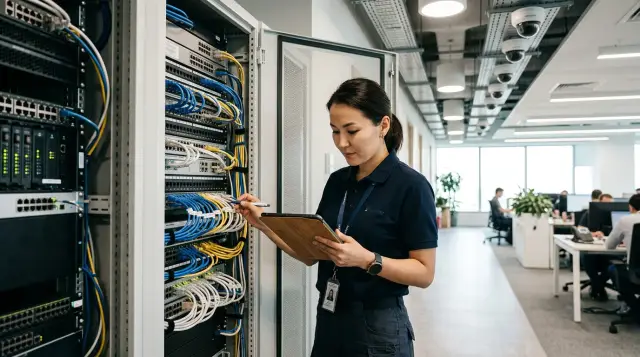
You cannot move a guest network and IP cameras into two VLANs and call the job finished. A working design combines separate broadcast domains, a firewall with a default deny policy, client isolation at the access layer, and tests from both sides of every boundary. If one of those elements is missing, the colored boxes on the diagram create a false sense of security.
For a small office, I usually begin with four zones: staff devices, guests, cameras, and management. I place the video recorder either in the server zone or in a separate recording VLAN when the scale and requirements justify it. Cameras do not need arbitrary internet access, guests do not need routes to private addresses, and an ordinary workstation does not need direct access to every camera's web interface.
The design below can be transferred to a router, firewall, managed switches, and access points from any manufacturer. The VLAN numbers and subnets are examples. The traffic directions, exact destinations, and rule order define the design.
A VLAN separates frames, but the firewall sets policy
A VLAN creates a Layer 2 boundary, but it does not decide who may cross that boundary. As soon as a router or Layer 3 switch has interfaces in every VLAN, it can route traffic between them. Without access lists or firewall rules, a guest can often reach a server just as easily as an employee can.
NIST SP 800-215 describes traditional segmentation as two mechanisms used together: resources with similar requirements go into segments, for example through VLAN identifiers, and gateways apply rules based on IP addresses and ports. That distinction matters. An 802.1Q tag answers, "Which segment does this frame belong to?" The firewall answers, "Is this session allowed?"
NAT causes another common misunderstanding. Address translation lets several private hosts leave through one external address, but it does not replace filtering. NIST SP 800-41 explicitly classifies NAT as a routing technology, not a firewall technology. If the gateway performs NAT and allows routing between segments, the internal networks can still reach one another.
The policy should use stateful inspection. A reply from a website to a guest phone is allowed as part of a session the phone already opened. A new session from the internet to that phone is blocked. The same connection state lets a recorder request a stream from a camera and receive the response without a broad rule that permits cameras to reach the entire server network.
I do not use a rule that says, "All VLANs can reach one another except for a few blocks." It is convenient only on installation day. A year later, nobody remembers which new subnets were left out of the exception list. It is safer to allow required flows explicitly and end with a logged deny rule for everything else.
Four zones make addressing easy to understand
An office without a complex branch structure needs an address plan where the third octet suggests the purpose. Do not tie a VLAN number to the number of desks or to a switch port number. Those values change while the segment's role remains the same.
- Staff network: VLAN 20, subnet 10.20.0.0/23, gateway 10.20.0.1. It contains PCs, managed laptops, and server services reached through separate rules.
- Guests: VLAN 40, subnet 10.40.0.0/23, gateway 10.40.0.1. It contains visitors' personal phones and laptops.
- Cameras: VLAN 50, subnet 10.50.0.0/24, gateway 10.50.0.1. It contains IP cameras and video encoders.
- Management: VLAN 60, subnet 10.60.0.0/24, gateway 10.60.0.1. It contains switches, access points, controllers, and administration interfaces.
The ranges come from 10.0.0.0/8, one of the three private blocks in RFC 1918. A private address provides no protection by itself: RFC 1918 covers addressing and even states separately that the document does not address security. Filters and the absence of unnecessary routes provide the protection.
A /23 guest subnet leaves room for growth without creating a huge broadcast domain, while a /24 camera subnet is easier to inventory. Size still needs to follow the actual client count, DHCP lease duration, and expected growth. A conference center can exhaust its guest pool every hour even with few simultaneous users because old leases remain occupied. Shortening the lease there helps more than casually expanding the network to a /16.
The recorder does not have to share a VLAN with the cameras. I prefer an address such as 10.20.10.15 in a server subnet or a separate recording VLAN. The rule "recorder connects to cameras" then has one known initiator. If the recorder sits in the camera VLAN, workstations still need a separate rule to reach its interface, while a compromised recorder immediately gains Layer 2 adjacency with every camera.
DHCP should give guests only their gateway and an appropriate DNS service. Cameras work better with DHCP reservations or static addresses recorded in an inventory, but do not mix both methods without a register. An address labeled camera-12 that is later assigned to another device turns a precise rule into an accidental permission.
An access port must not become a trunk unexpectedly
At the network edge, every port gets one clear role. A camera port is an access port in VLAN 50. An access point uplink carries only an explicit list of VLANs, not the entire range. Unused ports are disabled and placed in an inactive VLAN. Automatic trunk negotiation is disabled where it is not required.
An access point usually needs the management VLAN and the guest SSID, and sometimes a staff SSID as well. Untagged native traffic must be defined identically at both ends of the link. A native VLAN mismatch causes a particularly unpleasant fault: access point management can land in a user segment while some packets still appear to work. I prefer tagging every active VLAN when the equipment supports it and avoiding VLAN 1 for management.
The guest SSID maps only to VLAN 40. A setting called client isolation, peer blocking, or something similar prevents two wireless guests from communicating directly. The firewall does not see traffic between clients in one VLAN because the access point or switch forwards those frames locally. A GUEST -> INTERNAL deny rule therefore does nothing to stop one guest from scanning the phone next to it.
The same physics applies to wired guest ports and cameras. If cameras must not contact one another, use protected ports, private VLANs, port ACLs, or separate small segments. Complete camera isolation sometimes breaks a design where one camera sends events to another, so record the flows before applying the restriction.
Protection from a rogue DHCP server and ARP spoofing also belongs at the access layer. DHCP snooping, Dynamic ARP Inspection, and IPv6 Router Advertisement protection help when the switch supports them and the team can maintain the bindings. Enabling those features blindly is risky: marking the wrong uplink as trusted can leave an entire floor without addresses. Verify the DHCP path first, then apply protections to one port type at a time.
Guests receive internet access, not a tour of the office
A guest policy needs three properties: the client receives network settings, reaches public resources, and cannot initiate sessions to organizational addresses. Rule order matters. First allow DHCP and DNS to their assigned services, then block internal ranges, and only then allow access to the WAN. If a broad "guests to internet" rule comes before private network blocks, the result depends on what that vendor means by the WAN zone.
The example below is not syntax for a particular product. It is a testable specification that can sit next to the configuration and be checked during a migration to another firewall.
objects:
  GUEST_NET = 10.40.0.0/23
  CAMERA_NET = 10.50.0.0/24
  NVR = 10.20.10.15
  ADMIN_NET = 10.60.10.0/24
  INTERNAL_V4 = 10.0.0.0/8, 172.16.0.0/12, 192.168.0.0/16
  INTERNAL_V6 = fc00::/7
  DNS = 10.20.0.53
  NTP = 10.20.0.123

policy, ordered:
  allow GUEST_NET -> gateway : DHCP
  allow GUEST_NET -> DNS : DNS
  deny  GUEST_NET -> INTERNAL_V4 : any, log
  deny  GUEST_NET -> INTERNAL_V6 : any, log
  allow GUEST_NET -> WAN_PUBLIC : any, stateful

  allow CAMERA_NET -> DNS : DNS
  allow CAMERA_NET -> NTP : NTP
  allow NVR -> CAMERA_NET : INVENTORIED_CAMERA_PORTS, stateful
  allow ADMIN_NET -> CAMERA_NET : HTTPS, SSH, stateful
  deny  CAMERA_NET -> WAN : any, log
  deny  CAMERA_NET -> INTERNAL : any, log

  deny any -> any : any, log
The WAN_PUBLIC object must mean routes to public addresses, not merely a physical external interface. A guest may reach an internal address through a VPN, a second provider link, or a branch route. Blocking RFC 1918 covers typical private IPv4 networks, but an organization may use a publicly routable range internally. Add that range to the internal resources object as well. Block management addresses on the gateway separately if local services use a different rule chain.
Allowing guests only TCP 80 and 443 looks tidy, but it often breaks VPNs, voice applications, games, and diagnostic ICMP. If the guest service promises ordinary internet access, it is more reasonable to allow outbound traffic to public addresses and control abuse through rate limits, session limits, and DNS policy. The filter between guests and internal networks should remain precise and strict.
DNS creates another boundary. Guests do not need internal DNS if it reveals server names or accepts unrestricted recursive queries. You can use a resolver on the gateway with a separate zone view or public resolvers according to organizational policy. If you force DNS through your own service, block direct external TCP and UDP port 53 requests. Encrypted DNS needs a different policy and cannot be reduced to one port.
A camera should speak only to known destinations
A camera has no business reason to open arbitrary connections to the internal network or internet. It needs the recorder, an exact time source, sometimes DNS, and a controlled update path. Allow anything else only after capturing traffic and checking the documentation for that model.
People often misunderstand the direction of the video flow. In many systems, the recorder connects to the camera's RTSP or ONVIF service and pulls the stream. The NVR is then the initiator, not the camera. In other systems, the camera pushes a stream or events to the server. Build the rule around the observed session, not an arrow in a presentation. Connection state allows return packets regardless of which side carries more data.
Do not open a list of "standard camera ports" across the whole VLAN based on something copied from the internet. RTSP often uses TCP 554, ONVIF services may run over HTTP or HTTPS on vendor ports, and media may use negotiated dynamic UDP ports. First place the camera in a lab segment and test recording, live view, time sync, events, and updates. Capture the gateway flows and make a register with source, destination, protocol, port, and purpose. Only that register should become a set of allow rules.
A complete internet block for cameras should be a deliberate choice. A cloud mobile app, push notifications, license checks, or firmware downloads may stop working. That is not a reason to grant unrestricted outbound access. Decide whether the function is needed and give it an intermediary: internal NTP, internal DNS, a local update server, or a temporary maintenance rule. When a manufacturer requires a permanent connection to a changing set of cloud addresses, include the risk and operational cost in the purchasing decision.
I consider inbound port forwarding from the internet to a camera or recorder a design error. For remote viewing, use a managed VPN with user accounts and access logs, or a protected publication gateway if the architecture provides one. Changing the external port does not make an exposed web interface safer.
Isolation does not replace basic device hygiene. Every camera needs a unique password, unnecessary services disabled, current firmware, and correct time. Segmentation reduces the impact radius, but a camera with a shared password remains an easy target for any host that may legitimately contact it.
Device discovery crosses a boundary only by decision
Automatic camera discovery usually does not cross VLANs, and that is a normal result of segmentation. The ONVIF Core Client Test Specification describes WS-Discovery: a client sends a Probe to multicast address 239.255.255.250 on UDP port 3702, then the device replies directly to the client. A router normally does not forward this local multicast into another segment.
That does not mean workstations and cameras should be merged. For initial setup, temporarily connect an administration station to the camera VLAN, set addresses and credentials, then manage known IP addresses through a precise rule. Another option is a discovery proxy or reflector that carries only the required protocol between specific VLANs. Such a service expands the access surface, so never point it at the guest network.
mDNS behaves similarly. RFC 6762 defines link-local multicast 224.0.0.251 and UDP 5353 for IPv4, plus FF02::FB for IPv6. If a printer or display must be discoverable from the staff network, reflect only the required service types between staff segments. Do not enable a general mDNS reflector between guests, management, and cameras for the convenience of one device.
When an application "sees the camera only in the same VLAN," that does not prove a routing failure. Check whether it tries to open a known unicast address or relies entirely on local discovery. Fix the rule and route in the first case. In the second, change the commissioning procedure or add a narrow proxy.
IPv6 and management close the bypass paths
An IPv4-only policy leaves a second network path when access points, clients, and the gateway already use IPv6. A device can receive a global IPv6 address through Router Advertisement and reach the internet without IPv4 NAT. A guest can contact an internal global or ULA address even though a test against 10.0.0.0/8 correctly shows a block.
Choose one of two approaches. Fully configure IPv6 for every VLAN with the same boundaries, logs, and blocks on new inbound sessions, or disable IPv6 and RA announcements in segments where the team cannot yet control them. A partial deployment where IPv6 is "not really used" usually means nobody is watching it.
RFC 4193 defines fc00::/7 as Unique Local IPv6 address space that is not expected in global routing but may be routed within a site. Include ULA space in the internal networks object for the guest block. Link-local fe80::/10 does not cross a normal router, but it remains reachable by neighbors in the same VLAN. Client isolation must cover IPv6 too.
The management plane should be separate from user traffic. Web interfaces for switches, access points, firewalls, and cameras are reachable only from an administration subnet or through a jump host. Block management on the guest SSID and ordinary staff ports. Disable old HTTP and Telnet when the equipment supports HTTPS and SSH, and restrict SNMP to monitoring system addresses.
A separate management network is pointless if an administrator connects from the everyday laptop used for email and untrusted files. A small office can use a dedicated administration host with two factor access to a VPN or jump host. A large site needs role based accounts, command logs, and emergency access outside the primary network. These measures do not change the VLAN table, but they determine who can change its rules.
Testing must prove both permission and denial
The design is ready only after tests from the guest network, camera VLAN, administration network, and an external location. A test only from the administrator's laptop proves that the administrator can see everything. It says nothing about what a guest can see.
Before testing, save the configuration, clear or mark rule counters, and record the test client's address. Then run the sequence below. The commands use Linux; on another system, use equivalents with the same addresses and protocols.
- Connect to the guest SSID and confirm that the address, route, and DNS belong to VLAN 40.
- Test a public site and DNS. Then try the gateways, a server, the recorder, and several management addresses.
- Connect a test camera to VLAN 50. Check recording, time, and events, then review which outbound attempts hit the deny rule.
- Open the allowed camera interface from an administration host. Repeat the request from an ordinary workstation and confirm that it fails.
- From an external network, verify that no camera or NVR ports are published except for an explicitly approved VPN gateway.
$ ip -br address
wlan0    UP    10.40.0.27/23

$ ip route
default via 10.40.0.1 dev wlan0
10.40.0.0/23 dev wlan0 proto kernel scope link src 10.40.0.27

$ dig @10.40.0.1 example.net +short
203.0.113.20

$ curl -I -m 5 https://example.net
HTTP/2 200

$ nc -vz -w 3 10.20.10.15 443
nc: connect to 10.20.10.15 port 443 (tcp) timed out

$ nmap -Pn -p 22,80,443,445,3389 10.20.0.10
PORT     STATE    SERVICE
22/tcp   filtered ssh
80/tcp   filtered http
443/tcp  filtered https
445/tcp  filtered microsoft-ds
3389/tcp filtered ms-wbt-server
The address 203.0.113.20 belongs to TEST-NET-3 and shows only the output shape, not a real website. Use an approved external resource for an actual test. The filtered state means the scanner received no response and assumes filtering. It does not prove which device dropped the packet. Correlate the attempt with an increase in the appropriate deny rule counter and a log entry for 10.40.0.27.
A timeout helps conceal internal topology, but it makes diagnosis harder. I allow an ICMP administrative prohibited response where it does not expose sensitive information, and I verify the result in the log. The exact word in the output matters less than four matching pieces of evidence: the client received the right VLAN, the allowed flow passed, the blocked flow failed, and the expected rule counter changed.
Test IPv6 separately with ip -6 address, ip -6 route, and a connection to a known internal IPv6 address. Test another guest client because that traffic may never reach the gateway. Finally, restart the camera and access point. Some faults appear only after a new DHCP session or port negotiation.
Do not run a broad scan of a production network without an approved window. Acceptance needs only a small set of preselected addresses and ports. The test should prove the boundary, not place load on old cameras.
The design stays safe while every rule has an owner
Segmentation decays through temporary permissions that have no expiry date, not simply through age. An installer asks to give cameras internet access "for a couple of hours," an application demands access from the whole staff VLAN, and someone inserts a new rule above the blocks. Six months later, the temporary entry is treated as part of the system.
Every permission needs an owner, purpose, source, destination, service, and review date. Store rule exports, the address register, the port map, and configuration backups together. After replacing a camera, recorder, access point, or firewall, repeat the negative tests instead of checking only that video appears.
Review deny logs after commissioning. Repeated camera connections to an unknown external address may indicate a cloud feature, incorrect DNS, an update check, or a compromise. Do not allow the address automatically. First compare it with documentation and a traffic capture, then decide whether the function is required.
When designing a site, GSE can connect server and network infrastructure with operational and support requirements without tying the design to one manufacturer. Even well assembled equipment cannot correct an allow any rule: the acceptance flow matrix must remain part of the project after handover.
If every vendor label is removed, the design should still read clearly: guests reach only public resources, the recorder receives video from known cameras, administrators manage devices from a separate zone, and every undescribed flow is blocked. You can test that design today and restore it without guesswork two years from now.
Frequently asked questions
Do IP cameras need a separate VLAN?
Yes, if cameras should not be equal participants in the staff network. A separate VLAN reduces the broadcast domain and gives the gateway a place to enforce rules, but it does not restrict access without filtering between VLANs.
Can cameras and the video recorder share one VLAN?
They can, but the NVR then has Layer 2 adjacency with every camera and the firewall cannot see their traffic. A separate server zone makes precise rules and logging easier. A shared VLAN can still suit a small isolated system when the risk is understood.
Should IP cameras have internet access?
They usually do not need permanent, unrestricted access. Give cameras internal DNS and NTP, then handle updates through a controlled service or a temporary rule when the manufacturer supports that approach.
Why can guests still see one another after VLAN setup?
They share one broadcast domain, so their frames do not pass through the firewall. Enable client isolation on the access point, protected ports, or private VLANs, then test both IPv4 and IPv6.
Which ports should be open between an NVR and cameras?
Open only ports confirmed by documentation and traffic captures during recording, viewing, events, and management. Do not copy a generic "camera ports" list because session direction and dynamic media ports vary between systems.
Why does the application not find a camera in another VLAN?
Automatic discovery often uses local multicast that a router does not forward. Enter a known IP manually, perform initial setup from the camera VLAN, or use a narrow discovery proxy between specific segments.
Is blocking RFC 1918 enough for a guest network?
No, not when the organization uses public IPv4 ranges internally, IPv6 ULA space, VPN addresses, or separate branch routes. The internal resources object must include all organizational addressing, and access to the gateway's own services needs a separate check.
Should IPv6 be disabled in the guest and camera VLANs?
Disable it if the network and its controls cannot yet enforce a consistent IPv6 policy. If IPv6 is required, apply the same boundaries, logs, and negative tests used for IPv4.
How can I prove the guest network is isolated?
Test from a real guest client: confirm its address and route, open a public resource, then contact selected internal addresses. Match the failures to the counter and log entry of a specific deny rule, and test a neighboring guest separately.
How often should rules between VLANs be reviewed?
Review them after every device or route change and on a regular schedule assigned to the network owner. Temporary permissions need an expiry date. Remove rules with no owner or purpose after checking their dependencies.
