8 min read
How do you set up file sharing without a domain?
File sharing without a domain for a 20-person office: compare NAS and servers, manage local accounts and SMB permissions, and protect backups.
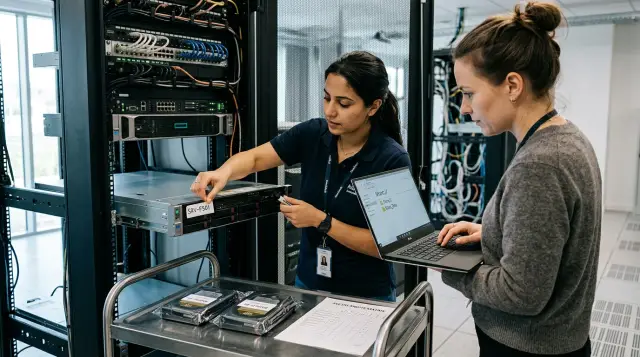
You can set up file sharing without a domain safely and predictably if you put the data on a dedicated host, create named accounts on it, and treat permissions, backups, and employee departures as parts of one system. An organization with 20 people does not need Active Directory. It does need the order that people often expect the domain itself to provide.
A poor setup also works for the first few months. Someone shares a folder from their work computer, gives everyone one password, and stores accounting documents next to public templates. Then that computer's owner goes on leave, only half the staff get the new password, and no one notices an accidentally deleted directory for a week. SMB and the lack of a domain are not the problem. The files have no assigned owner, people have no distinguishable accounts, and the administrator has no procedure.
A standalone file host is enough for 20 people
A standalone file host in a workgroup meets the needs of a small organization while everyone works in one office or connects through a managed VPN, and permissions fit a few clear roles. The host may be a NAS, a Windows Server machine, or a Linux server running Samba. The user sees a familiar path such as \\files\company, but the file host itself checks the account instead of a domain controller.
A workgroup does not manage computers. Microsoft describes it in its small-business networking documentation as a set of peer devices: each device has its own user database, and an account must exist on the specific device before someone can sign in to it. A shared workgroup name helps devices discover one another, but it does not synchronize passwords, groups, or policies. Renaming every computer to OFFICE centralizes nothing.
The setup works if one person owns the file host and can perform four routine operations: add an employee, change their role, close access on the day they leave, and test recovery from a backup. A domain will not rescue the organization if nobody accepts those duties. It merely provides more screens on which disorder can be configured.
Twenty employees do not equal twenty connections. One person may have a desktop, a laptop, a scanner, an accounting application, and a background backup task. You therefore need to calculate performance and licensing limits by devices and concurrent sessions, not by rows in the staff list.
NAS, Windows Server, and Samba solve different problems
Choose the platform according to who will maintain it and which applications must run alongside the files. Buying a NAS only because its initial setup has fewer options is as shortsighted as installing Windows Server merely because File Explorer looks familiar.
A NAS fits when the organization mainly needs shared folders, snapshots, and straightforward user management. Before buying one, check the vendor's update period, support for current SMB versions, the procedure for replacing a failed disk, and the ability to send a backup to independent storage. The presence of two or four disks says nothing by itself about backup.
Windows Server in a workgroup makes sense when the administrator knows Windows well and the organization needs NTFS permissions, auditing, or compatibility with a business application. The familiar interface comes with licensing, updates, separate local-account management, and client credential administration. Check in advance whether the chosen edition and use case require client access licenses.
Linux with Samba provides a flexible file service if the organization or its contractor has real Linux expertise. The mapping of users, ACLs, updates, monitoring, and configuration recovery all need documentation. The official Samba manual for smbpasswd specifically notes that an SMB user normally must already exist in the system user database before the command adds that person to Samba's local password database. Miss that step and you get a familiar failure: the account appears to exist, but sign-in does not work.
A folder on Windows 11 is suitable only as a temporary measure during a migration or emergency. It depends on a work computer, its reboots, and its owner, mixes user applications with server load, and is difficult to repair without stopping work. The apparent saving disappears after the first workday spent recovering a PC that someone accidentally turned off.
The Windows 11 license terms allow no more than 20 other devices to access the software for file services and certain other services. That is not a recommendation to build file storage on a workstation. The limit applies to devices rather than employees, and an organization with 20 people can reach it as soon as second computers and service hosts appear. Even before that point, an ordinary PC is a single point of failure that someone can switch off in the evening.
Cloud synchronization solves a different problem. It is convenient for collaboration and remote access, but a sync client on twenty computers does not become a local file server. You still need to learn how file locks, versions, large directories, external-user permissions, and applications that expect a regular SMB path behave. If an accounting system requires a network folder with predictable latency, verify that requirement with the system's developer instead of guessing.
For a typical office, I first choose a business-grade NAS or a proper server, then test recovery and business applications. The badge on the chassis matters less than the availability of a spare disk, an understandable event log, and a person who knows the administrator password.
Without a domain, identity lives on the server
Every employee needs a separate local account on the file host. A shared office login is convenient only until the first deleted file, access dispute, or departure: the log records one login, while changing its password stops the whole office at once.
A local account exists only in the database of the device on which it was created. Two users named a.ivanov with the same password on two computers do not become one identity because they have different security identifiers. When a client connects to a share, Windows sends the server a name and proof that the user knows the password, and the server checks them against its own database. A person can therefore sign in to the client with one name and connect to the folder as FILES\a.ivanov.
A workable model for 20 people has these parts:
- one named account on the file host for each employee;
- role groups such as
FS_Accounting_RWandFS_Management_RO; - a separate administrative account that is not used for reading documents or email;
- disabling an account instead of immediately deleting it when someone leaves;
- a password manager or a sealed procedure for storing emergency administrator credentials.
Do not copy the same local administrator password to every computer and server. Microsoft specifically warns that reusing local administrative passwords helps an attacker move between devices with a stolen password or password hash. Matching ordinary usernames and passwords on the work PC and server can sometimes reduce credential prompts, but it causes confusion when the password changes. I prefer saving separate file-host credentials once in Windows Credential Manager.
The audit log should answer at least who signed in, who changed permissions, and who deleted or renamed a critical file. It does not need to retain every opening of every document for years. That volume quickly makes the log useless. Enable auditing for folders with sensitive data and for administrative actions, then set retention according to an actual incident-review process.
Grant permissions to groups, not individuals
A workable permission model begins with folders and roles rather than a list of surnames. Create a small number of directories with clear owners: shared exchange, accounting, management, projects, and archive. For each one, decide who needs read, modify, and administrative full access. If the matrix does not fit on one screen, you have already made it too complicated for an organization with 20 people.
In Windows, access to a file passes two checks: SMB share permissions and NTFS file-system permissions. The stricter combination limits the resulting access. A person may have Change on the share but read-only access to the NTFS directory, so writing will fail. The reverse also blocks writing. Administrators often blur this distinction and then add Everyone: Full Control without a plan.
Two strategies are reasonable. The first gives authenticated employees broad modify permission at the share layer and applies detailed restrictions through NTFS groups. The second mirrors restrictions at both layers. The first is easier to inspect in a small team, but a separate group should still retain administrative full access. Disable guest access and anonymous writes.
Do not prohibit deletion of individual files while allowing content changes merely to create a feeling of safety. Office applications often save through a temporary file, a rename, and replacement of the original. Clever restrictions cause save errors that users work around by keeping copies on their desktops. Snapshots and backups handle accidental deletion, while permissions should separate roles and entire directories.
The data owner and system administrator have different jobs. The head of accounting decides who should read the accounting folder. The administrator applies the decision and keeps a record of the change. If the administrator guesses business permissions, the setup stops matching the company as soon as the first reorganization occurs.
Permission inheritance should flow downward only within one meaningful area. Do not place accounting and the shared folder under a parent where every employee can modify content, then try to cancel that access with ten exceptions. Put restricted areas close to the root, break inheritance once at their boundary, and grant access to role groups below it. An exception for one person is acceptable for a short period if it has an owner and a review date.
Once a month, export the list of groups and members to a text file or ticket and ask folder owners to confirm it. That takes less time than looking for a former employee after an incident. The review should find direct permissions assigned to people, unknown identifiers left by deleted accounts, unnecessary administrators, and groups with no owner.
A workgroup can be configured reproducibly
Configuration should not depend on one person's memory of ten mouse clicks. Even if you use a graphical console, record the group names, paths, permissions, and verification commands in a short operations document.
The example below is for a standalone Windows Server host. It creates a local accounting user and group, adds the user to the group, shares the folder, and sets NTFS permissions. The password is entered privately and does not appear in command history.
$Password = Read-Host "Password for n.sadykova" -AsSecureString
New-LocalUser -Name "n.sadykova" -Password $Password -PasswordNeverExpires:$false
New-LocalGroup -Name "FS_Accounting_RW"
Add-LocalGroupMember -Group "FS_Accounting_RW" -Member "n.sadykova"

New-Item -ItemType Directory -Path "D:\Shares\Accounting"
New-SmbShare -Name "Accounting" -Path "D:\Shares\Accounting" `
  -ChangeAccess "FILES\FS_Accounting_RW" `
  -FullAccess "FILES\FS_Admins"

icacls "D:\Shares\Accounting" /inheritance:r
icacls "D:\Shares\Accounting" /grant `
  "FILES\FS_Admins:(OI)(CI)(F)" `
  "FILES\FS_Accounting_RW:(OI)(CI)(M)"
Replace FILES with the server name, and create the FS_Admins group in advance with separate administrative accounts as its members. The (OI)(CI) flags propagate permissions to files and child directories, (M) grants modify access, and (F) grants full access. Do not run this fragment blindly on an existing folder: /inheritance:r removes inherited permissions, so capture the current ACL first.
Verification should produce evidence that can be attached to a ticket:
Get-SmbShareAccess -Name "Accounting"
icacls "D:\Shares\Accounting"
Get-LocalGroupMember -Group "FS_Accounting_RW"
The first command's output should contain only the expected groups with Change or Full levels. icacls should show (OI)(CI)(M) for the working group and (OI)(CI)(F) for administrators. The third command lists the named members of the role. After configuration, sign in with a read-only test account and a modify test account. Testing only as an administrator proves nothing.
The same logic applies to a NAS even though screen labels differ. Create users first, then role groups, then folders and group permissions. Configure snapshots, a recycle bin, and backups after permissions but before moving production data.
Client connections need one naming convention
Every user should connect through one server name, such as \\files\company, rather than alternating between a name, an IP address, and random aliases. One name simplifies instructions, logs, hardware replacement, and troubleshooting. Reserve the server's address in DHCP or DNS, but open the share by name.
On Windows, you can map the share explicitly:
net use S: \\files\company /user:FILES\a.ivanov * /persistent:yes
The asterisk makes Windows ask for the password instead of storing it in the command line. Use net use to inspect active connections. Remove a specific mapping like this:
net use S: /delete
Windows does not allow one user session to connect to the same server name under different usernames at the same time. Microsoft documents this behavior as intentional. If an employee has already opened \\files\public with an old shared account and then maps \\files\accounting with a personal account, Windows reports a different username and password or system error 1219.
The correct fix is not to create DNS aliases to bypass the restriction. Inspect net use, close open files, remove old connections and stored credentials for the server, then reconnect with one personal account. An alias hides the conflict and lets one computer maintain two identities, which ruins the audit trail.
Do not give users the server's IP address as the primary path. Kerberos is generally unavailable in an environment without a domain, so SMB uses NTLM. Connecting by IP does not improve that model, complicates a clean host replacement, and creates another name in the cache. If the name does not resolve, fix local DNS or DHCP instead of changing employee instructions.
Protect SMB as an internal service
Never publish the file share directly to the internet. TCP port 445 should be reachable only from the required office networks and VPN. Remote users first establish a managed VPN and then access the same server name. Forwarding port 445 on the router saves ten minutes of configuration and creates a permanent external attack surface.
Disable SMB1 and guest access. Microsoft says SMB1 is not installed by default in modern Windows releases and recommends removing it if the old component remains enabled. If an old scanner can write only through SMB1, do not weaken the entire server. Isolate or replace the device, update it, or give it a separate staging directory with tightly limited access.
SMB signing and encryption solve different problems. Signing verifies message integrity and protects against tampering and relay attacks. SMB 3 encryption hides traffic contents from eavesdroppers. Microsoft's SMB signing documentation states plainly that protection depends on the session key, which a workgroup generally obtains through NTLMv2, and that Kerberos is preferred. A missing domain does not make signing useless, but a strong unique password matters even more.
Windows 11 24H2 and Windows Server 2025 require signing for new inbound and outbound scenarios by default. An old NAS or multifunction printer may stop connecting after a client update. Do not disable required signing as the first response. Check firmware updates and SMB 2 or 3 support first, then enable auditing for incompatible clients. Microsoft recommends keeping signing enabled even when it reduces speed because it protects against tampering and authentication relay.
Require encryption for sensitive folders and networks that you do not fully trust. Encryption consumes processor resources, so measure its speed on your hardware and typical files. In a closed office network with managed switches, signing can be mandatory while encryption remains selective. Across a foreign or shared network, traffic should still travel inside a VPN even when SMB encrypts data.
Use network rules to separate employee computers, servers, and guest Wi-Fi. The file host should accept SMB from work devices, but not from televisions, personal phones, or visitors. Restrict the NAS or server administration interface to an administrator workstation or a separate management network.
A snapshot handles mistakes, a backup handles disasters
Snapshots on the same NAS quickly recover a deleted file or previous version, but they do not replace a backup. If the array itself fails, an attacker gains administrative access, or a fire destroys the room, a snapshot beside the source data disappears with it.
A small organization needs at least one separate copy that ordinary file-server accounts cannot access. That could be a second NAS in another location, a rotated offline disk, or cloud storage with separate credentials and deletion protection. In its ransomware guide, CISA advises organizations to keep critical backups offline, encrypt them, and test recovery regularly because malware looks for reachable backups and tries to delete or encrypt them.
Run the backup job under a separate service account. A person who modifies documents does not need permission to delete backups. The file server itself does not necessarily need permanent full access to the repository that stores its history. The fewer credentials production data and backups share, the harder it is to destroy both sets with one stolen account.
A green status on the backup job is not a recovery test. Once a quarter, select several file types, restore them to an empty directory, and open them. Periodically perform a complete practice recovery on a spare host, recording the elapsed time, action order, missing passwords, and the person authorized to decide on the switchover. A backup is not ready for an emergency if its instructions exist only in a contractor's head.
The business determines retention, not the amount of free disk space. Accounting may need a longer history than the exchange folder. For each data set, record backup frequency, acceptable loss of recent changes, retention period, and the person responsible for testing. Disk purchases then follow requirements instead of defining them.
Separate two measures in advance. Acceptable data loss asks how many recent hours of work the company can repeat. Acceptable downtime says how long it can wait for service to return. A daily backup is not enough if accounting cannot reenter a full day, while a spare disk in a safe does not provide fast recovery if nobody knows how to recreate folders and permissions on it. Those figures determine backup frequency, link capacity, history size, and whether a spare host is necessary.
Manual management fails before storage capacity does
A domain is not required when a magical twenty-first employee arrives. It becomes worthwhile when the cost of manually managing identities, computers, and policies exceeds the cost of a central directory. The file server might handle the volume and a hundred users while the administrator already loses hours repeating the same changes across separate systems.
The warning signs appear early:
- employees move between departments often, and the permission matrix changes every week;
- the organization has several sites, many laptops, or permanent remote work;
- security policies, certificates, and device settings need central enforcement;
- several internal systems need one account and one access-termination action;
- an audit must prove the complete account lifecycle rather than only folder access.
Until migration, maintain a register of file-host users and groups. Once a month, the owner of every restricted folder confirms the group list, while the administrator reviews disabled employees, service accounts, and backup permissions. This is a manual procedure, but for 20 people it is more transparent than a poorly implemented domain.
Prepare for migration before it becomes necessary. Use named accounts, grant permissions through groups, access the server through one DNS name, and keep IP addresses out of shortcuts and applications. When a directory arrives, you can map the old roles to new groups and move data without teaching every employee a new path. A shared login and dozens of direct ACL entries have to be untangled by hand.
If the company needs a dedicated server host and lacks an infrastructure specialist, the system integrator should hand over more than installed hardware. The deliverables should include a permission design, backup plan, account list, network rules, and tested recovery procedure. GSE can select an S200 server platform, perform the system integration, and provide round-the-clock support across Kazakhstan. Require the finished project to remain understandable to your organization instead of depending on one engineer.
An organization can work well without a domain for a long time. It cannot work well for long without named accounts, role groups, a separate copy, and a person who closes access on the day of a staffing change. Once those four controls are working, Active Directory becomes a deliberate next level of management instead of an expensive attempt to repair a folder named Shared.
Frequently asked questions
Can you set up file sharing without Active Directory?
Yes. A NAS, standalone Windows Server host, or Samba can check local accounts and grant permissions to groups without a domain controller. This is a sound setup for 20 people when an administrator owns the procedures for adding users, changing roles, and terminating access.
What is better for a 20-person office, a NAS or a file server?
A NAS is easier when you mainly need folders, snapshots, and simple maintenance. A proper server is better when you need Windows applications, detailed auditing, or a special configuration; choose according to requirements and available expertise, not the appearance of the management screen.
Can an ordinary Windows 11 computer host the shared folder?
Only as a temporary solution. The Windows 11 license limits file-service access to twenty other devices, while a work PC is easy to switch off, reboot, or overload with user tasks.
Does every employee need a separate user on the file server?
Yes, otherwise the logs and permissions cannot distinguish people. Add each named account to role groups, and disable only that account when the person leaves instead of changing a password for the whole office.
Why does Windows show system error 1219 when mapping a folder?
The current user session already has a connection to the same server name with different credentials. Check `net use`, close open files, remove the old mapping and saved credentials, then reconnect with one personal username.
Can I give Everyone full control of a shared folder?
That is a poor permanent setting for a working folder, especially when guest access exists. It is simpler to grant authenticated staff baseline SMB access and restrict actual read and modify rights through NTFS role groups.
Does RAID protect against deletion and ransomware?
No. RAID helps the system survive a disk failure, but it faithfully preserves file deletion, corruption, and encryption. You need versions or snapshots for quick rollback and a separate backup protected by different credentials.
Should SMB encryption be enabled on a local network?
Encryption is sensible for sensitive folders and untrusted segments, but test its performance effect. Require SMB signing separately: it protects integrity and authentication, but does not hide traffic contents.
Can I expose port 445 to the internet for remote work?
No. Allow SMB only from work networks and through a managed VPN, and block external TCP 445 at the perimeter. SMB encryption does not replace network access restrictions.
When does a small organization need a domain?
When manual management of accounts, devices, and policies regularly causes errors or consumes too much time. Frequent role changes, several sites, single sign-on for internal systems, and strict auditing matter more than the headcount itself.
