8 min read
AutoCAD project migration can preserve formatting
A practical AutoCAD project migration process that preserves fonts, dimension styles, xrefs, hatches, layouts, and print settings.
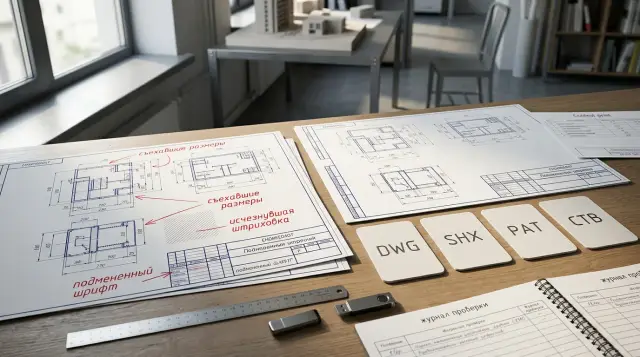
You can move an AutoCAD project between versions without visible formatting loss, but SAVEAS alone is not enough. A DWG stores geometry and many definitions inside the drawing, while the finished sheet also depends on fonts, hatch files, external references, plot style tables, plotter drivers, and custom settings. If you move only the DWG, the program may open the file while quietly substituting part of its environment.
I consider a migration complete only when a control PDF from the new version matches the approved PDF, references resolve, text has not reflowed, dimensions have not lost their connection to geometry, and sheets plot correctly on a clean workstation. The message "Drawing file is valid" proves the integrity of the drawing database. It says nothing about whether the formatting survived.
Separate the DWG format from the project environment first
The file version and the working environment solve different problems. The DWG format determines whether another release can open the drawing database and which objects it understands. The environment determines which resources AutoCAD uses to render text, lines, hatches, and sheets. A matching format does not automatically transfer the contents of the Fonts, Plotters, and Support folders.
AutoCAD has release groups that share one DWG format. For example, Autodesk assigns releases 2018-2026 to the AutoCAD 2018 format and releases 2013-2017 to the AutoCAD 2013 format. A drawing from a newer release can therefore sometimes open in an older release without resaving when both releases use the same format group. That still does not guarantee identical handling of new commands, vertical objects, and display fixes.
Saving backward needs more caution. Autodesk documentation states plainly that writing to an earlier format can remove information specific to the newer release or convert it to another object type. The risk is higher with AEC, Civil 3D, Plant 3D, Mechanical, and other vertical products: plain AutoCAD may show those elements through proxy graphics but not allow full editing. An Object Enabler helps the program recognize an object, but it does not turn an older installation into the authoring vertical application.
Before you start, record four versions: the release, the DWG format, the vertical product, and the required Object Enabler. Saying "we use AutoCAD 2024" is not enough when the project was assembled in Civil 3D or AutoCAD Architecture. Record the drawing units and installation language too. Localized names for standard resources and different search profiles sometimes produce discrepancies that people mistake for DWG corruption.
Do not modify the source in place. SAVEAS makes the new file the current drawing and closes the old one without saving changes to it, while SAVE in AutoCAD creates a copy without switching the current drawing. Whatever command you use, give the converted branch a separate name and folder. Keep the source package read-only until acceptance is finished.
Capture a baseline before the first resave
A reliable baseline consists of a PDF and a short dependency register. A model screenshot is weak evidence because it does not show plot lineweights, clipped margins, sheet order, or small text shifts. Publish a PDF from the source version by the same method used for the approved delivery, and never overwrite it after conversion.
Choose sheets that make failures easy to see: a title sheet with plenty of text, a dense plan with external references, a detail with dimensions, a sheet with custom hatching, and a sheet with a nonstandard paper size. If the project has dozens of similar sheets, you do not need to plot every one at the beginning. The final batch publication must still be checked for page count, orientation, and sheet names.
Save information beside the PDF that cannot be reconstructed reliably from the image:
-
the name and full build number of the source AutoCAD release or vertical product;
-
the DWG format, loaded applications, and presence of proxy objects;
-
all external references with Attach or Overlay type and Loaded status;
-
a "sheet - device - paper - CTB or STB - plot area - scale" table;
-
all nonstandard SHX, TTF, PAT, LIN, CTB, STB, PC3, and PMP files.
The register does not require a complicated script. Open the External References palette, the plot style manager, and PAGESETUP, then save screenshots or an export that another specialist can read. Use -STYLE, -DIMSTYLE, -XREF, and -PAGESETUP at the command line if dialog boxes make values difficult to record. Command names matter more than button locations because the ribbon changes between releases more often than drawing logic does.
Run AUDIT on the source before migration. If it fixes errors, save a separate cleaned copy in the source version and publish the baseline PDF again. Otherwise, you are changing the version and repairing the database at the same time, and you will not be able to identify the cause of a discrepancy. I usually do not run PURGE before fixing the baseline: deleting unused definitions makes investigation harder and adds almost nothing to formatting acceptance.
ETRANSMIT packages a project better than manual copying
Send an ETRANSMIT package, not a folder someone assembled from memory. Autodesk describes ETRANSMIT as packaging a set of drawings with dependent files, including external references and fonts. The command also creates a report that shows what it found and which paths it changed.
Create a separate transmittal setup. Include every DWG and nested xref, plot style tables, and available fonts, then either retain the folder structure or convert it to one clear arrangement. If the project depends on PDF, DWF, or DGN underlays, raster images, data files, or Excel files, check their presence in the list separately. Font licensing restrictions may prevent some files from being packaged, so an absent font in the archive is not permission to replace it.
The package does not transfer the whole AutoCAD installation. Custom CUIX, LISP, ARX, ARG profiles, DWT templates, tool palettes, dictionaries, and DST sheet sets can live outside the project folder. Add them to the migration register only when the project actually depends on them. Copying the entire old Support folder into a new release is risky because it mixes custom files with Autodesk files, and old standard definitions can override new ones.
After extraction, read the ETRANSMIT report instead of merely confirming that the ZIP exists. Look for absolute paths, missing references, font warnings, and files taken from the author’s personal profile. An absolute path such as D:\Projects\Object-17\Xrefs\plan.dwg may work for its author and fail for everyone else. That is an unprepared project structure, not a defect in the new version.
Keep the archive with a checksum, or at least its size and creation date. For an internal migration, record who built the package, from which version, and which sheet set supplied the baseline. That note saves hours when a second file with the same border name appears a month later.
Font substitution changes more than appearance
A missing font changes line length, wrapping, character height, and sometimes the meaning of special symbols. Narrow SHX fonts, Asian Big Fonts, and SHX files used as shapes inside complex linetypes are especially risky. Do not dismiss a missing SHX warning by habit.
AutoCAD looks for SHX in the drawing folder, the standard Fonts folder, and Support File Search Path locations. If it cannot find the file, the program checks an FMP mapping table, the font defined in the text style, a Windows substitution, or the FONTALT value, depending on the original file type. Autodesk lists simplex.shx as the default alternate. This substitution helps open the drawing, but it does not prove matching metrics.
First obtain a licensed copy of the original SHX or TTF and place it in a managed support location for the new installation. A TTF normally needs installation in the operating system, while an SHX can stay in the project folder or an approved Support Path. Do not scatter one file across five folders: AutoCAD uses the first resource it finds, and two versions of an identically named SHX can render different symbols.
If the original font is unavailable, document the substitution as a project change. Create an explicit entry in the FMP file, for example:
oldfont;replacement.ttf
Then open STYLE, inspect every text style, and run REGENALL. Compare notes as well as block attributes, fields, tables, leaders, weld marks, and symbols in linetypes. Text can look acceptable in model space and overflow a border in a viewport because the replacement has different character widths.
Do not solve the problem by exploding text or converting all of it to outlines. That advice is popular because the picture stops depending on a font. The cost is too high: text loses editability, search, and reliable plotting, while file size grows. The technique can be acceptable in a separate copy for a one-time archival delivery, but not in a working project.
Check dimension styles together with geometry
An error-free DIMSTYLE list does not mean dimensions survived. The result depends on the style, per-object overrides, annotation scales, linetype scale, units, text style, and associativity. You can inspect these parts separately, but you must accept their combined behavior on a sheet.
Start with dimensions where a defect is easy to see: chains, tolerances, alternate units, angular dimensions, breaks, leaders, and dimensions inside blocks. Compare text height, arrow size, offsets, rounding, and zero suppression. Then move a control object slightly in a copy of the file. An associative dimension should update predictably; a value that remains in place often indicates a lost connection or a manual text override.
Annotative behavior needs a separate check. An object can use the correct style and still disappear in a viewport when it lacks that viewport scale. Record the scales of control viewports, select a dimension, and inspect its Object Scale list. Do not leave ANNOALLVISIBLE enabled as a permanent fix: the variable displays annotative objects for every scale and hides an assignment error that the next user will see.
The DIMASSOC system variable identifies the mode used for new dimensions, but it does not repair old connections automatically. DIMREASSOCIATE can reconnect lost definition points, yet that repair changes the project and needs an engineering review. Do not run it blindly across the whole file. Determine first whether the defect appeared during migration or already existed in the source.
Check units with UNITS and inspect block insertion factors. A millimetre-to-metre error often looks like a broken dimension style even though the style is doing exactly what it was told. If the team also wants to bring the project up to a corporate standard in the new release, move that work to the next phase. Migration should preserve the approved state, while standardization may intentionally change it.
External references need controlled paths and layers
An xref has migrated only after it reloads on another workstation. Loaded status on the author’s computer proves nothing if the link resolved through a cache, a mapped network drive, or an absolute path that colleagues do not have. Remove access to the source folder or perform acceptance on a clean machine.
Relative paths usually work better for a project moved as one directory tree. Autodesk documentation calls them flexible because the path is calculated from the host DWG folder and still makes sense when the tree moves to another drive. A relative reference cannot work when a dependency sits on another drive or outside the common structure. In that case, use an agreed UNC path or move the file into the project tree instead of hiding the problem with one user’s search path.
Check the difference between Attach and Overlay. Attach passes a nested reference farther down the chain, while Overlay stops it at the current level. Changing the type by mistake can duplicate geometry or remove a required underlay from a sheet. Compare the file name as well as type, Saved Path, Found At, scale, rotation, and insertion point.
Xref layers contain another trap. VISRETAIN controls whether the host drawing keeps overrides for color, visibility, linetype, and lineweight on dependent layers. With VISRETAIN=1, host overrides persist, and VISRETAINMODE sets which properties synchronize during reload. XREFOVERRIDE=1 makes referenced objects inherit general layer properties as if they were set to ByLayer. A profile migration or a change to these values can completely alter plotting even when every path works.
Record VISRETAIN, VISRETAINMODE, and XREFOVERRIDE in the source and target environments. Then run Reload All and REGENALL, and open several sheets with viewport-specific xref layer overrides. Do not detach and reattach a reference without a reason: detaching removes definitions and can erase carefully prepared overrides.
Hatching depends on PAT files, boundaries, and origin
A custom hatch does not store all its logic as a picture. AutoCAD uses definitions from PAT files, while the appearance of a particular object depends on pattern name, scale, angle, origin, annotation behavior, draw order, and its saved relationship with a boundary. Losing any one of these parts produces a different pattern even when the boundary geometry is unchanged.
Autodesk recommends placing custom LIN and PAT files in a Support File Search Path or adding their folder to that list. The program loads the first standard acad.pat or acadiso.pat that it finds, so replacing a new standard file with an old one is unsafe. Keep custom patterns in separate PAT files with clear names. For an individual file, the pattern and file names must match, and the definition needs a blank line at the end.
During inspection, select hatches on control sheets and compare Pattern Name, Scale, Angle, Origin, and Associative. Open HATCHEDIT and confirm that the pattern is available in the new environment. If it appears as a solid fill, check scale and line density before rebuilding the boundary. A very dense pattern can hit the hatch line limit, while lines can merge visually at a distant scale.
Broken associativity often existed in the source. Migration merely reveals it after a REGEN or a boundary edit. Compare the source after a full REGEN with the new version before blaming the converter. For important areas, temporarily alter a copy of the boundary and confirm that the hatch follows it; do not save the test geometry in the source.
Do not replace every custom pattern with the nearest standard one merely to remove warnings. On architectural and engineering sheets, a pattern may identify a material or structural condition. Any substitution needs a decision from the project author, not the administrator running the migration.
A layout stores a device name, not the printer itself
Layout settings live in the DWG, but they point to external plotting infrastructure. PAGESETUP stores the device, paper size, plot area, offset, scale, orientation, and plot style table. CTB and STB files define output rules, PC3 describes a configured device, and PMP can store calibration and custom paper sizes. The presence of a Layout tab does not mean the sheet is ready to plot.
Identify the plot style type first. A CTB maps output to indexed color and contains up to 255 color-dependent styles. An STB uses named styles assigned to objects or layers. The default setting for new drawings does not change an existing file. If the plot style list is empty, restore the required file to the Plot Style Table Search Path instead of converting CTB to STB during migration.
Open PAGESETUP for each unique sheet type. A warning about a missing printer often leads to an automatic substitution of None or a system device with a similarly named paper size. The substituted device can have different margins and Printable Area, which shifts or clips the border. The name A1 alone does not guarantee identical dimensions and margins between two drivers.
For stable acceptance, plot to an agreed PDF PC3 first and test a physical plotter separately. Compare the CTB or STB name, Plot with plot styles mode, lineweights, transparency, plot order, and raster quality. When Display plot styles is enabled, the Layout tab should roughly show the table’s effect, but the final PDF remains the baseline.
Batch publishing reveals faults that a single-sheet plot misses: an unavailable setup, mixed paper sizes, a wrong sheet name, broken order, or a reference to the author’s device. Publish the whole set through the same Publish or Sheet Set process the team uses. Compare page count, page dimensions, and orientation before inspecting visual content.
Always save backward into a separate branch
The safest conversion sequence preserves a return path to every state. Do not open the whole archive in a new version and press Save All. One new object or an automatic update can complicate the backward path, and the cause will already be difficult to isolate.
Use this working sequence:
-
Extract the verified ETRANSMIT into a new folder and make the source package read-only.
-
Open the main DWG in the target release, read the command line, and save the warning log.
-
Run AUDIT, but save repairs only in the migration copy; then run REGENALL and Reload All.
-
Use SAVEAS to write the exact earlier format required by the recipient under a new name.
-
Close AutoCAD, reopen the result in the oldest supported release, and publish the control PDF.
Do not replace the last step with DWG TrueView or a check in the new release alone. DWG Convert and TrueView are useful for batch conversion, but visual and functional acceptance must happen in the program where people will edit the file. Autodesk warns that new documentation views may display in an older release while ordinary edit commands do not work on them. Openability and editability are separate properties.
Keep a short record for every control file using the shape of real output:
File: A-101_floor-plan.dwg
Source: AutoCAD 2024 / DWG 2018
Target: AutoCAD 2017 / DWG 2013
AUDIT: Total errors found 0, fixed 0
Xrefs: 6 loaded, 0 unresolved
Fonts: 0 substituted
Plot: A1 PDF, office.ctb, PASS
AUDIT wording varies with the language and release, so the fields and counts matter more than the literal message. If the command fixed errors, record the count and repeat the check after closing and reopening the file. A zero result after reopening is far stronger evidence than a green mark immediately after SAVEAS.
A clean workstation settles acceptance disputes
The final check belongs on a workstation that has no access to the old profile, personal fonts, or source network paths. A clean virtual machine works, but a colleague’s ordinary computer is often more useful because it exposes permissions, driver behavior, and the actual launch process. The reviewer should receive only the migration package and instructions for connecting approved resources.
First, the reviewer opens the file with the command line visible and records every message about proxy objects, SHX, xrefs, and applications. Next, the reviewer reloads references, runs REGENALL, inspects the control sheets, and publishes a PDF. Compare it over the baseline with transparency or a PDF comparison tool: the eye misses a one-millimetre text shift when two documents sit side by side.
The acceptance record must distinguish a defect, an acceptable difference, and an intentional change. A missing reference, substituted font, lost symbol, different lineweight, clipped border, or nonassociative dimension is a defect when the source worked correctly. Different curve smoothing in a PDF may be acceptable when geometry and plotted output agree. Record an intentional change separately and obtain approval from the project author.
For a large project, automate comparisons of file counts, dependency names, and page parameters, but do not promise a fully automatic formatting check. A machine is good at finding a missing resource or a pixel difference. It does not know whether a new note break is acceptable or whether a hatch denotes the intended material.
Use a two-reproducible-state rule for a disputed difference. Open the source copy in the source release and the migration copy in the target release on documented configurations, then publish the same sheet with identical settings. If the difference appears only in the new branch, log a defect and attach both PDFs, the command record, resource names, and related variable values. If it already appears in the source after REGENALL or Reload All, migration merely exposed an older fault. The fault still needs repair, but it should not be attributed to conversion. This procedure prevents a review from collapsing into comparisons of unrelated screenshots from different computers. It also preserves responsibility: the administrator proves that the environment is reproducible, the designer decides whether the result matches the engineering intent, and the release owner approves the change.
Organizations that need to update workstations, Autodesk licensing, and shared support resources together can use GSE.kz to supply and integrate the software and hardware as one IT task. A project specialist must still sign the acceptance record because a system integrator cannot decide which drawing appearance is correct for the designer.
Close the migration only after reopening files in the target release, batch plotting, and testing on a clean workstation. The archive will then contain a reproducible project with known dependencies and a proven result, not merely a DWG that happened to open.
Frequently asked questions
Can an older AutoCAD release open a DWG from a newer one?
Yes, when the newer program writes the file in a DWG format the older release understands. Use SAVEAS with the required file type and test the result in the older version because some new objects may display through proxies but remain uneditable.
Why does AutoCAD substitute fonts after migration?
The new installation cannot find the original SHX or TTF in its system folders and support paths. Obtain the font from a licensed source, configure a managed Support Path, and inspect STYLE; use FONTALT and FMP only for a deliberate substitution.
What must an AutoCAD project package include?
Include the main DWG files, every xref and underlay, required SHX and TTF fonts, PAT and LIN files, CTB or STB tables, and any required PC3, PMP, DST, or custom applications. Start with ETRANSMIT, read its report, and then inspect dependencies outside the project manually.
Does SAVEAS preserve dimension styles?
DIMSTYLE definitions usually remain, but dimension appearance also depends on text styles, annotation scales, object overrides, and geometry associations. Open control sheets and verify that several dimensions update after temporary changes to their objects.
How do I repair missing external references after migration?
Keep the project in one shared structure and use relative paths when the host and references can move as one tree. In External References, check Saved Path, Found At, Attach or Overlay type, and run Reload All on another computer.
Why did xref layer colors and lineweights change?
Compare VISRETAIN, VISRETAINMODE, and XREFOVERRIDE in the source and target environments. These settings control whether the host keeps xref layer overrides and whether referenced objects inherit general layer properties.
Where should custom PAT hatches be copied?
Put separate PAT files in a managed folder and add it to Support File Search Path. Do not replace the new release’s entire acad.pat with an old copy because AutoCAD uses the first standard file it finds and can hide current definitions.
What is the CTB and STB difference during migration?
A CTB assigns plotting properties by indexed color, while an STB uses named styles on objects and layers. An existing drawing expects its original table type, so restore the required file during migration instead of converting the plotting scheme at the same time.
Is DWG Compare enough to verify two drawings?
No. DWG comparison can find geometry changes, but it does not prove that fonts, plot drivers, style tables, and paper margins are available. You also need a control PDF, batch publishing, and an opening test on a clean workstation.
Should I run PURGE before migrating a project?
Do not run PURGE before recording the baseline and dependencies. The command is useful for cleanup after successful acceptance, but removed definitions make it harder to establish what changed during an investigation.
