8 min read
Aruba Instant On or Cisco Meraki for the office?
Compare Aruba Instant On and Cisco Meraki licensing, cloud dependency, outage behavior, and the full five-year cost of office Wi-Fi.
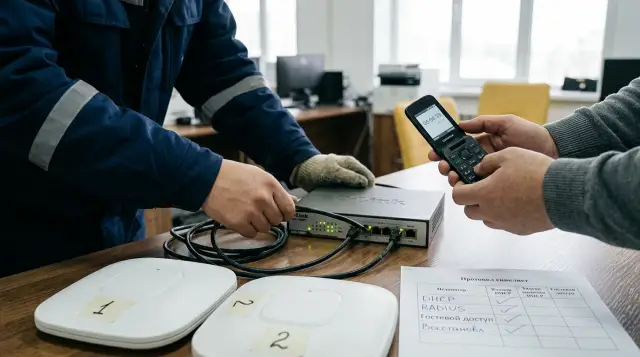
For a typical office, Aruba Instant On usually offers better economics, while Cisco Meraki earns its cost where cloud management replaces a meaningful amount of the network team's daily work. Comparing them only by Wi-Fi standard, radio count, and rated speed gets you nowhere. Access points in the same class may look similar on a specification sheet, but the buyer is really choosing between two different operating models.
With Instant On, the cloud portal is included with the hardware and carries no recurring license charge. With Meraki, an active license is tied to management, support, and updates, so it remains a cost throughout the service life. When cloud connectivity is lost, both networks generally continue forwarding user traffic with the last configuration, but the administrator loses remote management and some authentication and guest access methods behave differently. Make the decision after testing these modes and calculating five years of cost, not after comparing two prices for one access point.
The operating model matters more than the logo
Aruba Instant On suits an office that needs centralized configuration, several SSIDs, VLANs, a guest network, WPA2/WPA3, and RADIUS connectivity without a separate controller or an annual cloud bill. It is not a stripped-down home system, but its scale and controls have deliberate boundaries. Current HPE Networking Instant On documentation sets a limit of 50 devices per site, including access points, switches, and other Instant On devices. That is often enough for one office, but a campus or a fast-growing network needs to account for the limit before purchasing.
Cisco Meraki is built for an organization where Dashboard becomes the network team's working console. It is convenient for managing many sites, configuration templates, consolidated monitoring, client health history, radio interference tools, and programmatic management. The value does not come from merely having a cloud. It appears when engineers regularly use shared telemetry, configure branches consistently, investigate user complaints, and feed data into their operations processes.
In an office with 10 to 15 access points and one experienced administrator, the management difference may not repay Meraki's recurring license. In a network with dozens of branches, finding one widespread fault quickly or applying a template safely may save more than the license costs. A request for proposal should therefore specify the number of sites and access points, user types, authentication method, logging requirements, and support response time. "We need good corporate Wi-Fi" does not contain enough information to choose.
There is an ownership question too. If an outside contractor runs the network, find out who owns the cloud organization, who appoints administrators, and how access transfers when the contractor changes. A cheap purchase turns into an expensive migration when the account uses a former engineer's personal email or the partner does not transfer administrative rights. For both products, account ownership belongs in the contract and in internal procedures.
Instant On removes the recurring license, not every cost
The HPE Networking Instant On access point data sheet explicitly says there are no recurring subscription or licensing fees. The buyer purchases hardware, creates a site in the web or mobile application, and manages compatible devices through the cloud service. That makes budgeting predictable because the cloud console does not add a separate renewal line each year.
No subscription does not mean zero operating cost. The estimate still needs RF planning, cabling, PoE, installation, VLAN and RADIUS setup, documentation, spare hardware, and specialist time during incidents. If the office requires a contract with a fixed response time, that price belongs in TCO too. A free portal cannot replace the engineer who finds an interference source behind a wall or fixes a misconfigured DHCP service.
Initial onboarding depends on internet access. The Instant On Deployment Concepts guide requires access points to be powered on and connected to the internet when creating a site. Private network mode also needs DHCP, a gateway, and outbound TCP ports 80 and 443. This matters in new premises: installers cannot expect to fully commission the system in an isolated segment and connect the cloud sometime later. Internet, DNS, time, and firewall policy must be ready on commissioning day.
Scale also has a cost. The 50-device site limit does not prevent you from creating other sites, but dividing the deployment changes daily work by introducing separate contexts, permissions, and health views. If a project is already close to the limit, do not assume one more virtual site solves the issue without consequences. Check how easily the team can make bulk changes, correlate events, and maintain one standard across locations.
Finally, compare equal support coverage. A Meraki license includes enterprise technical support, feature and firmware updates, and access to the cloud capabilities supported by the hardware. Instant On's free cloud and warranty model are separate from a paid contract with your service provider. If one cost column includes around-the-clock help while the other contains only hardware and a portal, the cheaper column is incomplete.
Meraki sells more than permission to open Dashboard
Cisco Meraki access points require licensing, and hardware and licenses are sold separately. General Licensing FAQs names three models: Subscription, Co-Termination, and Per-Device Licensing. New projects realistically discuss Subscription and Co-Termination because new organizations face restrictions on moving to Per-Device Licensing. An organization cannot mix licensing models, so the choice affects the whole Dashboard organization.
Co-Termination brings device licenses to one shared date based on the weighted time remaining. Cisco sells terms of 1, 3, 5, 7, and 10 years. If you add access points partway through a term, Dashboard recalculates the common date instead of giving each point an independent five-year term. This is convenient for one renewal, but finance needs to understand the mechanism: an additional license adds a calculated amount of time to the organization, distributed across active devices.
Under Co-Termination, expiration starts a 30-day grace period. The official Co-Termination Licensing FAQ warns that the organization may be shut down after that period: management becomes unavailable and network devices stop passing internet traffic. This detail cannot be buried in a proposal footnote. The renewal date must enter the procurement calendar well before budget approval begins.
Subscription Licensing behaves differently after expiration. Subscription - License Compliance Cloud Experience describes a 30-day period, after which networks tied to an inactive subscription enter disabled management. Devices preserve their last configuration and keep forwarding data, but the administrator loses configuration, monitoring, health information, customer-initiated firmware updates, and support. The difference between traffic stopping under the older Co-Term model and continuing under Subscription is too large for a design document to say only "Meraki license."
The license does not pay for a decorative interface. Cisco says an MR license includes technical support, new features, firmware, and the cloud features supported by the specific model. If a team uses client connection history, summary reports, RF Spectrum, Air Marshal, and Dashboard automation, the fee covers a working set of tools. If engineers open Dashboard twice a year, the organization is paying for capacity it barely uses.
The cloud manages the network, but user traffic stays local
Both systems are called cloud managed, which often leads to a false conclusion that every packet from a laptop travels through the manufacturer's data center. Cisco Meraki keeps the management architecture outside the user data path. Meraki Cloud Architecture explicitly separates management data from user traffic: configuration and telemetry communicate with the cloud, but client data does not pass through it.
Instant On produces a similar practical result. Access points apply configuration on site and forward frames locally between the client, wired network, and gateway. The cloud application handles configuration, monitoring, and remote access. Latency to the cloud service therefore is not added to every call or file server request. Wi-Fi quality still depends on access point placement, channels, power, interference, client devices, and the wired uplink.
This distinction also matters when assessing data handling. Ask the supplier what the cloud stores: administrator names, serial numbers, configuration, client identifiers, application statistics, events, and retention periods. Then compare the answer with internal policy and the rules for your sector. "Traffic does not pass through the cloud" does not mean the cloud knows nothing about the network.
Check outbound connections separately. Cloud management works only while access points can reach the required domains and ports, resolve DNS, and obtain correct time. Do not replace the manufacturer's list with a broad "allow all internet" rule from the management VLAN. Record the required destinations, enable blocked-connection logs, and watch them during the pilot and a firmware update.
Neither Aruba Instant On nor Meraki MR becomes locally managed simply because an administrator knows an access point's IP address. A local page may help with basic connectivity or a diagnostic bundle, but routine configuration belongs to the cloud model. If policy requires a fully autonomous controller, operation without an external management service, or local storage of all telemetry, choose another architecture class instead of looking for a hidden switch in these products.
When internet fails, the SSID remains but management disappears
The short answer for both systems is that a configured office does not usually lose Wi-Fi solely because cloud connectivity breaks. But "Wi-Fi works" is too crude a test. You need to test an existing client, a new client, corporate authentication, the guest portal, local resources, internet through a backup link, and an access point reboot during the outage.
HPE Networking Instant On says in Managing Sites Remotely that remote site access is lost when internet connectivity fails, but sites, networks, and devices should continue working normally. The web and mobile applications are also unavailable during a regional cloud service outage. This is sensible last-configuration behavior, but the administrator cannot push a fix through the portal at the exact moment the link is unstable.
Cisco gives more detail in Troubleshooting Lost Connectivity to Cisco Meraki Cloud. Wireless clients generally keep using the WLAN, local resources, and the internet if another internet path remains available. Configuration changes do not apply, statistics become stale, channel optimization does not run, and the rogue access point list stops updating. Services return to normal after connectivity is restored.
Meraki has the concept of a safe configuration. A configuration under which the access point has operated for at least 30 minutes without rebooting is marked safe. For a bridged SSID with a static address, an access point can continue broadcasting after booting without gateway connectivity if it has such a saved configuration. A test that only "pulls WAN from a running point" therefore misses the harsher case of a simultaneous power loss and cloud outage.
Meraki cloud authentication and splash pages need special attention. With Meraki Cloud Authentication, new clients are denied by default in the Restricted state, while clients that authenticated earlier continue to work. An administrator can set Controller Disconnection Behavior, but choosing open or restricted access has security consequences. New clients also will not see the Meraki-hosted guest page, and their resulting access depends on the configured controller disconnection behavior.
A pilot needs a repeatable test, not a conversation beside the rack:
- Connect one known client and prepare a second client that has never authenticated.
- Block cloud access for the access points while keeping the local network and a test backup internet path.
- Test DHCP, DNS, a local resource, internet, and 802.1X or portal behavior for both clients.
- Reboot one access point while cloud access remains blocked, then repeat the tests.
- Restore connectivity, measure when telemetry becomes current, and confirm that configuration did not change unexpectedly.
Record the actual result for every SSID. This protocol is more useful than a promise that "everything keeps working during an outage" because it reveals how your design depends on RADIUS, DNS, DHCP, the portal, the firewall, and the backup link.
Calculate five-year cost from a scenario, not a discount
A TCO comparison starts with two commercial proposals for the same specification and term. An online shop price is unsuitable for a final decision because it may omit tax, regional delivery, the correct license, partner support, installation, or the discount expiration date. Fix the calculation currency and exchange-rate date, then show exchange-rate sensitivity on a separate line.
Consider an office with 12 access points, two PoE switches, and primary and backup internet links. Do not insert invented average market prices. Ask the suppliers to complete the same table:
| Five-year item | Aruba Instant On | Cisco Meraki |
|---|---|---|
| 12 access points and mounts | 12 x access point price | 12 x access point price |
| Management licenses | 0 under the current Instant On model | 12 x five-year MR license |
| PoE switches and modules | selected pair price | selected pair price |
| Survey, installation, and cabling | same scope of work | same scope of work |
| Configuration and migration | integrator hours | integrator hours |
| Support outside the vendor package | 60-month contract | services beyond the license only |
| Spares and out-of-warranty replacements | agreed spare stock | agreed spare stock |
| Internal team labor | hours per month x rate x 60 | hours per month x rate x 60 |
| Renewal and currency risk | scenario allowance | scenario allowance for licensing |
The formula for each column is simple: capital cost plus all recurring charges, services, and labor for 60 months, minus the agreed residual value. Include VAT in both columns or exclude it from both. If hardware is purchased in tenge while a license or support is tied to another currency, calculate base, favorable, and unfavorable exchange-rate cases. One total without a range creates false precision.
For Meraki, request a five-year license at the outset if the decision horizon is truly five years. That exposes the full term cost and reduces the chance that an attractive hardware price hides annual renewal. Also confirm the licensing model, term start date, rules for adding access points, license transfer conditions when replacing hardware, and the support included in the offer.
For Instant On, do not record the license as "free savings" and stop calculating. Add the cost of the service level the business needs. If your own team runs the network, estimate its hours. If you expect contractor response at night, include a 24/7 agreement. The comparison is honest only when both columns deliver the same outcome for the office.
Calculate a break-even point. Divide Meraki's additional five-year cost by the fully loaded hourly cost of a network engineer. The result is the number of hours Dashboard must save over five years. Then ask the team which specific operations will produce the saving: client connection troubleshooting, bulk branch configuration, reports, updates, or automation. If nobody can name the operations, the calculation is defending a brand preference rather than an investment.
Hidden cost lives in processes and dependencies
The most common TCO mistake is counting access points in detail while ignoring human work. An RF survey before installation, floor-plan design, cable runs, PoE budget checks, RADIUS configuration, SSID migration, support training, and documentation can cost more than the difference between two access point models. These tasks are nearly the same for both choices, so you cannot assign them to one brand and forget them in the other column.
The second mistake concerns operations. Instant On's simpler interface may reduce training time for a small team. Meraki's deeper diagnostics may move an engineer faster from "Wi-Fi is bad" to a particular connection stage, client, or radio channel. But a tool saves time only when a process exists: the help desk must collect the client address and problem time, while the engineer must trust and understand the telemetry.
A third cost appears around changes. Check whether the system can apply the required parameters in bulk, separate administrator privileges, retain an action log, and export data to your systems. Instant On supports Administrator, Operator, Delegate, and Viewer roles and up to 25 management accounts per site. That is enough for many offices, but a large operations team may need Meraki's more detailed model and automation.
A fourth cost appears at the lifecycle boundary. During five years, a vendor may stop selling a model, restrict new firmware for an older radio, or change available product families. Cisco already documents firmware branch restrictions for several older MR models. That is not a reason to avoid the brand; it is a reason to define replacement, cross-generation compatibility, and spare stock in the design. For Instant On, likewise verify the warranty for the specific model and replacement availability in Kazakhstan instead of applying the terms for one region or device to the entire family.
The fifth dependency is the contractor. Request a configuration export or at least a complete parameter document covering SSIDs, VLANs, RADIUS, access policies, addressing, firewall rules, accounts, and update schedules. A cloud portal is convenient, but it does not replace documentation. When a contract ends or the cloud organization is inaccessible, the owner should still have a design from which the network can be recovered or migrated.
Meraki is stronger where telemetry changes the work
Meraki deserves serious consideration when the network is distributed and the team constantly diagnoses connections. Wireless Health and consolidated monitoring collect connection stages and performance indicators, while RF Spectrum on models with a dedicated WIPS radio shows channel utilization and neighboring access points. Automatic radio management uses collected data to select channels and power. These functions are particularly useful in dense offices, teaching spaces, and branch networks where an engineer visit is expensive.
Do not apply a feature description to every model. The official RF Spectrum page specifies that live spectrum analysis is available on access points with a dedicated WIPS radio. A proposal must therefore tie required diagnostics to a specific part number and license level. "Meraki supports spectrum analysis" is not enough if the selected hardware does not provide the needed view.
Instant On covers a simpler but still business-ready set of needs. It supports a corporate network with external RADIUS, a guest portal, VLANs, WPA3, and separate management roles. For an office where a few SSIDs and sites rarely change, that is often all the functionality required. Buying a complex system for charts nobody opens makes as little sense as rejecting diagnostics in a network with daily complaints.
Security cannot be compared by one WIDS/WIPS checkbox. Ask who reviews detected rogue access points, how the team confirms a threat, what happens after an alert, and which false positives are acceptable. A technical capability without an assigned owner produces a report, not protection. The same applies to administrator logs, firmware updates, and privilege separation.
APIs and templates also need an owner. If the organization already manages configuration through automation, Meraki fits that process naturally. If nobody can write and maintain scripts, an API does not create savings by itself. During the pilot, ask an engineer to make three typical changes across several sites and restore the previous configuration. Measure time and error likelihood, not the number of menu items.
The decision must survive a pilot, procurement, and a new team
For one or several offices with a moderate device count, simple VLANs, and stable requirements, I usually start with Aruba Instant On. The recurring license savings are real, cloud management is clear enough, and operation during portal unavailability suits a typical site. Before choosing, verify the device limit, required authentication methods, equipment availability, and support agreement.
I choose Cisco Meraki when the customer can name the work Dashboard will remove from daily routine: consistent branch changes, fast client troubleshooting, centralized updates, detailed radio diagnostics, or integration with operations processes. In that case, the license pays for tools and support the team actually uses, not merely for the right to use an access point.
Neither option in its normal model suits a site with a strict ban on external cloud management. Continuing to forward user traffic during an outage does not make the system autonomous: remote configuration and current telemetry disappear, initial onboarding needs internet access, and some functions depend on external services. State the local-controller requirement before requesting prices.
In the tender, specify the outcome rather than the brand: coverage and capacity after a survey, the SSID and VLAN list, 802.1X and guest access scenarios, behavior without the cloud, event retention, administrator privileges, update terms, five-year cost, and account transfer procedure. Then run a pilot in the office's most difficult area and perform the outage test in this article.
As a vendor-neutral system integrator, GSE.kz can compare these options against the customer's infrastructure, arrange delivery, and provide ongoing 24/7 support across Kazakhstan. The customer should still own the final acceptance record: a new team will assess the network in five years, and it will need measurable requirements, management access, and an honest calculation rather than an old slide full of logos.
Frequently asked questions
Does Aruba Instant On require a license?
No. The current Instant On model has no recurring subscription or licensing fee for cloud management. The budget still needs hardware, installation, cabling, PoE, engineering work, and the support agreement you require.
Will Aruba Instant On work without internet?
Once configured, the network and devices should continue normal operation, but the web application, mobile application, and remote management become unavailable. Initial onboarding of devices to a site requires internet access.
Will Cisco Meraki stop providing Wi-Fi during a cloud outage?
Usually not. Access points continue with their last safe configuration, and clients can use local resources and any available internet path. Configuration changes, current statistics, and some cloud functions remain unavailable during the outage.
What happens when a Meraki license expires?
The answer depends on the licensing model. Co-Termination can shut down the organization and traffic after its grace period, while Subscription moves the network to disabled management and keeps forwarding data with its last configuration.
What is a safe configuration in Cisco Meraki?
It is a configuration under which the device has operated steadily for at least 30 minutes without a reboot. It matters when cloud connectivity and power fail together, so include that case in the pilot.
Which costs less over five years, Aruba Instant On or Meraki?
Instant On usually costs less for a small office because it has no recurring license. Meraki may repay the difference in a distributed network if its diagnostics, templates, and centralized operations genuinely reduce engineering hours.
Can I compare the products using access point prices alone?
No. An access point price omits licenses, PoE, installation, support, spares, team labor, and currency risk. Request the same specification and all costs over 60 months.
Does Aruba Instant On support enterprise authentication?
Instant On supports external RADIUS authentication and corporate access scenarios. Confirm compatibility with your RADIUS service, certificates, VLANs, and outage behavior in a pilot.
When is Cisco Meraki worth the extra cost?
The premium makes sense for many sites, frequent client troubleshooting, bulk changes, and active use of telemetry or APIs. If the team opens the portal only a few times a year, the economic case is weak.
How can I test Wi-Fi without the cloud before buying?
During a pilot, block cloud access for the access points while preserving the local network, then test old and new clients, DHCP, DNS, RADIUS, the portal, and backup internet. Reboot one point, restore connectivity, and verify telemetry recovery.
