6 min read
Microsoft 365 vs Office LTSC: Choosing for Government Organizations
Microsoft 365 vs Office LTSC: how to choose for a government organization or enterprise, considering offline work, updates, features and management.
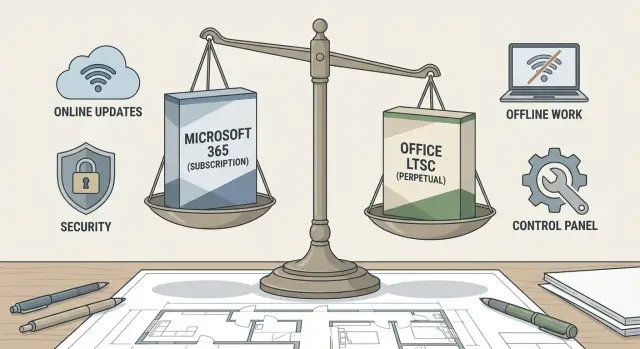
Where the choice of an office suite begins
Choosing an office suite should start not with price or user habits, but with the question: what daily tasks must it cover? Everyone has documents and spreadsheets, but nuances follow: real‑time collaboration, email and calendar, templates, macros, handling sensitive data, approvals and archives.
When you compare Microsoft 365 vs Office LTSC, you are really choosing a delivery and management model. That choice determines risks (updates, compatibility, downtime), costs (licenses, administration, support) and how easy it is to meet security and regulatory requirements.
First, record constraints that are rarely visible in the tender but later shape the whole project. Most often these are the network (stable internet or an isolated environment), update policy (can software be updated frequently or must changes be tightly controlled) and security requirements (what data is processed, how access is configured, auditing, storage).
A practical start is a short set of questions for IT, InfoSec and business units. Where do employees work (office, travel, branches, closed segments)? Is real‑time co‑authoring required or is file exchange enough? Who approves updates and how quickly can you roll back? Which plugins and integrations are critical (templates, macros, DMS, EDI)? How will management be organized: unified policies, accounts, device control?
Subscription usually fits where cloud services, collaboration and regular improvements are important. A fixed version is often better for organizations with strict regulations, infrequent changes and limited or no internet. In practice, a hybrid model is often planned in advance: some staff in an isolated environment, others in offices with service access. This avoids breaking processes or creating unnecessary exceptions.
Briefly: how Microsoft 365 and Office LTSC differ
Summed up: Microsoft 365 is a subscription with regular updates and cloud services around the apps. Office LTSC is a perpetual purchase with a fixed set of features for the version lifecycle.
When deciding between Microsoft 365 vs Office LTSC, it’s usually not about slide appearance but about how the organization treats change: are you ready to receive new features and requirements regularly, or is stability and identical environments across years more important?
What users get on endpoints
With Microsoft 365, employees use familiar Word, Excel, PowerPoint and Outlook but get tight integration with cloud scenarios: co‑authoring, sync, version history and new features that appear without reinstalling.
With Office LTSC, users have classic Office apps that run locally and behave predictably. The feature set rarely changes: if something isn’t in this version, it generally won’t appear until the next major release.
The perceived differences are simple. Microsoft 365 receives new features and collaboration scenarios more often. Office LTSC’s interface and behavior are more stable, with fewer surprises after updates. Microsoft 365 is convenient where unified access rules and working with files in a shared environment matter. Office LTSC is easier where internet is limited or regulations require minimal cloud dependencies.
Differences visible mainly to IT
For IT, it’s not just about licenses but about management: how to assign access, update, and meet security and audit requirements. Microsoft 365 often provides more centralized control and reporting, but requires discipline around updates and accounts. Office LTSC changes less often but may require separate solutions for collaboration and data control.
A practical example: if some staff use isolated workstations and others share documents in the office, a hybrid approach is common. Standard workstations run Microsoft 365, isolated segments run Office LTSC — especially when PCs and workstations are purchased for a long life cycle.
Offline work and network constraints
If the internet is unstable or network access is strictly regulated, the key question is: must the office suite reliably work without external services? When comparing Microsoft 365 vs Office LTSC, this often decides half the choice before feature discussion.
Office LTSC is built for scenarios where machines may operate long without internet. Documents are created and edited locally, with activation and updates scheduled for approved windows. This fits isolated networks, controlled sites and workstations where external access is forbidden by policy.
Microsoft 365 also allows offline work in desktop apps, but its core value usually relies on cloud capabilities: co‑authoring, fast sharing and version history. In closed networks these scenarios are either unavailable or require separate architecture.
For isolated or restricted networks, plan several things in advance: where the current file versions are stored, how documents move between sites, who resolves version conflicts, how templates and macros operate, and when activation and update windows are possible.
Offline mode almost always increases manual operations. A typical case: procurement in headquarters and accounting in a closed network exchange Excel files. Without co‑authoring, duplicates and parallel edits arise, and someone must manually merge changes.
If the network is isolated, establish exchange rules, consistent naming conventions and storage on local server infrastructure. Otherwise offline quickly becomes version chaos.
Updates: frequency, predictability and control
The main difference about updates in the Microsoft 365 vs Office LTSC debate is not speed but manageability. A subscription receives new features regularly, while Office LTSC keeps a fixed set of capabilities for the version lifecycle. For regulated organizations this is often decisive.
In Microsoft 365 functional changes come with updates. That’s useful when you need new capabilities but requires discipline: test, plan deployment windows and be ready for UI or behavior changes. Office LTSC functionality is almost unchanged; typically only security fixes and patches arrive. That’s easier to control and train for, but you deliberately postpone new features until the next major release.
To prevent updates from breaking processes, establish rules in advance: a pilot group for validation, clear deployment windows (and block updates during reporting periods), rollback procedures, and a list of critical add‑ins, macros and templates with owners who confirm compatibility.
The most common subscription risk is incompatibility of add‑ins and corporate templates after an update. For example, an Excel macro or a document workflow add‑in may stop working correctly, and the issue will surface at the worst moment. LTSC reduces such surprises because the environment changes little.
For government bodies stability often outweighs novelty: fewer reasons to revise instructions, easier internal approvals and audits. Therefore LTSC is frequently chosen for critical workstations while Microsoft 365 is used where collaboration and rapid improvements matter.
Functional differences without the marketing
When comparing Microsoft 365 vs Office LTSC people often confuse features with working patterns. Core apps look similar, but users usually expect different things: co‑authoring, fast file exchange, comments, autosave and integrations with corporate services.
Microsoft 365 is stronger where cloud scenarios and continuous improvements matter. Office LTSC is chosen for stability and a predictable set of features for years, though some modern scenarios may be unavailable or evolve more slowly. Accepting this trade‑off deliberately is important.
What to check before purchase
Check not just feature lists but what departments actually use. A pilot usually reveals most risks: VBA macros and their signatures, add‑ins and plugins (DMS, EDI, crypto providers, reporting), template and corporate font compatibility, problematic file formats and real requirements for version history.
How to evaluate by department scenarios
Collect 5–7 short scenarios instead of a wish list. For example: accounting closes month‑end with macros, legal edits contracts, HR prepares orders by template, registry exchanges documents with external agencies.
For each scenario ask three questions: what must work offline, what must work collaboratively, and what cannot change (template, plugin, regulation). This way the package is chosen for real tasks, not expectations.
Management and administration requirements
From an admin perspective, the Microsoft 365 vs Office LTSC difference is less about Word or Excel and more about how you manage installation, access and control across hundreds of endpoints.
For government and enterprise the basic expectations are similar: centralized deployment and updates, unified policies (macros, add‑ins, restrictions), license tracking, action logging and clear auditability. Decide in advance who owns these processes: local IT, a central team or a contractor.
Microsoft 365 usually ties into user account management and device policies via cloud tools and MDM. This is handy when employees change devices, work remotely or need quick account disabling at offboarding.
Office LTSC typically fits the classic model: domain, Group Policy, local deployment and activation tools. This approach is familiar where isolated networks, strict regulations and predictability are required.
For branches and traveling employees plan how initial installation and reinstallation occur without an IT visit, where the installation image is stored and who updates it, what to do if a device doesn’t see the corporate network for weeks, how to track licenses and how to quickly block access after an incident.
To keep discussions factual, prepare a minimal set in advance: role model (who administers what), audit log requirements, branch connectivity scenarios, macro and add‑in rules, and a support plan with maintenance windows.
Step‑by‑step decision algorithm
If Microsoft 365 vs Office LTSC debates go in circles, a simple sequence helps.
First, group users and describe their workday: who needs collaboration and email, who relies on templates and macros, who works only with spreadsheets and who uses shared workstations. Often one model for everyone is unnecessary.
Then record network conditions: where is internet access stable, is cloud use allowed by security policy, are there long business trips, are there sites with closed networks. Mark where full offline operation is critical.
Next define update rules and maintenance windows. Who approves changes, how quickly must vulnerabilities be patched, and how much testing time is available before mass deployment. This often matters more than feature lists.
After that run a short pilot on real documents: typical files, macros, templates, add‑ins, integrations with DMS or accounting. Pilot a small group (10–20 people) and ask them to report concrete failures and time losses, not just impressions.
Only then calculate total cost of ownership for 3–5 years: licenses, admin labor, user support, training, updates and the risk of downtime due to incompatibility.
Example: accounting and HR often benefit from a fixed version with rare changes, while project teams and management gain from collaboration services and regular improvements.
Common mistakes and pitfalls
The most common mistake is looking only at license price. Support costs quickly catch up: deployment, policy configuration, user support, and offline backup processes.
The second trap is buying Office LTSC expecting new features to appear as in a subscription. LTSC is chosen for stability: functionality changes little and new capabilities usually arrive only in the next major release.
Compatibility is often forgotten. Add‑ins, templates, macros and industry integrations can behave differently across editions. A typical case: everything works in headquarters, but after deploying a different version in branches Excel macros start failing.
Another problem is mixing versions without rules. When staff use different releases and settings, document formats drift, tables save differently, fonts and fields shift. For government organizations this is especially painful when documents move between agencies.
Reduce risks with basic checks: compute 3–5 year TCO including support, run critical add‑ins and macros in a pilot, fix rules for versions and templates, keep a test environment for updates and have a contingency plan for network limits.
Short checklist before purchase
Before comparing prices and terms, gather facts about endpoints and user habits. The Microsoft 365 vs Office LTSC decision usually hinges not on price but on network, updates and real scenarios.
Check:
- How many employees work with unstable internet or in isolated segments, and what tasks they perform daily.
- Where real‑time collaboration is truly needed and where it’s rare.
- Who is responsible for updates: is there a test group, maintenance window and rollback procedure.
- Which add‑ins, macros and integrations are critical (DMS, EDI, signatures, reporting).
- The budget horizon and whether subscription is acceptable or a one‑time purchase is preferable.
A good practice is to take 10–15 typical users from different units and run their real files in a pilot. In organizations with branches a mixed model often emerges: offices and project teams choose one option, closed networks and stability‑critical units another.
Example: choosing a model for a mixed organization
Imagine an organization with a central city office and regional branches with unstable connectivity. There rarely is a “one package for everyone” solution.
Accounting and legal teams often need predictability: templates, forms, macros and formatting must not change suddenly, and updates mustn’t affect reporting mid‑period. For them Office LTSC on endpoints is common, valuing stability and offline operation.
Project teams need a different approach: they must reconcile versions, edit documents together, discuss changes and work from the field. Here Microsoft 365 usually wins.
A compromise: central office and project teams use Microsoft 365; branches with poor connectivity and stability‑critical units use Office LTSC. Plan file exchange in advance: where the official version is stored, file naming rules, and who has final approval.
To avoid chaos, document in a regulation which versions are allowed for each group, when updates apply, where templates are stored and who changes them, baseline security and document storage rules, and where users request support.
Next steps after choosing
After deciding between Microsoft 365 and Office LTSC don’t just “buy and distribute.” Without preparation workarounds appear, support load grows and conflicts with InfoSec arise.
Align requirements across InfoSec, IT and business units: policies and data storage, deployment and management, critical documents and processes. Capture this in a short document: allowed and forbidden actions, decision owners and timelines.
Then run a pilot on a small group (20–50 people from different roles) and define success metrics: template compatibility, macro operation, file open speed, offline stability, and incident counts.
Build the rollout around work scenarios: brief training on typical tasks, unified templates and formatting rules, a clear support channel during transition, migration and access plans if needed, and a control date and rollback procedure if the pilot reveals blockers.
Also verify endpoint and server readiness: OS versions, resources (RAM, SSD), peripherals, and network, proxy and certificate requirements if cloud components are used.
If you deploy the office environment alongside PC, server and network upgrades, treat it as a single project. In Kazakhstan such tasks are often handled by systems integrators and vendors like GSE.kz, so office software requirements align with standard workstation configurations, server setups and support models.
Frequently asked questions
С чего правильно начинать выбор между Microsoft 365 и Office LTSC?
Start by mapping daily scenarios: what documents and spreadsheets each department produces, whether real-time co-editing is needed, how critical email/calendar is, and if there are macros or add-ins. Then record network, update and security constraints — these usually determine the delivery model.
В чем ключевая разница между Microsoft 365 и Office LTSC одним предложением?
Microsoft 365 is a subscription with regular updates and surrounding services that work best with cloud access. Office LTSC is a perpetual license with a fixed set of features for the version lifecycle, where changes are minimal and predictable.
Что выбрать, если у нас нестабильный интернет или закрытый контур?
If workstations must reliably operate without external services and the internet is unstable or restricted by policy, Office LTSC is usually the safer choice. Microsoft 365 desktop apps support offline work, but many collaborative scenarios require a shared online environment.
Какие главные риски у подписки Microsoft 365 для организаций с регламентами?
Updates can break VBA macros, add-ins, templates and established workflows, and such issues often surface at the worst time (e.g., during reporting). Mitigate with a pilot group, a test environment and well-defined deployment windows so changes don’t hit critical dates.
Почему Office LTSC часто выбирают для критичных рабочих мест?
LTSC is often chosen for critical workstations because its interface and behavior remain virtually unchanged for years, and updates are mainly security fixes. That stability simplifies instructions, approvals and integrations, though new features arrive only in major releases.
Когда имеет смысл использовать смешанную модель (часть Microsoft 365, часть LTSC)?
A hybrid model makes sense when the organization includes teams needing cloud collaboration and segments with limited connectivity or strict change controls. Define in advance which groups use which model, how files are exchanged, and who owns the official document version.
Что обязательно проверить на пилоте перед закупкой?
Test VBA macros and their signatures, corporate templates and fonts, add-ins and integrations with DMS/EDI systems and cryptographic tools. Use real department files so you see actual time losses or errors rather than abstract feature lists.
Какие различия важнее всего для ИТ-администрирования?
For Microsoft 365, account and device policy management and update control are usually critical. For Office LTSC, classic deployment in a domain, activation and update windows, and maintaining consistent versions on endpoints are most important.
Как правильно сравнивать стоимость владения Microsoft 365 и Office LTSC?
Calculate over a 3–5 year horizon and include not only licenses but also deployment, user support, update testing and resolving incompatibilities. Often the initially cheaper option becomes more expensive due to manual offline processes or frequent incidents after updates.
Кто может помочь внедрить офисную среду, если мы одновременно обновляем парк ПК и инфраструктуру?
A systems integrator or vendor can tie office software requirements to standard workstation and server configurations and provide ongoing support. For example, GSE.kz can handle the project end‑to‑end: from selecting domestically produced PCs and servers to deployment and infrastructure support.