8 min read
Comparing APM: Dynatrace, New Relic and AppDynamics for 100+ services
APM comparison Dynatrace, New Relic and AppDynamics for 100+ services: traces and spans, profiling, alerts and SLOs, plus cost models and deployment risks.
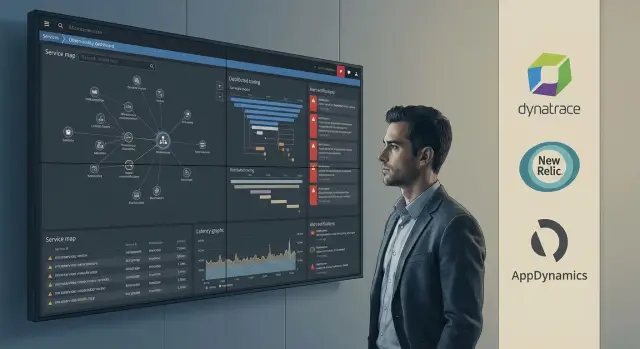
Where to start choosing an APM for 100+ services
When the number of services grows past a hundred, the failure is often not the hardware but understanding the system. A request flows through an API gateway, several microservices, a queue, a cache and a database. One timeout in a queue or a slow external call can look like a problem “everywhere and nowhere”, and the team spends hours guessing.
At that scale, CPU and memory metrics stop answering the key question: why is the user waiting? Average load can be low while latency grows due to code locks, a tight connection pool, retries, degradation of a dependency or a message queue. So choosing an APM starts not with a brand but with a set of questions the platform must answer quickly and reliably every day.
Check whether the solution covers basic investigation scenarios:
- Exactly where the latency appears: which service, method, DB query, queue or external API.
- Exactly where the error originated and how it propagated through the chain.
- Who owns the problematic component: team, service, environment (prod/stage), release.
- What changed before the incident: version, config, dependency, load.
- How to reproduce and verify a fix based on data, not feelings.
It’s important to distinguish observability from a set of disconnected monitors. Monitors give separate graphs and alerts but don’t link them into one picture. Observability connects metrics, logs, traces and change context so you can go from “symptom → cause → owner → action” in minutes.
A practical start to compare Dynatrace, New Relic and AppDynamics: pick 10–15 most critical services, one business transaction flow (for example, checkout) and one queue. If a platform doesn’t show an end‑to‑end dependency chain and the bottleneck without manual stitching, at 100+ services this will quickly become a persistent pain.
What data you need: metrics, logs, traces, profiles
For 100+ services, APM begins with deciding what data you will actually collect and how you will use it daily. Some teams need only metrics and basic alerts, others need traces down to the specific SQL, and others care most about profiling under load.
The minimal set usually relies on four sources:
- Metrics show that something got worse: latency, errors, load.
- Logs explain what happened: an error, a stack trace, context.
- Traces link microservices into a single request path and answer where time is lost.
- Profiles help understand CPU and memory usage inside the process when externally everything just looks “slow”.
You can see what’s missing from a typical incident. Suppose p95 latency rises after a release and metrics only say “slower”. A trace can identify the specific service and dependent call, and logs can show that the call started hitting an external API more often. If the problem is JVM warmup or a memory leak, without profiling you’ll take much longer to diagnose.
Consider OpenTelemetry as a baseline standardization layer. It helps avoid vendor lock‑in for traces and metrics. In practice, however, some capabilities (auto‑dependency discovery, certain deep profiling modes, convenient correlations) often work better via a platform’s native agents.
Agents and collection methods affect two things: performance and team overhead. The deeper the collection (detailed spans, frequent metrics, “noisy” logs), the higher the overhead and the more debates about sampling and filters. For a large fleet, agree in advance on rules: where to collect everything, where to sample, and who owns the configuration.
Also check data storage: retention periods, volumes and who pays for growth. Logs and very detailed traces at high volume are usually the most expensive. For a pilot, set targets up front: for example, 7–14 days of detailed data, longer retention for aggregates, limits on metric cardinality and clear tracing sampling rules.
Traces: depth, accuracy and investigation convenience
In APM for 100+ services, distributed tracing solves one problem: quickly showing where the chain broke. When comparing Dynatrace, New Relic and AppDynamics, what matters is not the charts but how complete and usable a trace is for real investigations.
Test the same load scenario on the same services and check:
- Chain completeness: are all services, queues, DBs and external APIs visible, or do some links drop out?
- Span context: error codes, timeouts, retries, client status, response size, key parameters (excluding sensitive data).
- Time accuracy: no duration jumps from clock skew or unclear agent overhead.
- Correlation: how quickly you can go from a span to the service metrics and logs for that specific request.
- Service map: how accurately dependencies are built and how fast they update after a release.
Sampling deserves special attention. With sampling you can miss rare problems (e.g., 1 in 10,000 requests). With full collection on 100+ services, cost and storage grow fast. In the pilot ask whether you can increase detail selectively (for a specific service, endpoint or user) and how quickly this can be done without restarts.
Tags (attributes) determine how searchable traces are. Standardize at minimum in code and at the gateway: service.name, env, version, endpoint/route, tenant or team (if needed), request_id/correlation_id. Then in an incident you can filter by the new release, spot rising retries in one service and jump to the related logs for the exact request.
Profiling: when it helps and when it gets in the way
Profiling answers “why it’s slow” at the code level: which methods consume CPU, where memory grows, why threads are waiting. In platforms like Dynatrace, New Relic and AppDynamics it often becomes decisive when traces are no longer enough.
Profiling works best in two cases. First — finding memory leaks: a service lives for a week and then OOMs, and heap snapshots reveal which objects accumulate and who holds references. Second — mysterious latency: high p95 while DB and external APIs look fine. Profiles highlight locks, hot methods, lock contention queues, long GC pauses.
The issue is that profiling adds overhead. Before enabling it in production, measure a baseline and compare after: CPU load, average response time, p95/p99 for key endpoints, GC frequency and duration, memory and restart count.
Don’t carry conclusions from test environments to production. Tests often have different data volumes, empty caches and no real thread contention. Good practice is to run profiling in short windows in production and only for the required services.
To make profiles useful, link a profile to a specific trace and release. For example: “after version 2.7 checkout latency grew.” Open the problematic traces and then the profile for the same time and instance. Profiling then stops being a blind hunt and becomes a precise tool.
Alerts and SLOs: avoid noise and missed incidents
With hundreds of services, the main alerting problem is not how to receive notifications but how to make them rare, actionable and leading to resolution. When comparing APMs, focus less on alert types and more on how well the system distinguishes symptom from cause.
A symptom alert looks like: “latency increased in 15 services.” That’s noisy and rarely helpful. A cause alert is closer to the point: “slow queries to a specific table are causing queue buildup, leading to API timeouts.” The better a tool gathers context (traces, dependencies, config changes), the fewer chains of dozens of notifications.
SLOs and error budgets turn alerts from emotions into a manageable process. Instead of “it feels slow” you set a target: for example, 99.9% of requests without errors over 30 days. The error budget shows how much error allowance remains. A practical scheme: a warning when the budget starts burning fast and an incident when it’s nearly exhausted.
To reduce noise, check whether the APM supports:
- deduplication and grouping of identical events by root cause;
- suppressing notifications during deploys and cache warmups;
- routing by team and criticality rather than “everyone”;
- a clear change history before an error spike.
Don’t limit alerts to HTTP metrics. Incidents often start in dependencies: queue lag and processing time rise, DB connections exhaust or locking appears, or an external API shows regional timeouts and errors.
Example: conversion drops after a release. A useful alert doesn’t just say “500 errors increased” but shows the chain: some requests hit external API limits, the queue fills, and then timeouts occur in multiple services. This signal leads to a fix faster and doesn’t wake the whole team for no reason.
Security and deployment: SaaS, on‑prem or hybrid
For hundreds of services, security often matters more than features. Even the best profiling won’t help if the tool cannot be allowed in production by company policy or regulator requirements.
What to check in policies and access controls
Start with constraints: where data can be stored, who can access it and how user actions are logged. This is sensitive for APM because traces and logs can accidentally carry PII (names, documents, tokens).
Roles and permissions should match the organization. Common requirements include:
- separate access for production and test environments;
- ability to mask or forbid capturing PII in attributes, headers and payloads;
- auditing: who changed alerts, dashboards and collection settings;
- isolating teams and projects from each other;
- a clear admin model: who can install agents and change configs.
SaaS, on‑prem or hybrid: network and procurement constraints
SaaS starts faster but needs clear legal terms and trust for data storage. On‑prem is chosen when data must remain internal or strict internal boundaries are required. Hybrid is most common: metrics and alerts stay on‑prem while some analytics or long‑term storage goes to cloud.
Check network requirements: is outgoing internet access needed, which ports and proxies are supported, how telemetry is collected from closed segments, and what happens on connection loss (buffering, data loss).
For government and quasi‑government organizations in Kazakhstan, verifying security documents, IB requirements and support conditions is often important. Raise these questions before the pilot, not after agents are already in production.
Cost at 100+ services: comparing licensing models
At large scale the price rarely equals just “agent cost.” Agree up front what you compare: infrastructure, telemetry volume and retention. Otherwise one product may look cheaper simply because you cut data.
Cost typically combines factors: hosts or vCPU, Kubernetes nodes and containers, log and trace volume (GB/day) and retention, number of users, plus extra modules and premium support.
Growth drivers are usually the same. Prices jump when you enable 100% tracing for all requests, collect “all logs always” or inflate metric cardinality (userId, orderId, sessionId as labels). In microservices that quickly becomes a data avalanche.
For a fair comparison the pilot must run under equal load and collection rules. Example: 20 services of different types (API, worker, DB), the same sampling rate, identical log sets and the same retention. Separately estimate a “production mode” for 100+ services rather than scaling numbers linearly.
Don’t forget hidden costs: team training, agent maintenance, platform team load, access coordination and alert tuning. If you work through an integrator like GSE.kz, clarify boundaries: what’s included in implementation and who maintains the system afterwards.
Step‑by‑step pilot and comparison in 2–4 weeks
To keep the pilot honest, start from goals not agent installation. Decide what you want to improve: mean time to recovery (MTTR), share of incidents where traces find the cause, and alert noise level.
Pick a small but representative set of services. For 100+ microservices 5–10 often suffice if they reflect reality: an external API, a background worker, a service with an active DB, a queue and one external call.
Weekly plan
- Week 1: define goals and baselines (current MTTR, alerts per week, false positives), prepare access and agent deployment rules.
- Week 2: enable tracing and profiling for a limited period only on chosen services to see benefit and overhead.
- Week 3: run 2–3 practice incidents on identical scenarios (e.g., latency spike after a deploy) and measure time to root cause.
- Week 4: collect results, calculate cost from actual volumes and prepare a scale‑up plan for 100+ services.
In drills evaluate not only “did they find the problem,” but how convenient the investigation is for the on‑call: the path from alert to pinpointed bottleneck without long manual checks.
What to record in a comparison table
- Trace coverage: what share of requests is visible end‑to‑end.
- Time to cause: from alert to a specific service, method or SQL.
- Alert noise: share of useful notifications and missed incidents.
- Overhead: impact on latency and resources when profiling is enabled.
- Cost: calculation based on real hosts, containers and telemetry volumes.
This makes comparing Dynatrace, New Relic and AppDynamics practical: you test how the tool behaves in your typical day, not just vendor promises.
Common mistakes when choosing Dynatrace, New Relic and AppDynamics
The main mistake is choosing from a slick demo. Demos run smoothly, while in reality what matters is peak load, rare timeouts, queues, dependent services and how fast the tool helps find the root cause in 10–15 minutes not an hour.
Another common problem is lacking a single naming and tagging standard. If one service is called “billing” and another “BillingService,” and environments are labeled inconsistently, search and grouping become manual work. Even good distributed tracing then fails to give a clear picture: it’s hard to see where degradation is and who to ask.
A pain point is data management. Teams often enable maximum logs and traces without rules and then panic at the bill and start turning everything off. As a result they lose what’s truly needed for investigations: errors, slow transactions and critical endpoints. It’s better to agree on selective tracing, retention and noise limits from the start.
Alerts are often rushed too. Teams set dozens of notifications before SLOs, priorities and owners are defined. The result is either noise (everything red) or missed incidents (issues seen only by customer complaints). A useful alert answers two questions: what got worse for the user and who fixes it.
Finally, people underestimate agent maintenance and support. Agents update, security policies change, new languages and services appear. Without owners and a simple update process the pilot can look successful and then start failing after a few months.
To reduce risk, define in advance:
- 3–5 real incident scenarios and success criteria;
- unified naming, tags and environment rules;
- data collection policy: what is always traced, what is sampled, retention limits;
- 5–10 SLOs and owners for key services;
- who is responsible for agents, updates and team training.
Short checklist for the final choice
After the pilot, consolidate results and compare tools against the same criteria. For a team with 100+ services predictability matters more than pretty dashboards: how quickly the cause is found, how much alert noise arrives and what the year‑ahead cost looks like. Scoring (1–5) is useful, but always record pilot facts alongside scores.
30‑minute post‑pilot check
- Coverage: what fraction of traffic was traced and how many services have clear names, versions and env tags versus “unknown‑service.”
- Investigation speed: can you arrive at the bottleneck (SQL, external API, queue, lock, GC) in 5 minutes without switching between many screens?
- Alert noise: how many notifications per day and how many lead to action?
- Cost forecast: how the bill changes with service and traffic growth, and what happens when logs, extended traces and profiling are enabled.
- Ops cost: time spent updating agents, supporting integrations and investigating data gaps.
A simple practical test: have two engineers take turns investigating the same incident using only the chosen tool and a single trace as the starting point. If their results vary widely, the interface, context or tagging standards aren’t reliable yet.
The bottom line: pick the tool where data quality and investigation ergonomics are stable, alerts don’t become noise, and costs are predictable.
Example scenario: slow responses after a release in microservices
After an evening deploy users report that the checkout page takes 6–8 seconds instead of 1–2. A request flows through 12 microservices. Outwardly everything looks normal: CPU is not spiking, there are almost no 500 errors, but latency rose and drags the whole flow.
The first thing you want from the APM is where the extra time appears. A good tool immediately shows a distributed trace with a clear waterfall: which service slowed, which endpoint, and whether the wait is network, DB or inside the code. It’s important not only to find the slowest span but to understand dependencies. For example, service A might call B more often after the release, and B hits the DB connection limit.
Profiling helps when a trace shows “time inside the service” but not why. Then you look for a hot method (large JSON serialization), unexpected locks (lock contention), or a memory leak causing longer GC pauses. If profiling is enabled selectively and safely, it speeds diagnosis rather than adding noise.
Alerts should be SLO‑based for the specific endpoint: degraded p95 latency and rising share of requests slower than a threshold. Also useful is tying a deploy to the timeline so it’s clear the problem started right after a change.
When comparing Dynatrace, New Relic and AppDynamics look at practical outcomes:
- how many minutes it takes the team to find the guilty service and exact request;
- whether manual context gathering (logs, versions, dependencies) is required;
- how well locks, GC and slow SQL are visible;
- how much this will cost when scaled to 100+ services and during traffic peaks.
Next steps: prepare for rollout without unnecessary costs
To avoid endless tuning, start with an inventory. Note how many services you have, their languages, where they run (VM or Kubernetes), which DBs, queues and external APIs are critical. Mark services where downtime is expensive: payments, registration, appointment booking, issuance of official documents.
Agree on unified naming and tagging — that often solves half the investigation problems and makes APM comparison fair: if one tool has neatly labeled services and another doesn’t, conclusions will be biased. Minimum metadata to enforce: service name, env (dev/stage/prod), owning team, release version, region or cluster.
Before discussing price, plan the pilot and success criteria. Decide what you want to prove in 2–4 weeks: for example, that traces find the cause in several typical incidents and alerts don’t ring at night.
A short preparation plan:
- Pick 10–15 representative services (critical, high load, with queues and DBs).
- Define 5–7 key user scenarios and target SLOs.
- Specify which alerts are useful and which are banned as noisy.
- Assign roles: who deploys agents, who owns dashboards and who is on call.
- Agree which data may be collected (PII, secrets, payload) and how to mask it.
Roll out first to dev or stage to tune tags and rules, then a limited prod deployment on selected services, and only after that scale to 100+.
If you need help with a pilot and observability rollout at 100+ services, bring in a systems integrator. For example, GSE.kz can assist with implementation and ongoing support so APM remains useful after the pilot.
Frequently asked questions
Where is it best to start choosing an APM if you already have more than 100 services?
Start with one critical business flow and check whether the platform gives a complete picture “symptom → root cause → owner → action” without manual stitching. If investigating on 10–15 services already requires many switches and guesses, it will become a chronic problem at 100+ services.
Which data should we definitely collect: metrics, logs, traces or profiles?
The minimally useful set is metrics, logs and distributed traces — together they answer “what got worse”, “where time is lost” and “what exactly failed”. Add profiling when you hit “inside the service is slow but unclear why” or when hunting memory leaks.
How to choose tracing sampling so rare problems aren’t missed?
Use sampling as the default mode and enable 100% collection selectively for specific services, endpoints or users during an investigation. This way you don’t miss rare errors or timeouts but also avoid skyrocketing costs and storage load.
Which trace tags should we introduce first?
Standardize a minimal tag set in advance: service.name, env (prod/stage), release version, endpoint/route and a correlation id (request_id). In an incident you’ll quickly filter by the new release and move from a span to the metrics and logs of the exact request.
When does profiling actually help and when should it be avoided?
Profiling helps when you need to explain delays at the code level: lock contention, thread queues, GC pauses, hot methods, memory leaks. Run it in short windows and only on needed services, and compare p95/p99 and resource usage before and after to avoid degrading production.
How to tune alerts so they don’t turn into noise?
Start from SLOs on user transactions and key endpoints rather than many technical thresholds like CPU. A useful alert must show what worsened for the user and who is responsible; otherwise you’ll get “15 services red” and noisy overnight pages with no action.
How to fairly compare APM costs at 100+ services?
Don’t look only at host/container price — evaluate the total bill including logs, traces, retention and metric cardinality. Run a pilot with identical collection rules so comparison is fair; otherwise a tool may seem cheaper simply because you collected less data.
What security checks are important when choosing SaaS or on‑prem APM?
Decide where data can be stored and which fields must never be collected due to PII or secrets — traces and logs can accidentally leak sensitive data. Also verify environment separation, user access audit, and the ability to mask or block sensitive attributes.
How to run an APM pilot in 2–4 weeks without wasting time?
Pick 5–10 representative services and one business flow, then run 2–3 training incidents for the same scenarios and measure time to root cause. The pilot outcome should be measurable: trace coverage, MTTR, share of useful alerts and agent overhead — not just pretty dashboards.
Why involve an integrator like GSE.kz when deploying APM?
An integrator helps agree on tagging standards, collection rules, access and alert routing across teams, and supports agent updates and operations. For example, GSE.kz can take care of the organizational side of rollout and ongoing support so the platform stays useful after the pilot.